
Ubuntu 6.10 released
by Volker Weber

London - 26th October 2006 - Canonical ... today announced its latest desktop and server version. ... Ubuntu 6.10 offers a cleaner, sharper design, together with new and enhanced desktop applications and advances in security. Significantly faster boot up times and the best in leading edge free software technologies make the latest Ubuntu the first choice for many new and existing Linux users.
The upgrade is pretty easy, as Christian Heindel wrote. Just enter this command:
sudo update-manager -c -d
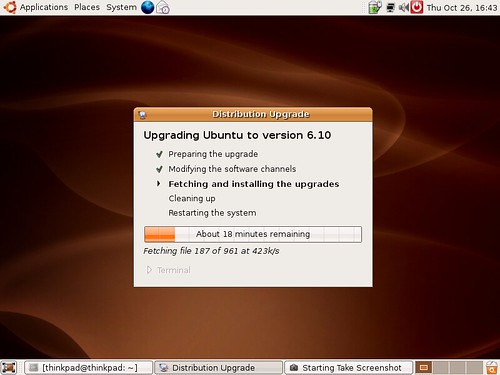
It will ask you for your password, and the fun begins:
Comments
Upgrading is amazingly simple!
sudo update-manager -c -d
Try this with "XP to Vista"... ;-)
Maybe the easy upgrade path is the reason why it won't let me do a fresh install here.
It's not always that simple to upgrade Ubuntu (or Debian, that is) if you use some non-official packages such as Skype. So I preferred to do a fresh install today. Which was almost as simple: Just backup the home directory, install a fresh base system and restore the home directory. Ready.
I've been using Ubuntu on my desktop at home and at the office in exchange for XP since a year now and so far, it's been really good and getting better on each release! This really is the Debian for the Desktop I was waiting for.
The one thing I miss is Ultraedit (Bluefish comes close, but not really). I also miss a native 64-bit Skype and Flashplayer (both are 32 bit only).
Several of my colleagues have moved from Ubuntu to Mac OS X, though. As the epublica office grew, we moved from 100% XP to half XP, half Linux and now to one third XP, Linux and OS X each. (XP didn't suffer, but new employees first used Linux and some of them moved to OS X.)
Well, as said above: I'd be more than happy with a version of 6.10 that would just *install* on my hardware. No problems with any version since 5.04 on the very same hardware but 6.10 just keeps restarting the X-Server (yes, I even tried *safe mode* (sigh)).
If you have more than one machine and want to save some bandwidth or do not have a Internet connection handy, according to the Ubuntu online help you can also upgrade Dapper from a "alternate" Ubuntu Edgy CD.
gksu "sh /cdrom/cdromupgrade"
Won't help me. Replacing the graphics card did, however.
Stefan, I tried an online upgrade and had your same problem.
>$sudo dpkg --purge xserver-xorg
>$sudo apt-get install xserver-xorg
>$sudo dpkg-reconfigure xserver-xorg
- configure and save the new settings
>$startx
did the trick for me.
(you must pay attention to the right screen refresh rates)
Hope this helps
Won't help although it's nice to have that documented. For me it's that the tdfx driver seems to be broken in Ubuntu 6.10. Every other card I tried works.
Perhaps you tried this already but you may install a new tdfx driver pulling the latest available from the Ubuntu repositories typing:
>$sudo apt-get install xserver-xorg-video-tdfx
I would be surprised if that also doesn't work

