
Email best practice on the Treo
by Volker Weber
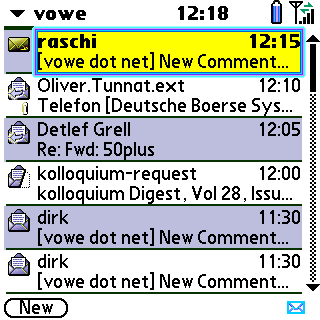
The Treo 650 comes with a very capable mail program for IMAP4 and POP3. However, checking your mail on a regular basis means that you are polling your server. Open connection, log in, check for new mail, download if available, disconnect. That adds up quite some traffic if you are on a metered contract. It also means that you cannot receive mail faster than your polling schedule allows.
On the other hand there is the Blackberry that delivers messages as fast as they arrive through a "push" mechanism. However, this solution requires either a dedicated Blackberry Enterprise Server on site or a contract with a Blackberry service provider. There is a Blackberry client for the Treo in the works but it has not been made available yet.
When looking for a better solution I came across Chatter Email. It advertises a "true push" solution without a push server. So how is that supposed to work? Who is pushing the emails? I have learned that there is an IDLE command which keeps the connection to the IMAP server open. Chatter connects to the IMAP server, logs in and checks for new mail. It then put the connection into the idle state. The IMAP server will start sending mail as it arrives. Voila, push without a dedicated server.
Using this solution I can keep up with my email without requiring more than about 100kB a day for message headers and truncated message bodies. Which puts this solution well into the popular 10 meg/month packages available here.
Comments
What a coincidence, we just happen to be looking for Blackberry alternatives... this might the convincing argument for the Treo 650.
Of course, as sysadmin I would need one for myself in order to be able to support it properly. :-)
Thanks for the newly feedback :-) I'm now just waiting for E-Plus to release the Treo 650. Let's see what they charge with a 10 MB/month fee...
Scott, if you are looking for an alternative that can travel on the roof of a rental car, a Treo is no better than a Blackberry. :-)
My only concern would be, how many and which IMAP servers really obey the standard strictly enough to allow this to work. This IDLE connection stuff sounds like it's somewhat of an exotic feature in the IMAP protocol which might not be supported (or at least not in the same way) by all IMAP servers.
Any experiences such as list of supported servers so far?
Mine works. Test yours with the free 30 day trial. :-)
Unfortunately I don't own a Treo and there's no CE for Symbian/UIQ (yet). And what's yours? I don't see Domino in vowe's choice (anymore) and I kind of remember you reporting on the installation of one of those all-in-one-box devices, but can't quite remember the name. (Yes, yes, I'm growing older, I know. Who isn't?)
I am using the Cyrus IMAP Server.
Has anyone managed to get a Palm email client working with Gmail pop3? I've tried Versa-Mail and Snapper Mail, but no luck (I'm on a Palm OS 4 device).
Chatter is great, and allows for always on, blackberry-esque email. But it is a little rougher than Versamail, and doesn't support some things like multiple attachments nicely (try "send"ing multiple pics from Pics and Videos to Chatter) I basically keep Versamail around for outbound emails (as opposed to getting one of Shadowmite's slimmer ROMs).
It also seems a bit more finicky with network connections - I occaisionally (this is on Sprint in the US - Wash DC) have my data connection drop such that it can't be reestablished - I have to soft reset to be able to connect again. Phone works, just no data.
I agree that Chatter is not as polished as Versamail, and it has a lot of options that I found confusing initially. But I am very satisfied. It really works great.
I have also had three occasions where it would not connect. Connect-Login-Connect-Login... But a "Reset Connections" has resolved these situations each and every time.
@David: Versamail works with gmail. But I noticed connection problems with gmail in the last two weeks, and many people noticed that too (see the forums at treocentral.com).
As far as i know newer Symbian Phones like Nokia 6630 support push mail. Also Strato in germany now support imap idle mail. Not tried it yet.
As an Admin (and a gadget addict) I am in charge of a BB server in my enterprise, dont get me wrong BB does what it does VERY well. I just wanted more apps and flexiblility, which BB does not do well at all. A couple weeks ago I sold mt 7100t and got a Treo 600.
My one real NEED was the push email. Chatter ROCKS, it does it perfectly. I am blessed in that I have access to an exchange and can do what I want with it, but IMAP is cheap on bandwidth and works great. Plus for 32$ its a steal. BES licenses are really expensive.
If you cant wait for the 15 miniute polling period that the Treo offers by default I strongly recommend this setup if you can swing it.

