
New toy: Navman N40i
by Volker Weber
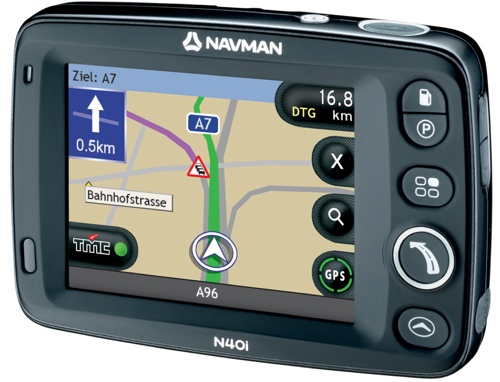
I am beginning to like the UPS delivery guy. Not only did he bring a new Navman, he also said: "I have seen you on TV". And he could even remember what the topic was. ;-)
Anyway, what's with the new Navman? It supersedes my former favorite: The 530. Very similar in size and features, but with the graphical user interface of the 720/750. Without the bulk these devices added.
I found the new lineup quite confusing, so let me describe the four new devices with my own words. Notice the "N" in the device name. It stands for Navpix, a feature which lets you navigate by pictures. The device reads the geo coordinates from the picture and lets you navigate there. Not that much useful right now, but as more people start to use it, it might pick up. The "i" stands for "device has a camera" (i=image?). The prices are the lowest quote I could get. List should be considerably more:
- F20 (189 Eur): Entry level device, your country on an SD card. For Germany that would be D-A-CH)
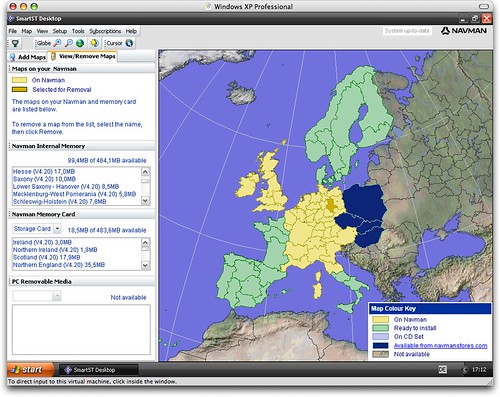
- N20 (279 Eur): Smallest Navpix device. Your country installed on the device. For Europe: Add any available EU map as shown in green and yellow below to the device or your own SD card. This is the bargain I would recommend.
- N40i (329 Eur): Same as above, but has a camera. Body is black instead of grey. Has all the capabilities of the N60i, but is smaller and you have to add an SD card to store additional maps.
- N60i (419 Eur): Wide screen model with camera and all of Europe pre-installed. If money does not matter get this one.
I cannot really give you any performance data, but the interface is snappier than on both the 530 and the 720. One of the nice touches that have been added is that the software no longer warns you with a prompt if it loses GPS coverage. Instead it automatically switches to instructions for the next turns, and then goes back to the map when it gets a fix.
You manage your maps and POIs from SmartST, which only runs on Windows. Since the software sits on a WinCE core, you need to install ActiveSync to connect:
The navigation has been flawless so far. I have four issues:
- Make A-B planning more accessible. Currently you have to select a start point on the map and then set a destination in the usual way. I would like to use the destination selection also for the start point.
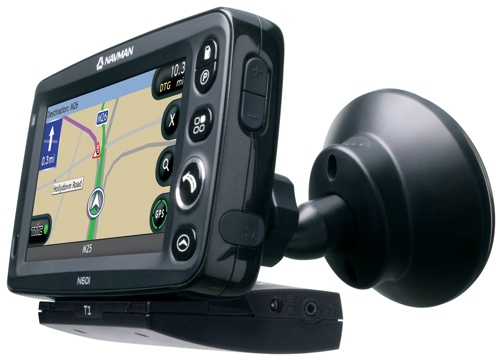
- Put TMC traffic data into the device instead of making it an option. I understand the licensing issue, but I want it in the device and not as an optional apendage.
- I want a QWERTY on-screen keyboard. The new ABC-DEF mobile-style keyboard comes in handy if you want to type and the device shakes and wobbles in the screen mount. The ABCDEFGHI keyboard is awful for anybody who knows a standard keyboard. So instead of providing only two options, let me have a third one.
- The screen mount sucks. Too many sharp edges, and I have already destroyed three joints.
These are minor issues. I know how to do A-B planning, I can use the available keyboard options and I can sit the device on my dashboard just fine. But I want TMC in the device instead of sticking out towards the back:
Comments
I concur, a car navigation system without TMC is really a joke...
Volker, does it have a good text-to-speech engine?
I have no idea. But is speaks very clearly.
OK, thanks. I was asking because navigation systems like Garmin C550 do have quite good text-to-speech engines and they tell you the street name so you do not need to take a look at the screen while driving the car. I am still on the search for a navigation system and tend to take the Garmin C550...
Garmin is a very good choice.

