
Pwnage 2.0 released
by Volker Weber
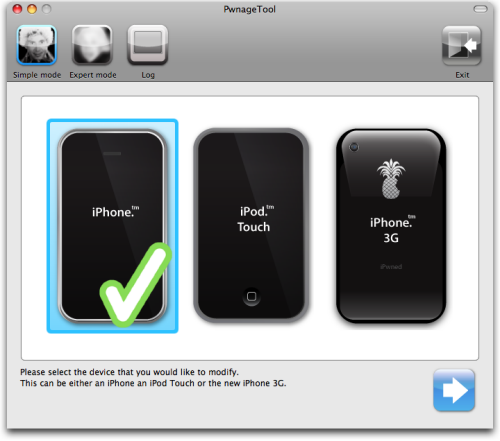
Pwnage Tool 2.0 won't unlock iPhone 3G yet, but everything else is just fine.The 2.0 jailbreak is done, which is a first step to an unlock. You can upgrade the original iPhone to 2.0, and jailbreak and unlock it at the same time.
Hint: once it has built the custom firmware, place the iPhone into recovery mode and "restore" the phone with iTunes and the new custom firmware. No need to follow the difficult procedure with Pwnage.
Update: New version >
Comments
But what is the point? I upgraded my iPod Touch to 2.0 then jailbroke it with this program, but it doesn't (yet?) support the installer.app - just Cydia, and the only things listed there are developer tools.
Nullriver/RipDev Installer.app will be available soon (tm) in a 2.0 compatible version.
Rwnage Tool 2.0 will get an update then that allows you to also include the Installer.app into the custom firmware package.
For an iPod Touch user there is little use right now. But for imported iPhone 1st gen. devices pwnage tool 2.0 is quite handy. I, myself, was unable to upgrade to 2.0 up to now because I use an imported US device here in germany.
PS: There is no EDGE APN settings hack available yet for 2.0. This means that If you are on t-mobile but not with a legit iphone plan then you will not be able to use EDGE since you cannot change the APN from smartsites.t-mobile to internet.t-mobile. You can easily circumvent that by downloading the official Apple iPhone configuration utility that lets you generate policy files. These can be mailed to an iphone. Once you open the policy/profile on the iPhone its settings will be applied (and yes you can change the APN in those profiles).
@Sascha: Editing Edge APN Settings IS possible. Just go to "Settings" - "General" - "Network" - "Cellular Data Network" - Here you to
Volker, is your experience with the Pwnage Tool 2.0 hands on?
I have been playing with it for more than half an our no, but find it far from being user friendly.
Upgraded iTunes to 7.7, downloaded the new 2.0 firmware (more than 200 Mb!) but now I am stuck with a bootloader which the pwnage doesn't like... :-(
All this, of course, is with the original, 1st gen, jailbroken, unlocked, iPhone.
@Andreas: I own my iPhone for about 9 months now. It was never possible to change the EDGE APN settings on the iPhone if you are on an official iPhone carrier (e.g. I got my iPhone from the US but use it with a regular non iPhone T-Mobile D sim) but without an official iPhone data plan.
The iPhone has the APN settings semi-hardcoded for official carriers so that their users can surf right away without having to change something. If you are on such a carrier but without the official data plan then your iPhone will still use those hardcoded APN settings and the EDGE settings UI will be hidden. smartsites.t-mobile doesn't like me with my non iphone plan -- so i have to change it to the correct internet.t-mobile (for non iphone plans).
Trust me. There is no EDGE setting UI here :-). If I would use some other carrier beside t-mobile then the edge settings would be visible and changeable (e.g. insert vodafone D sim, change APN and switch back to t-mobile sim). Unfortunately I just have t-mobile sim cards here.
@Pieterjan:
Check iClarified for download locations to the bootloader files.
Pieterjan, yes, I have first hand experience. I have two iPhones, both with 2.0 firmware, one unlocked.
@Sascha: That is just one boolean to change in /System/Library/Carrier Bundles/TMobile_Germany.bundles/carrier.plist (Now you have access to the file system, you'll need a binary plist editor). Add "AllowEDGEEditing" as boolean below "Root" Key, Type "Boolean", set the checkbox. Save. Restart. Done.
Just another way than using these profiles. Both work :)
Thank you Andreas, that did the (important) trick for me.
thanks Sascha, swapping sims worked a treat... luckily I kept some old overseas sim and it showed the Edge menu :)
Pwnage 2.0.1 was released already. I haven't had time to try either on a phone yet but looks good.
I have a 1st gen iphone also using 2.0 with pwnage 2.0.1 and i cant get the edge settings to work for tmobile in USA ? Can someone please show what the correct settings have to be in the Cellular Data Network ?
any update on this fix?
please help.
S

