
FolderShare replaced by Windows Live Sync. And it's working ...
by Volker Weber
I was not looking forward to this change. Three weeks ago I was rather pessimistic. And I was wrong.
When I checked the FolderShare website today, I was being told to upgrade to Live Sync. Good news: not only was the version number for the Windows software pretty similar to that of FolderShare, but there was a new Mac version as well. You can download the clients here:
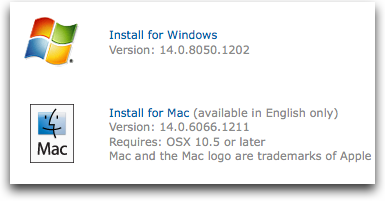
When you load the software you will see that this is FolderShare, just with a different name. And a different backend. You now need to use your Windows Live ID, and your shared folders are gone and need to be rebuilt, as announced three weeks ago. But you can still setup your personal folders that are only shared peer-to-peer between your machine and do not need online storage.
All is good. FolderShare lives on. Just under a different name.
Comments
I had a similar experience. The only bug was that settings seet to have been reset to a default. I had to re-enable "remote access" on my two externally visible systems. In addition, use UPnP .. resets to checked even when you clear it. I also miss the explicit thead count settings, probably too easy for the great unwashed to get right. My guess is that they are still settable in the registry. When I have some time, I'll poke around.
and where is the "Install for Linux" Button?
works nicely. Just one thing astonishes me: private folders I sync between two computers regularly exclude directories which have in common that I applied a color to (Etikett) to ease the search process in finder. I didn´t realize this until I needed a file from such a folder...

