
Second update on the N900
by Volker Weber

Here are some screenshots to give you a better idea of the user experience. You will have to click through to the full resolution shots on Flickr to get an idea of the resolution of this screen.
What you see above is the desktop that I call the canvas. It consists of max four pages. I have currently disabled one of them so that I am down to three. The browser is probably one of the best Maemo applications, since it is very fast and full featured. No need to visit mobile pages. Just use the real thing:
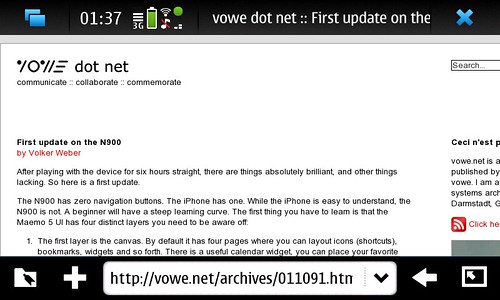
Here is one of the features I particularly like. I can set two languages for text input so that predictive text works in English and German. This is my first device supporting this multi-language feature:
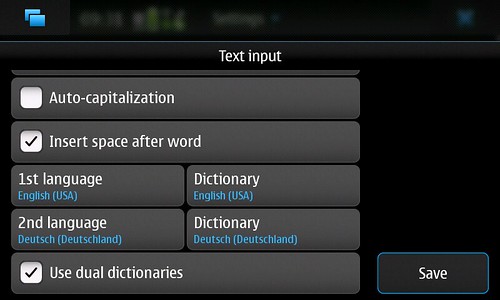
Here is another nice integration feature. Skype and Google Talk are built right in. I can set my availability for both in the same place:
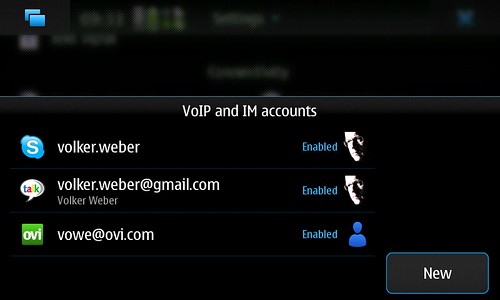
The same goes for sharing. Wherever I can share, a photo for instance, it will let me chose any of the targets configured here:
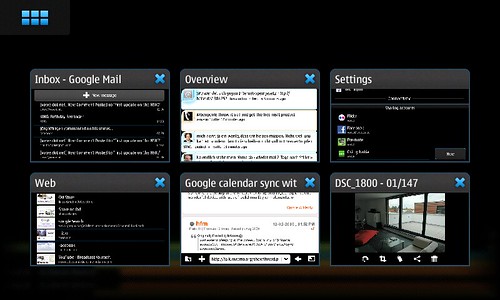
This is the switcher that lets you select from the currently running application windows:
And this is the boring grid of icons of all installed programs. You will recognize the standard icon set used by Symbian:
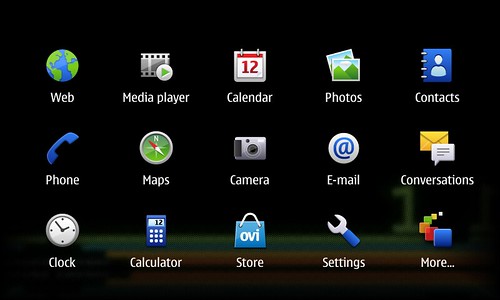
The confusing part is here, that this page is missing the icon in the upper left corner. You can escape from here by tapping on the background.
Comments
Do not leave running apps in the background over night, it will eat the battery and you will have a dead phone by morning. This is a serious flaw with the OS, it should protect the system from running down the battery, maybe nice the back ground apps till they consume little or no power.
Image leaving something running (which is easy) putting on an alarm and not having it go off in the morning when somewhere because the battery died.
I find the widgets on the desktop extremely useful, apple should have allowed this since you can have a few things running that you would like to see on a constant basis.
If Nokia made the device a little more user friendly, and feature better phone integration, they would have a strong contender for the iphone.
Volker, what's your experience with the N900's battery time?
hillarious that my FB /twitter msg is on that screenshot... :-D
you really seem to dig the little bugger eh?!
somehow noting gets me excited too much after the iphone...

