
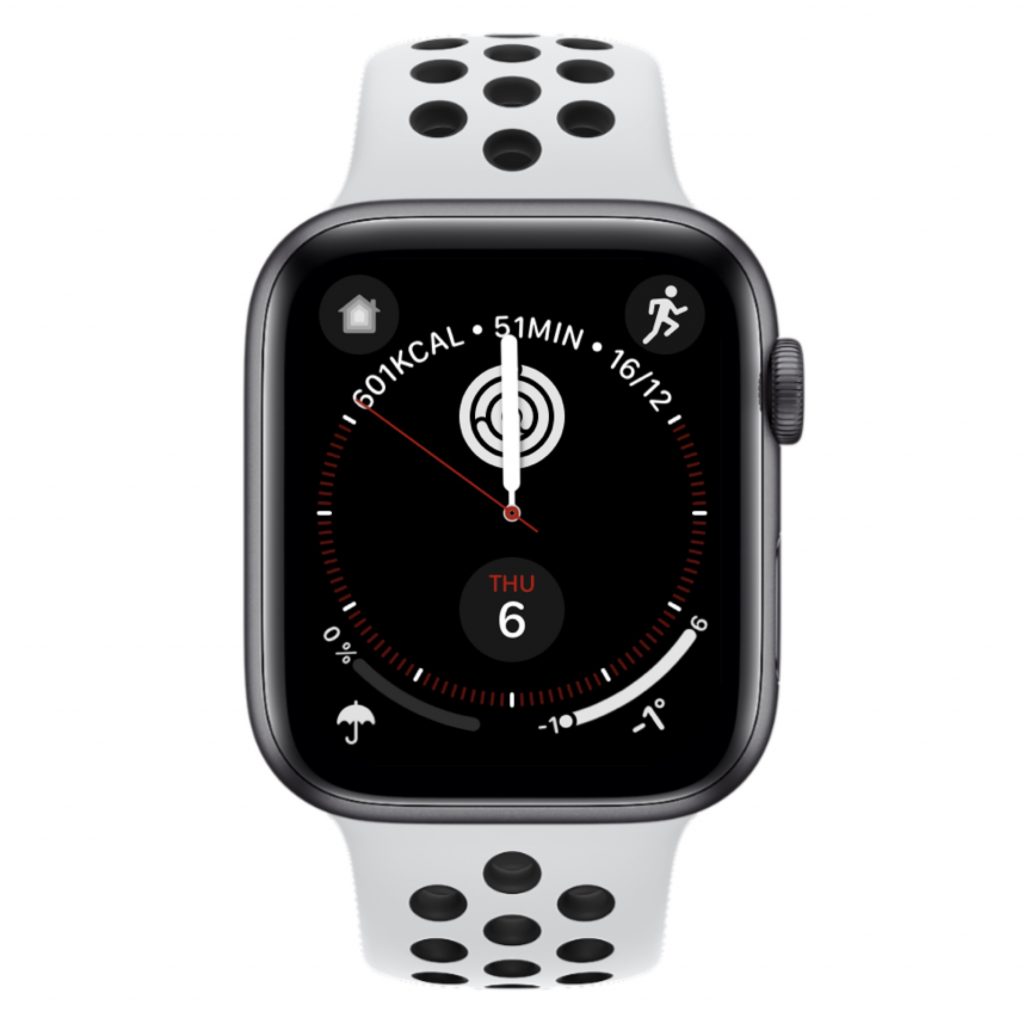
Das war knapp

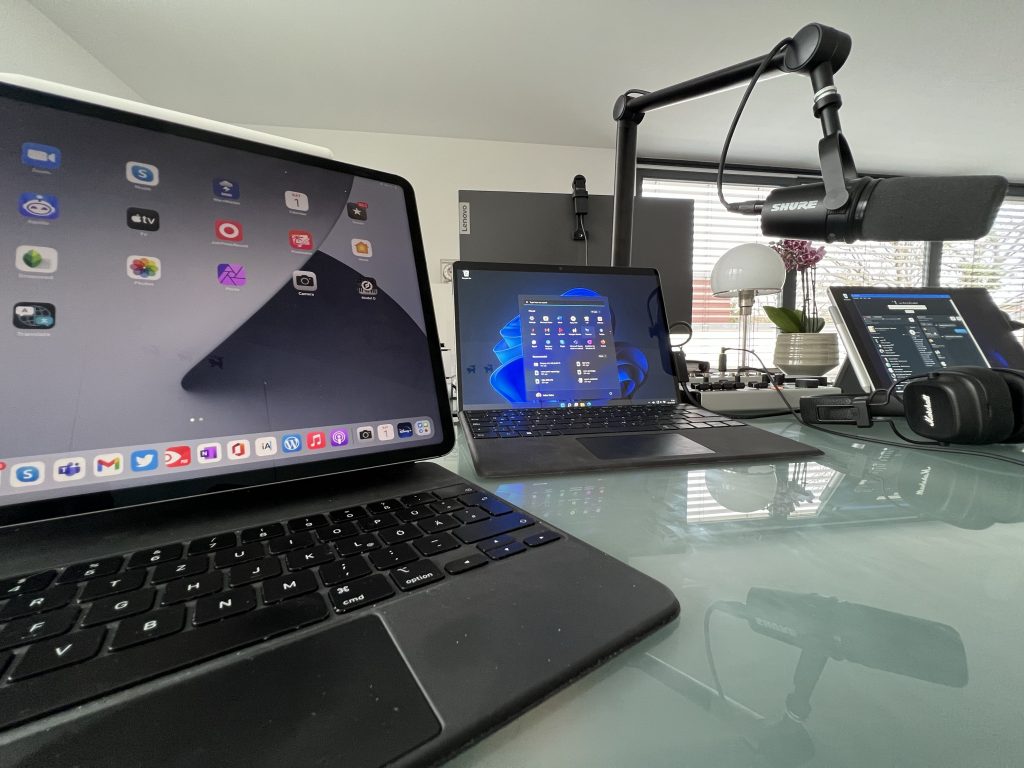
Das Smartphone ist für viele Menschen die Fernbedienung fürs Leben und der einzige Computer, den sie brauchen. Und wenn es ein Computer sein muss, dann am liebsten ein Laptop. Meine Empfehlung ist einfach: iPhone plus MacBook Air. Beide sind derart ausgereift, dass man nichts falsch machen kann. Beide sind langlebig und Apple hat bei den aktuellen Geräten zurück zu alten Tugenden gefunden.
Bei mir passt der Laptop leider nicht mehr. Sonst hätte ich wohl auch so einen Air. Ich bin ein Tablet-Typ. Ich mag das iPad, am liebsten als großes iPad Pro mit Magic Keyboard. Ich komme damit auch ziemlich weit, aber nichts bis ins Ziel. So wie ich im letzten Jahrtausend OS/2 brauchte, um im Hintergrund meine Mailbox betreiben zu können, fehlt mir beim iPad das letzte Quäntchen Flexibilität. Ich brauche Audio-Routing über mehrere Kanäle, eine externe Webcam, will einen Mixer mit mehr als zwei Kanälen anschließen. Ich muss gleichzeitig mehrere Sachen im Hintergrund laufen lassen.
Von der Hardware her ist der iPad Pro für mich perfekt*, aber ich brauche einfach viel mehr Software, die Apple in dieser Form nicht hat. Was kommt dem iPad Pro am Nächsten? Ein Surface Pro. Ich mag Windows 11. Nicht das Windows, das von der IT mit Policies und Systemsoftware verkrüppelt wurde, sondern so wie es Microsoft gebaut hat. Ich habe einen Behringer Flow 8 angeschlossen und kann dort mit drei Stereo-Kanälen rein und dem fertigen Mix zurück zum Surface. Ich habe eine Tastatur, ein Trackpad, einen Stift und einen Touchscreen. Wenn ich den Dock Connector abziehe, wird es zu einem einfachen Tablet. Am Dock hängt noch eine Logitech BRIO, am Mixer ein seriöses Mikrofon. Der Sound kommt per Kabel aus dem Marshall Major IV, den ich beim Garantie-Austausch behalten durfte.
So oder so, ich bin ein Tablet-Typ. 🙂
*) Die Kamera gehört wie beim Surface an die lange Seite.
Regelmäßige Bewegung tut gut und macht gesund. 30 Minuten am Tag das Herz in Schwung bringen, besser draußen an der frischen Luft, am besten zwischen Bäumen. Das macht nicht nur den Körper, sondern auch die Seele gesund.
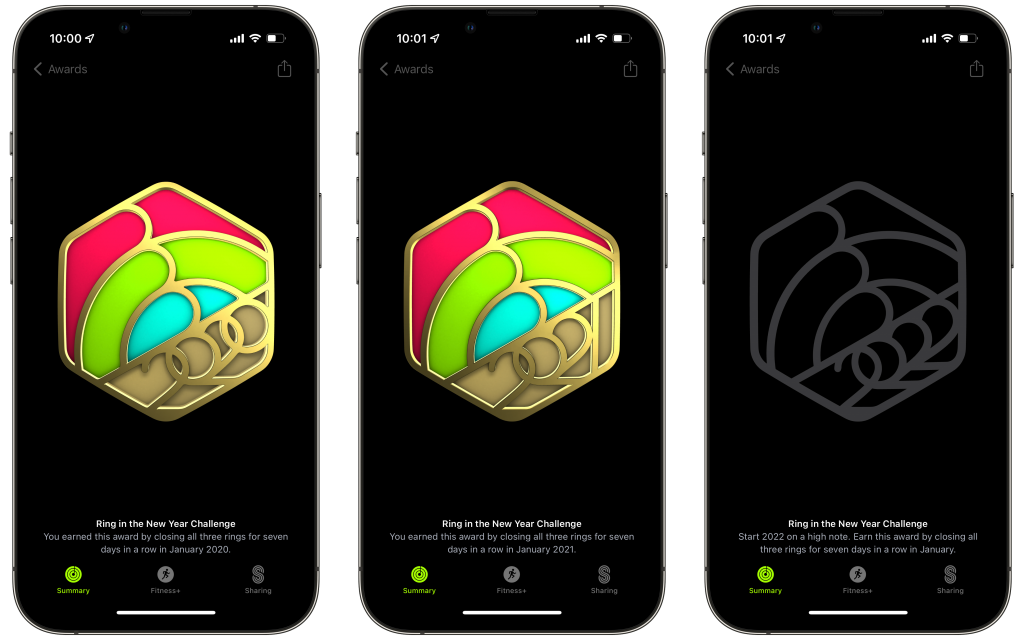
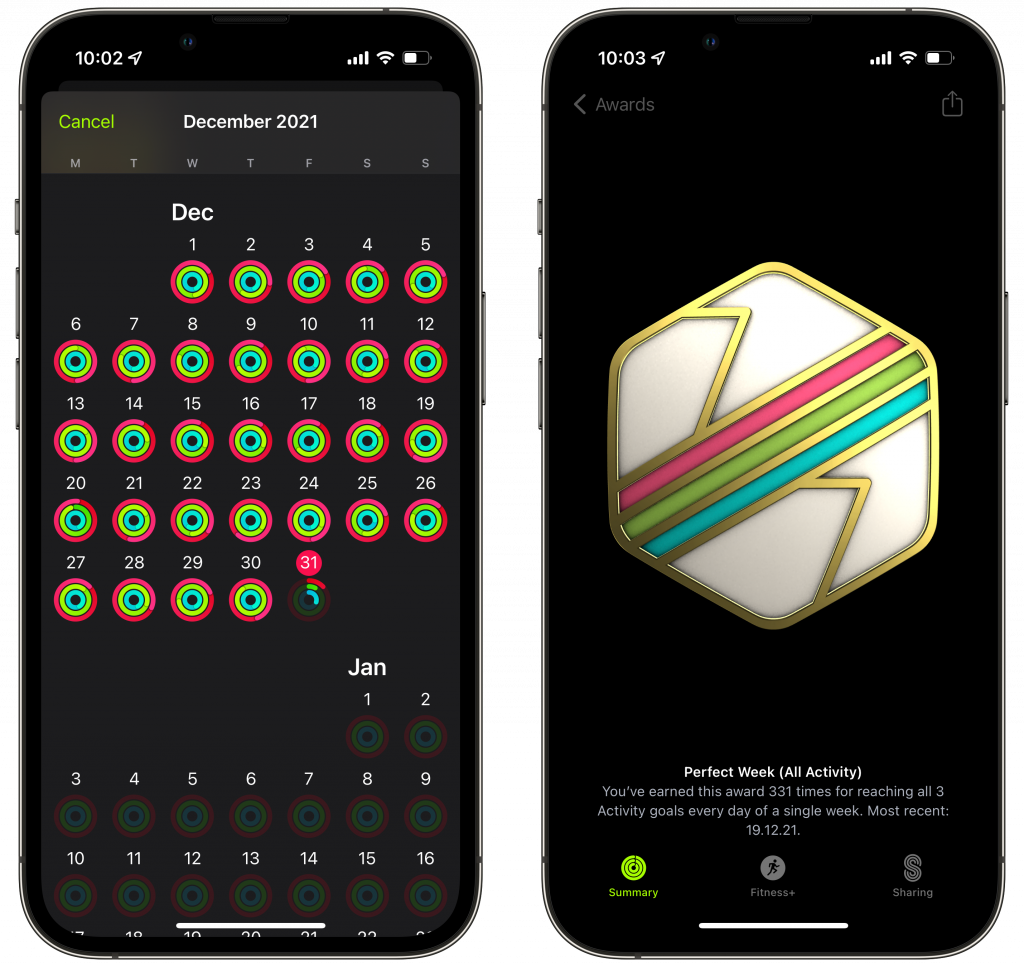
Seit mehr als sechs Jahren mache ich das nun, was ich immer leicht an der aktuellen Generation der Apple Watch ablesen kann. 🙂 Und dabei schließe ich jeden Tag alle drei Ringe: Move, Exercise, Stand. Zum neuen Jahr bietet Euch die Uhr nun wieder die Challenge an: Nur sieben Tag in Folge, schon gibt es die “Medaille”. Und wenn Ihr damit morgen beginnt, dann winkt einen Tag später schon die perfekte Woche. Und wenn Ihr durchhaltet, dann der perfekte Monat. Spätestens dann ist es Routine, bei jedem Wetter raus, auch wenn es mal regnet oder kalt ist.
Ich schaue nicht mehr so genau hin und deshalb mache ich schon mal einen kleinen Fehler. Deshalb gab es meine perfekte Woche zum letzten Mal am 19. Dezember, zum 331. mal. Aber man erkennt die Routine. Mein Vorteil: ich fühle mich noch nicht so alt wie ich objektiv bin.
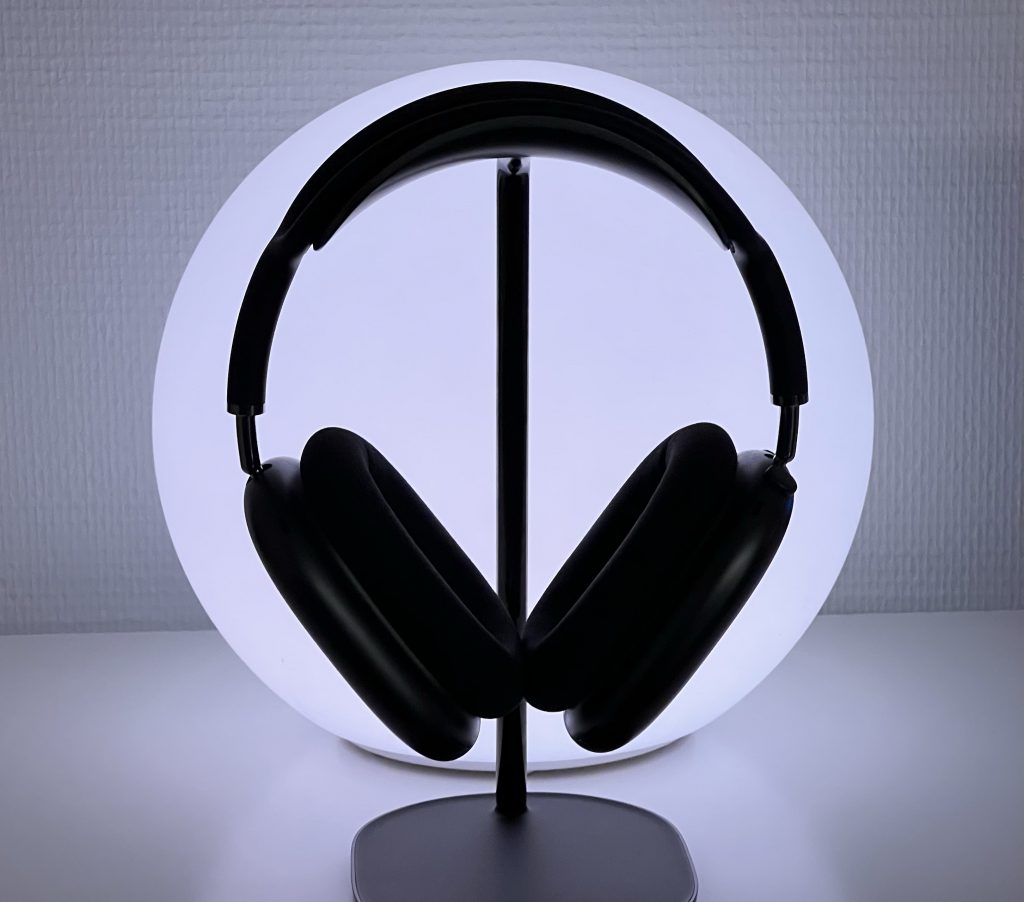
Ein Jahr ist es her, dass ich den ersten Testbericht in Deutschland über den Apple AirPods Max geschrieben habe, und ich habe nichts neues gelernt. Das Headset ist so gut, wie ich es damals erlebt habe. Das übliche Drama, das es bei jedem neuen Apple Produkt gibt (Kondenswasser, kein Ausschalter, blödes Täschchen) hat sich alles in Wohlgefallen aufgelöst. Der AirPods Max ist immer noch mein liebster Kopfhörer, wenn es gut klingen soll. Nicht zum Joggen, nicht zum Sport, aber Musik hören oder Filme auf dem iPad gucken (was ist ein Fernseher) geht für mich nicht besser. Heute habe ich nach langer Zeit mal wieder meine verbliebenen Sonos Player angeheizt und aktualisiert. Und dann schnell wieder dieses Headset aufgesetzt. Eins hat sich geändert: jetzt kostet es ein Viertel weniger. Und sie können jetzt mehr: Spatial Audio mit Apple Music, mit Apple TV+ und Disney+ sowie anderen Diensten.
Global exclusive! Led by Evans Hankey and Alan Dye, the Apple Design Team holds enormous sway over our evolving relationship with technology. Opening the doors to their studio at Apple Park in Cupertino for the first time, they offered us a deep dive into the working processes behind their latest creations
Apple parts, tools, and manuals — starting with iPhone 12 and iPhone 13 — available to individual consumers
Ich benutze iPhone seit dem ersten Gerät, das noch nicht mal UMTS hatte, geschweige dann LTE oder 5G. Mit dem Sprung von einer 8 MP- auf eine 12 MP-Kamera war es auch die einzige wirklich benutzte Kamera, weil sie immer dabei war. Spiegelreflex und Mirrorless war damit abgehakt. Mit jeder Generation wurde die Kamera besser und was ich heute mit dem 13 Pro in der Tasche habe, ist schier unfassbar. Dabei bleibe ich immer in der Standard-App und passe eigentlich gar keine Defaults an. Abdrücken, fertig.
Mit den großen Betriebssystem-Updates tue ich mich immer etwas schwer. Nur weil es anders ist, muss es nicht besser sein. Aber manchmal muss es anders werden, um besser zu sein. Beispiel: Safari. Nun ist nicht nur die Adressleiste unten, sondern man kann auch von Tab zu Tab streichen. Nach kurzer Eingewöhnung finde ich das richtig gut.

Die Fitness App wird immer umfangreicher und das kommt mir nicht entgegen. Ich habe ein einfaches Programm: jeden Tag alle Ringe schließen. Das kriege ich mit flottem Gehen hin. Ich brauche keine Exercises, keine Auskunft darüber, wie ich mein Wohlbefinden überwache und dergleichen. Die Challenges habe ich komplett aufgegeben. Manchmal sind die Ziele unerreichbar und dann wieder pillepalle, wenn ich die Challenge mehrmals nicht schaffe. Immerhin habe ich nun neue Bewegungsziele mit 2250 (check), 2500, 2750 und 3000 Tagen. Das gefällt mir.
Ich trage die Watch täglich und lege sie nur nachts und zum Duschen ab. Sie hat mich schon einmal gerettet, weil der Herzschlag signalisierte, ich solle doch mal rasch zum Arzt gehen. Das allein hat dazu geführt, dass ich nie wieder ohne sein will. Da die Watch LTE hat (5 Euro extra an die Telekom), lasse ich das iPhone häufig zurück.
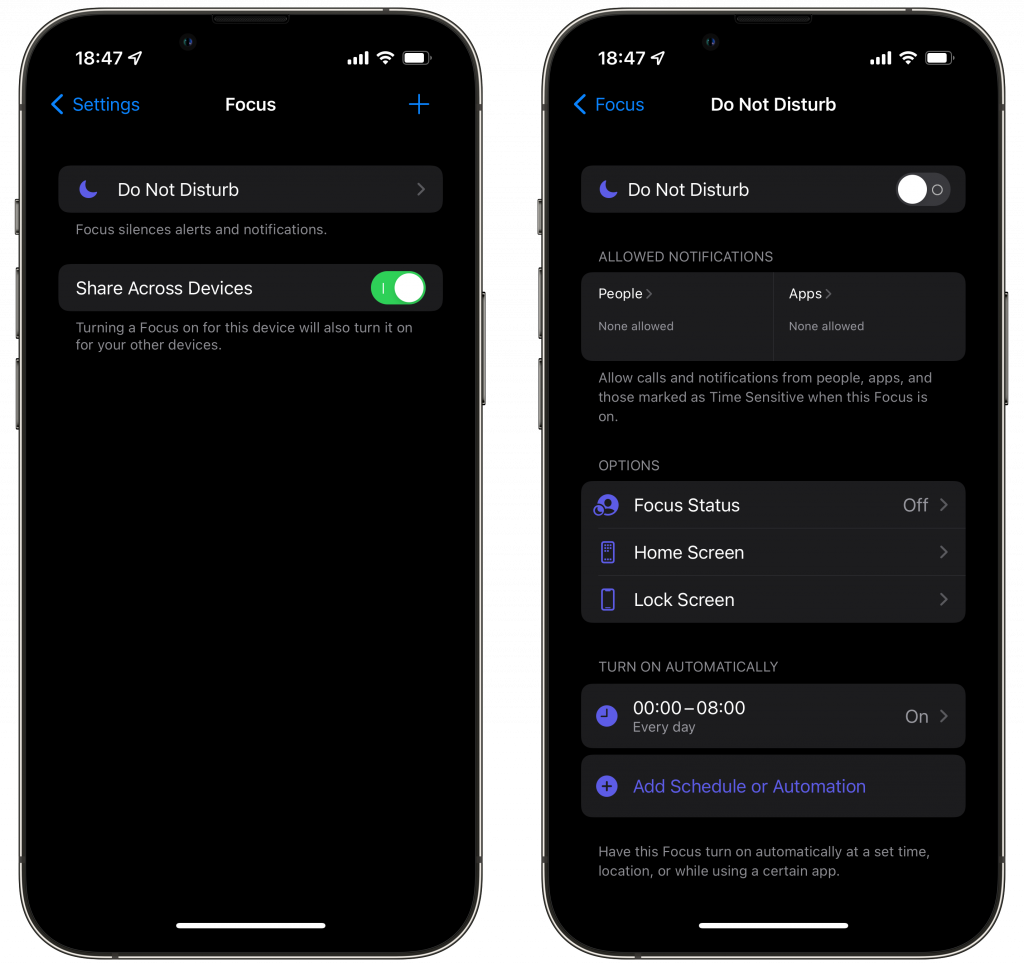
Gar nicht gewöhnen kann ich mich an das neue Focus Feature. Ich habe es so weit verdummt, dass es sie wie vorher “Do Not Disturb” funktioniert. Keine Benachrichtigungen von 0 bis 8 Uhr und das automatisch.
AirTags habe ich an Schlüssel und Hund. Es braucht ganz schön lange, dem Find My beizubringen, wann es nicht warnen soll. “Du hast dein iPad nicht dabei.” Geschenkt, ich gehe mit dem Hund raus. Was besonders nervt: AirTags sind immer nur einer Person zugeordnet, der Hund aber zwei Personen. Wieso kann ihn nur eine Person suchen und wird ansonsten benachrichtigt, ein fremdes AirTag würde mitlaufen? Da fehlt die Familienfreigabe.
Was mir in HomeKit fehlt: Ich muss das iPhone mitnehmen, damit HomeKit bemerkt, dass ich das Haus verlassen. Das sollte doch auch mit Watch allein gehen. Anregung!
Apple Music habe ich, aber kein Arcade, Fitness+ oder ähnliches. Apple Music ist super, aber was unfassbar nervt, ist der Upsell auf Family. Wenn ich auch nur zufällig auf dem iPhone ein Musikstück anspiele, steht auf dem anderen Gerät, z.B. iPad, sofort die Frage “wolle mehr kaufen” und bricht dabei die Musik ab. Da fehlt eine Abfrage: Ist es OK, wenn ich die Musik auf dem anderen Gerät stoppe?
Das ist alles Kleinkram. Ich bin äußerst zufrieden mit dem, was ich habe. Und was viele Journalisten nervt, finde ich super: Eine behutsame Entwicklung, die kein jährliches Upgrade angeraten lässt. iPhone 8 und älter würde ich persönlich upgraden. Aber alles, was neuer ist, tut noch wunderbare Dienste.
Wie sieht das bei Euch aus?
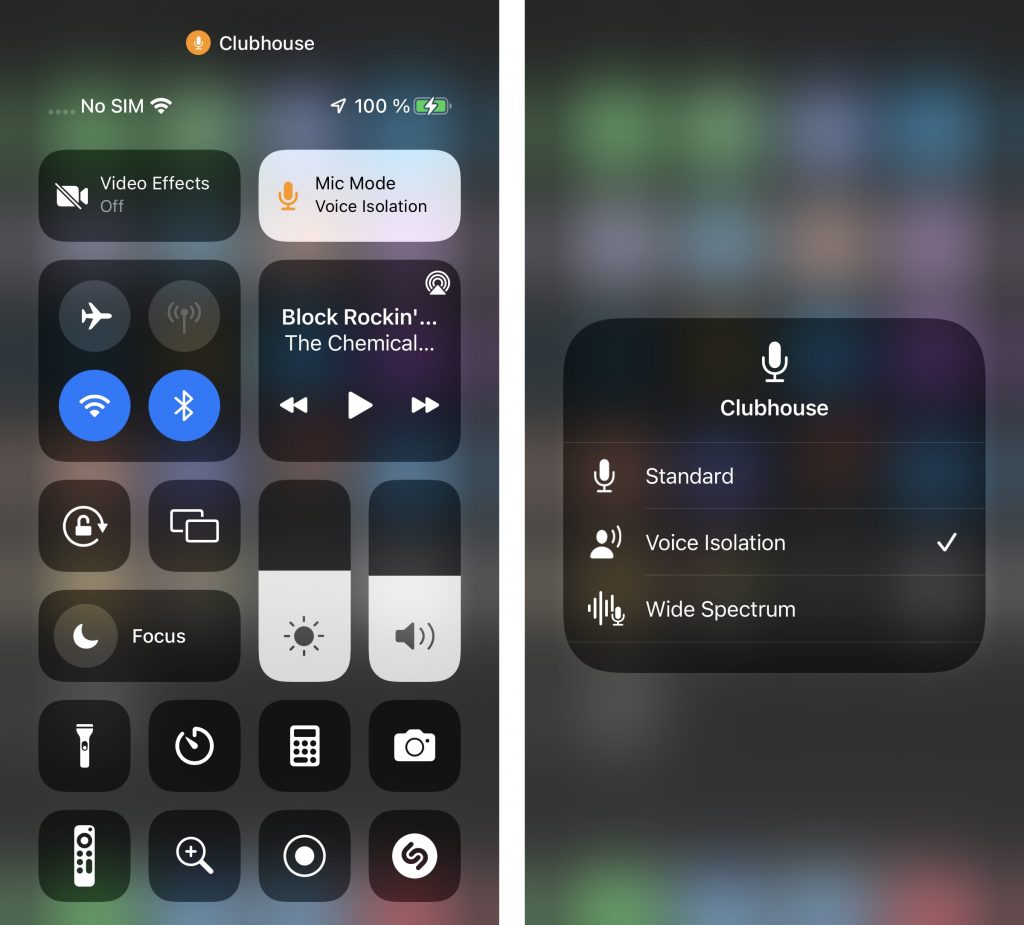
The next time you are in a call in a noisy environment like a driving car, check out the control center on your iPhone. When your microphone is open, you will find a new control: Mic Mode. This lets you select the plain old Standard Mode, Voice Isolation or Wide Spectrum.
This is a recording in Skype with Standard. You will hear some music playing in the background:
And this is a recording in Voice Isolation, where the music is almost completely gone. You only hear it for a split second when I start or stop talking:
As you can hear, this setting makes AirPods much better for voice calls. Recommended!
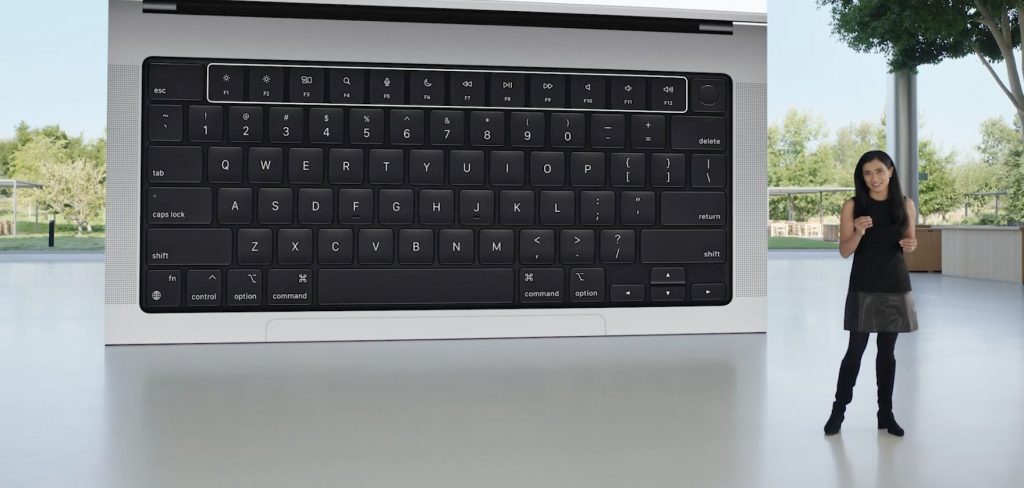
This is a pretty clear message. Apple has undone all the damage they did to the MacBook Pro. Magsafe charger, HDMI, SDcard reader, keyboard with full size function keys. It took six years, but Apple went full circle with the enclosure. Say goodbye to dongle hell. Great display with a notch that houses a 1080p webcam, better speakers and microphones. It looks pretty perfect to me.
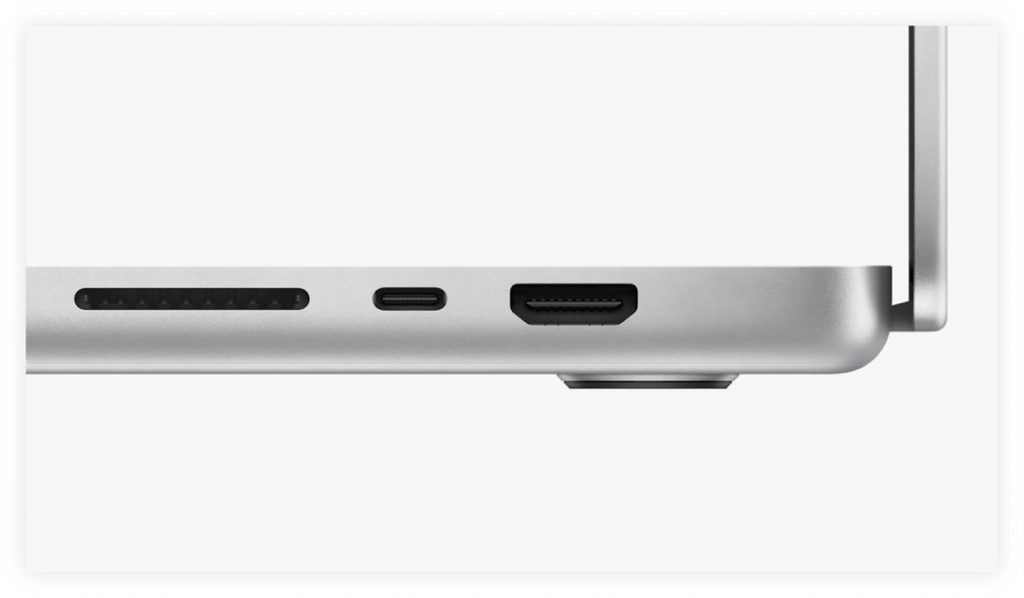
These clearly are expensive Pro machines, starting at 2249 Eur for the 14″ M1 Pro and going up to 3849 Eur for the 16″ M1 Max model.The sweet spot for me are the 2749 Eur 14″ and the 2979 Eur 16″ model. There will be people who browse Facebook on these machines. 🙂
The less than a year old 13″ Pro is now offically old. And last year’s 13 Air found its rightful place. Still incredibly fast, quiet and relatively affordable.
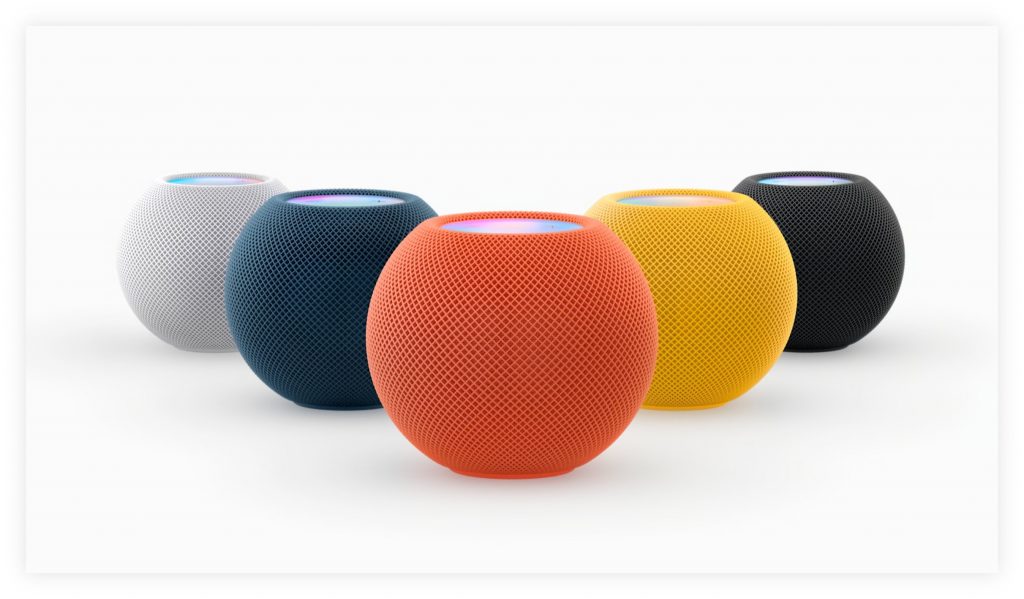
The event kicked off with music and three newsbytes: new AirPods 3, now sweat and waterproof, with a new shape, HomePod mini in three new colors, and an entry level Apple Music subscription for 5 Eur a month. There is a catch: you have to use Siri to ask for your music, and it only plays on Siri-enable Apple devices.
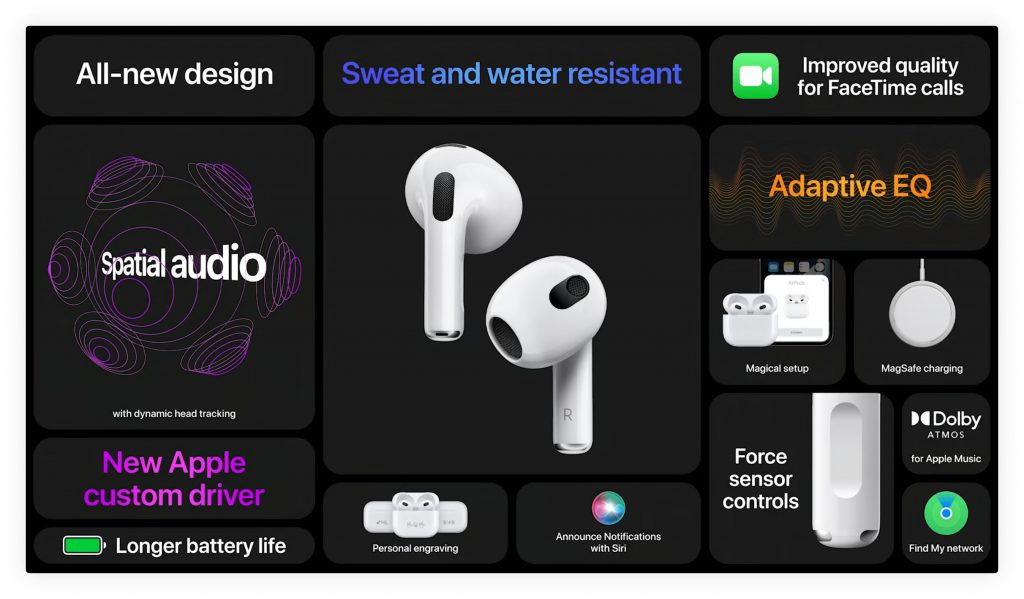
I think the AirPods 3 will set a new standard because they adapt to your hearing with Adaptive EQ, much like the AirPods Max. I expect them to sound amazing. Now with Spatial Audio and “improved quality for Facetime calls”. Oh yes, there is room for improvement.
I have been playing with background sounds on Jabra earphones. Today I stumbled upon this Apple video explaining that iOS does this now. Personally, I live in a quiet place, but if you don’t, this may be helpful.
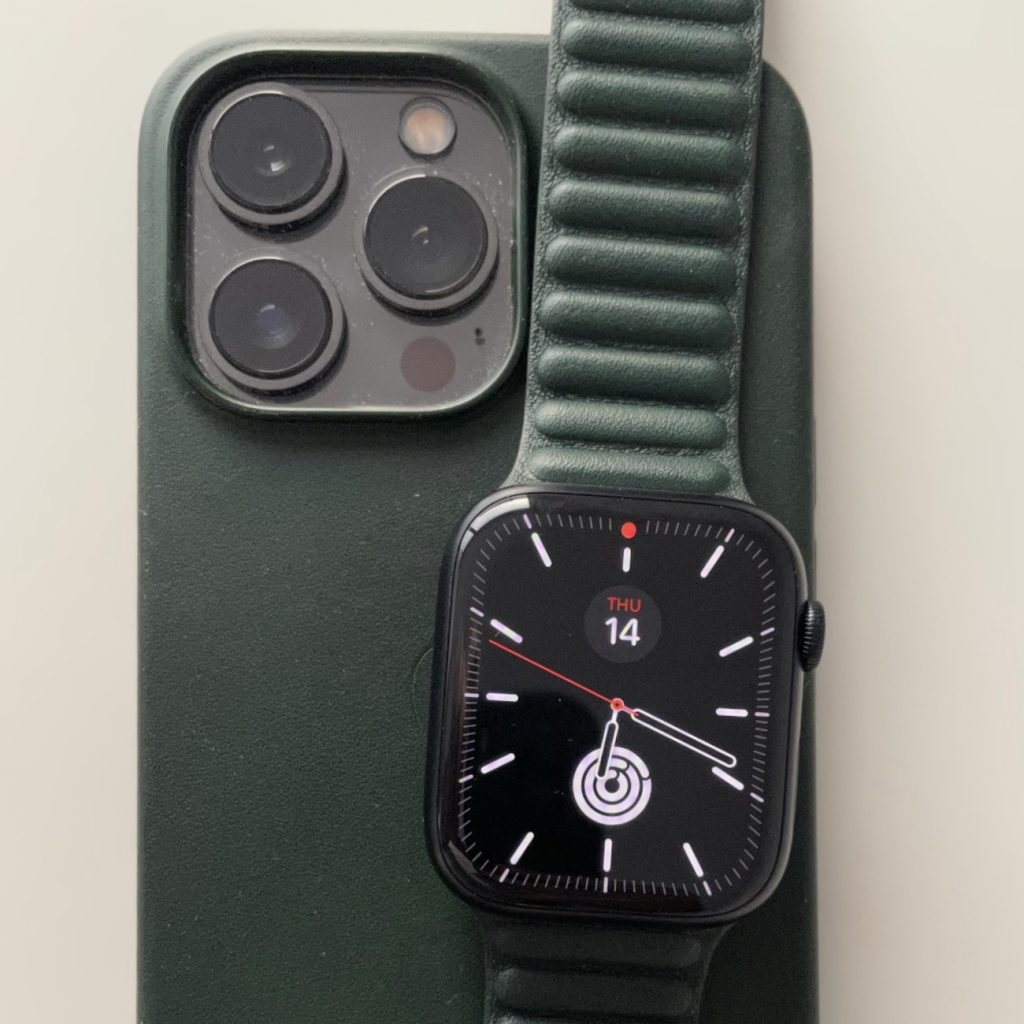
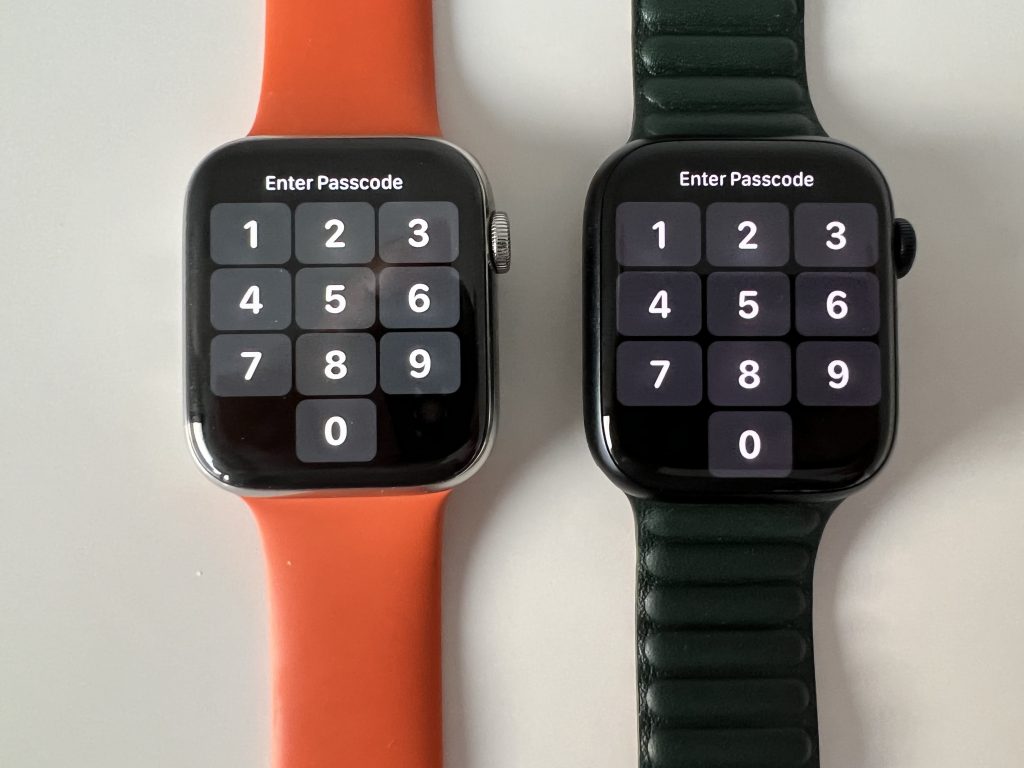
Keine Faktenhuberei, sondern nur meine ersten Eindrücke. Für mich hat die Apple Watch ein paar gewaltige und ein paar weniger große Sprünge gemacht. Series 3 war die erste Watch, die schnell genug war und LTE hatte. Series 4 brachte ein neues Design mit abgerundeten Display-Ecken, deutlich schöner und moderner. Series 5 hatte vor allem das Always-On Display. Dann folgte ein kleiner Sprung auf Series 6 und nun wieder ein neues Design.
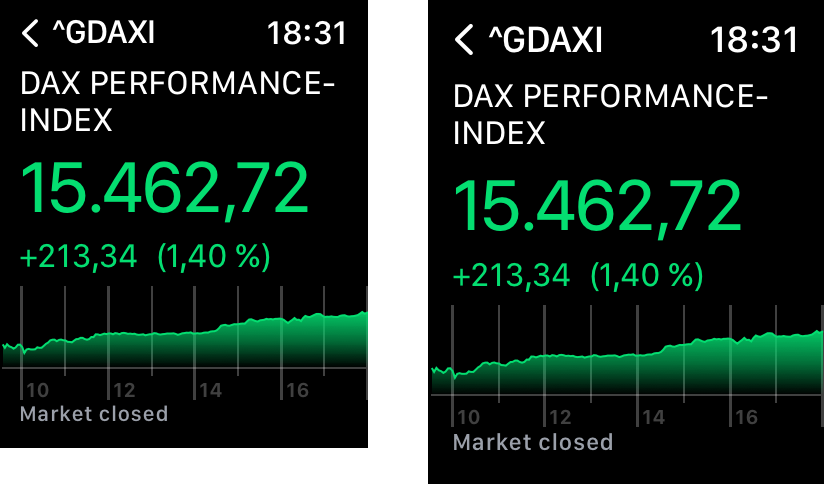
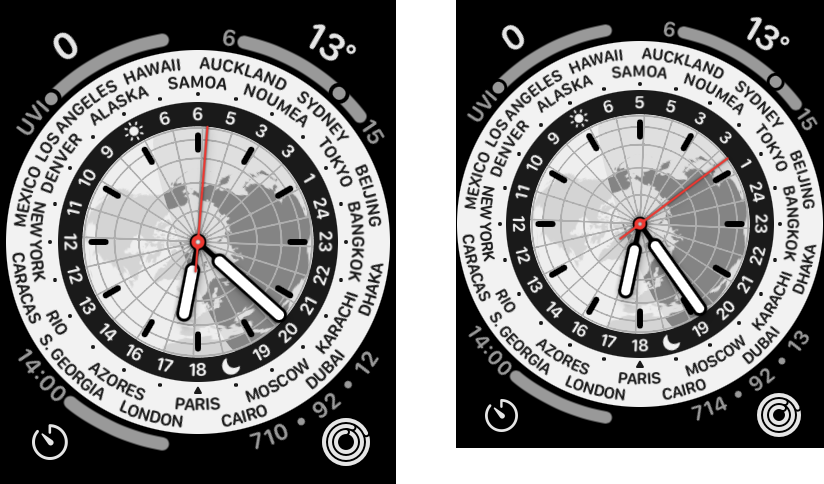
Das Display geht viel näher an den Rand, die Uhr ist nur einen Millimeter größer (gemessen von Ober- zu Unterkante ), rundere Ecken, aber 20% größeres Display. Das hat man nach einer halben Stunde vergessen, so normal wirkt es. Das Glas ist dicker und damit stabiler, die gesamte Dicke ist unverändert.
Funktional sind die Uhren beinahe gleich. Ein neuer USB-C Lader erhöht die Ladegeschwindigkeit. Alter Lader an der neuen Uhr oder alte Uhr am neuen Lader funktionieren wie gehabt. Nur die Kombination von neuem Lader und neuer Uhr ist flotter.
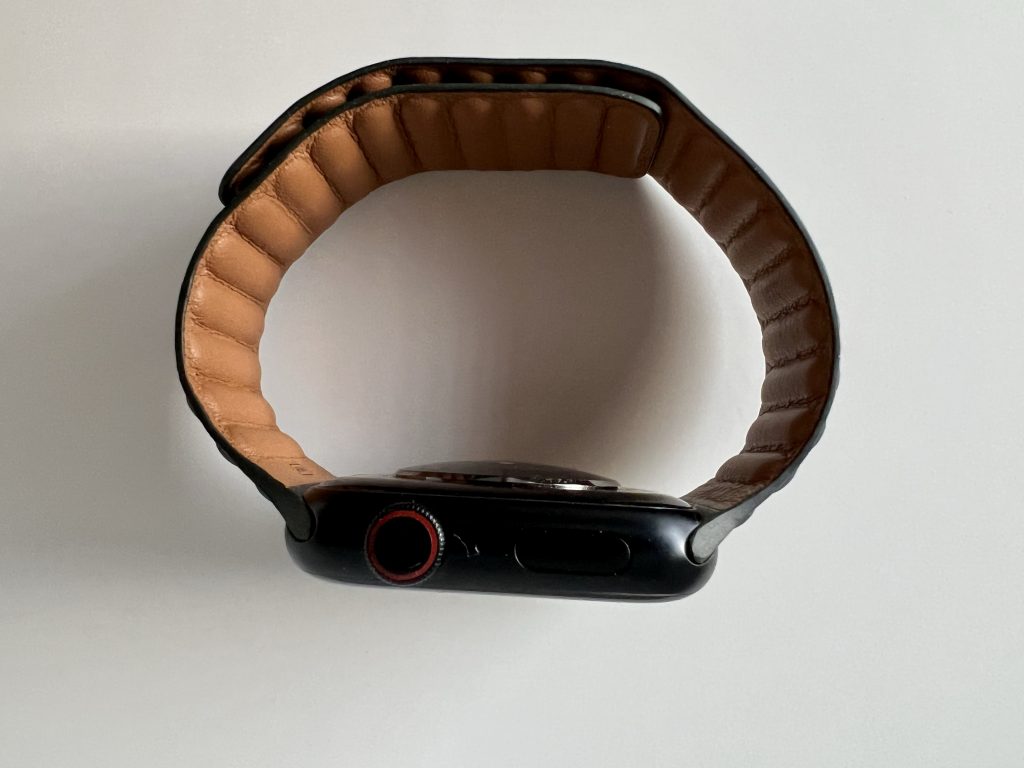
Upgrades von Series 5 und 6 sind sicher unnötig, aber Series 3 und älter würde ich tauschen. Bei Series 4 kommt es darauf an, wie wichtig das Always-On-Display ist. Series 3 verkauft Apple immer noch als Einsteiger, dazu die SE vom letzten Jahr. Eine echte Entdeckung ist für mich das magnetisch schließende Lederband. Nicht geeignet, wenn man schwimmt oder schwitzt, aber ansonsten genial bequem und angenehm.
Der Umstieg war überraschend schwierig. Die alte Uhr war auf 8.0.1, die neue auf 8.0. Neuere Backups kann man nicht aufspielen. Also erst mal als neue Uhr installieren, updaten, dann löschen und erneut einrichten. Diesmal mit Restore. Mühselig. Beim iPhone ist das Thema gelöst, bei der Watch noch nicht.
Beim Ummelden der LTE eSIM habe ich mich drei Stunden in den Prozessen der Telekom verflogen. Am Ende hatte ich dann eine super-kompetente Frau aus dem Second Level dran, die das vorbildlich gelöst hat. Hier fehlt ein guter Self-Service. Das ist die fünfte LTE-Generation, das sollte Telekom doch mal gebacken bekommen.
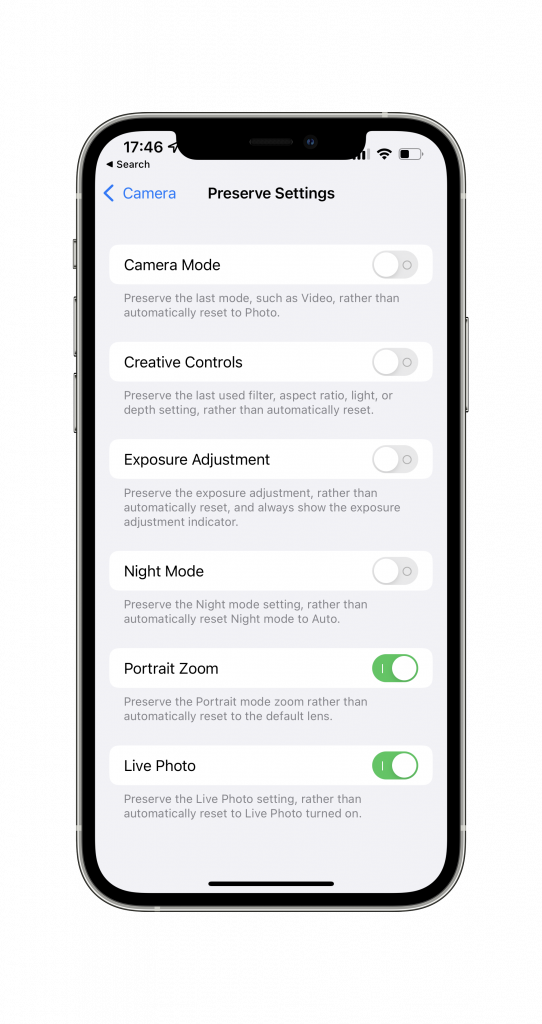
The camera has a switch, which lets you turn off Live Photos. That used to be sticky, but it no longer is. When you open the camera, it is always enabled. Since I mostly shoot still objects, there is a lot of wasted space in storage.
As it turns out you can make this toggle stick by going to Settings/Camera. There are more interesting switches that disable automatic behaviour.