Later next year, we will be adding support for RCS Universal Profile, the standard as currently published by the GSM Association. We believe the RCS Universal Profile will offer a better interoperability experience when compared to SMS or MMS. This will work alongside iMessage, which will continue to be the best and most secure messaging experience for Apple users.
It probably does not matter so much in WhatsApp land, but supporting RCS and not only SMS in iMessage is a welcome change. “Later next year” sounds like “after iOS 18 ships” but maybe Apple can make this happen earlier.
Operating on standards is preferable to providing Apple software on other platforms (“iMessage for Android”). You only have to look at the sorry state of Apple Music on Windows to see how hard Apple can fail. You can no longer access it on iTunes, and the only other options are previews of a website and an application they can’t seem to get to release status.
Apple hat heute bekannt gegeben, dass der kostenlose Zugang zu Notruf SOS über Satellit für bestehende iPhone 14-Nutzer:innen um ein weiteres Jahr verlängert wird.
Die kostenlose Testphase wird für iPhone 14-Nutzer:innen verlängert, die ihr Gerät in einem Land aktiviert haben, das Notruf SOS über Satellit vor dem 15. November 2023, 12 Uhr mittags unterstützt. Weitere Informationen, unter anderem zur Verfügbarkeit von Notruf SOS über Satellit unter support.apple.com/de-de/HT213426.
Mich würde interessieren, wie oft das tatsächlich genutzt wird.
New M3 chipsets in three sizes: M3, M3 Pro, M3 Max
Built with the same 3-nanometer process as iPhone 15
Industry-leading performance per Watt
Same 14″ and 16″ MacBook Pros and 24″ iMacs
13″ MacBook Pro is finally gone
New color option: “Space Black”
Apple is addressing customers who are not buying M1/M2 Macs because their GPU performance was too low. and those still on Intel Macs.
Apple is the only company which has bought up all 3-nanometer capacity and they want to run “scary fast”. M3 and M3 Pro ship now, M3 Max later in November. M3 Ultra (two M3 Max combined) is not announced. Apple will be squeezing out as many machines as they can and can shift iPhone capacity there.
This MacBook Pro is for people who “need” the latest and greatest. Space Black is for that crowd.
M3 raises the performance for graphics-intense workloads. And its hardware-supported codecs for video playback lead to even greater battery performance. If you can spare this much money for watching Netflix.
If you are in the market for Mac Pro or Mac Studio, hold your horses until next year.
When I travel, I frequently have the need for a second monitor. My work laptop (not pictured) is running on Windows 11. Therefore I cannot make use of Apple’s Sidecar feature.
I used to have an external monitor that connects via USB C & HDMI to my laptop similar to this one. Unfortunately, I cracked the screen. I was about to order a replacement, when I came across an application called Capture Pro which was rebranded to Genki Studio recently. Genki Studio can display USB Video Device Class (UVC) input on your iPad and labels itself as a “UVC Viewer” in the App Store.
This is not the first post by Abdelkader Boui. He works as Principal Sales Engineer at BlackBerry. This job title does not do the breadth and width of his knowledge any justice. Messaging, mobile device management, policies, zero trust, he knows it all.
If I break things and can’t put them back together I ask Abdelkader.
Volker Weber
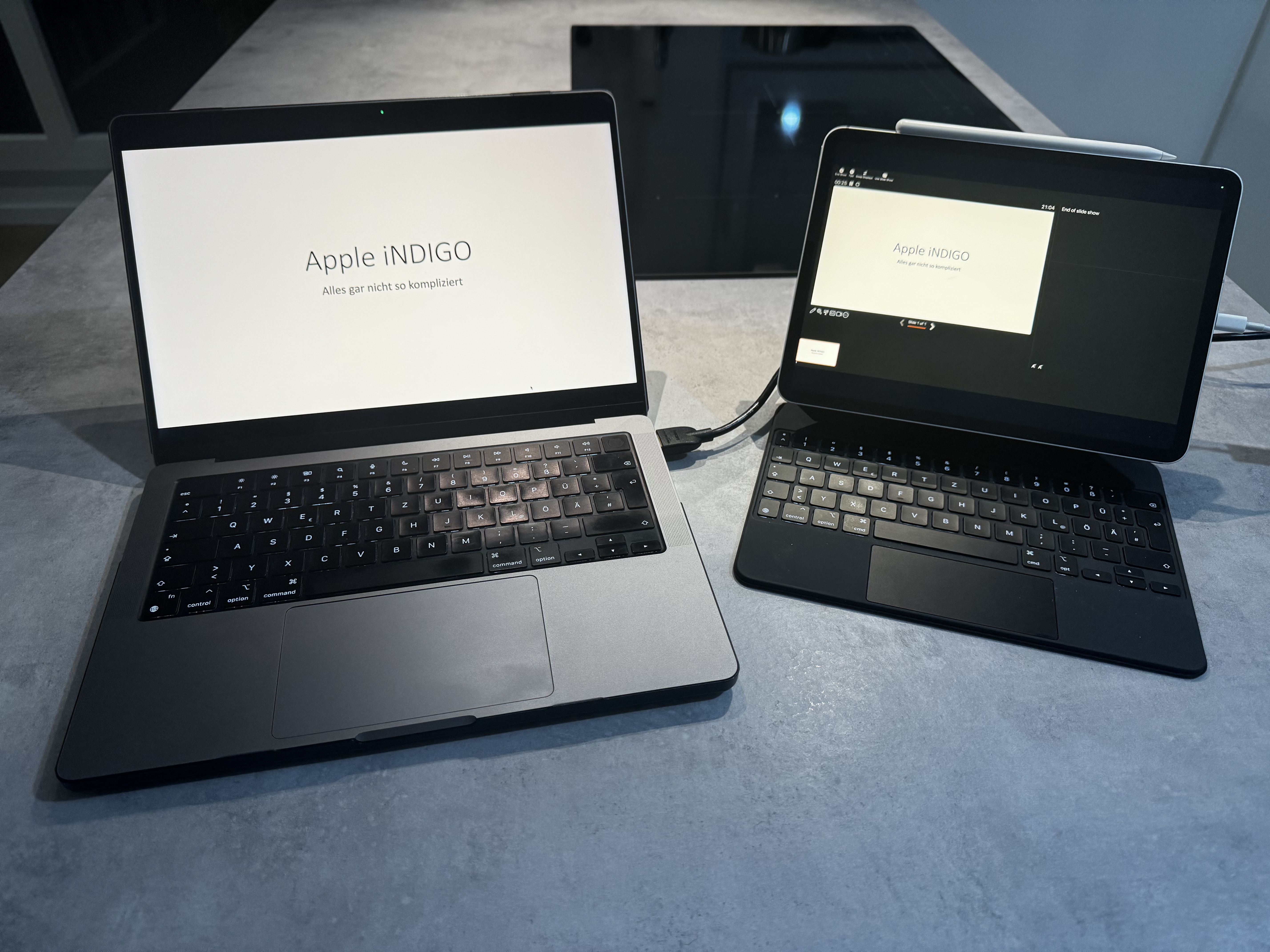
With iPadOS 17.x Apple introduced the support for USB Video Device Class. Support for UVC allows you to connect external USB video devices, e.g. webcams and USB capture cards, to your iPad and iPhone. This allows you to make use of external webcams and use them in apps like FaceTime. Another use case is to turn your iPad into an HDMI monitor. There are USB dongles like the Elgato Cam Link 4K that can turn “HDMI input” into “USB output” – in our case UVC. Which in turn can then be displayed in the Genki Studio app. Using the Genki Studio app and the Elgato Cam Link 4K I can now turn my iPad Pro 11″ into an external HDMI monitor.
I have used this setup with both Windows and macOS. It also works with other devices that have an HDMI output. I have been using this setup for the past few weeks with no issues.
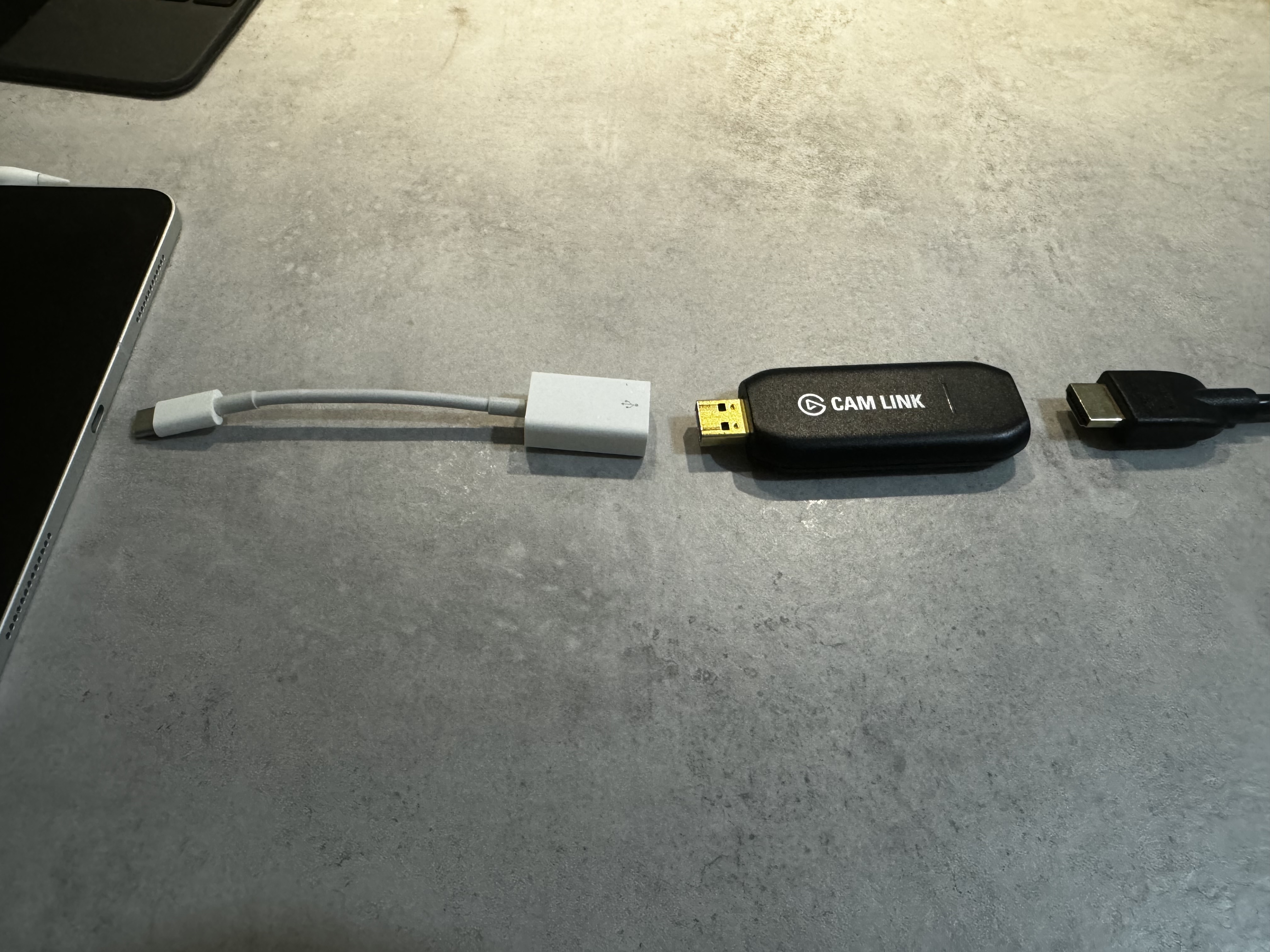
Connect the Elgato Cam Link 4K to your iPad using USB C
All you need to connect the laptop to the Elgato Cam Link 4K is an HDMI cable. As the Cam Link is an USB A device, you will need an USB A to C adapter to connect it to the iPad. I usually use this USB A to C adapter from Apple. To keep the iPad powered, I am using the USB C port on the left side of the Apple Magic Keyboard. If you don’t have the Magic Keyboard, you could use any USB C port replicator with at least one USB A port and one USB C port for power in, e.g. Apple’s USB C multiport adapter, to keep the Elgato dongle connected and the iPad powered. With 109,- Euro the Elgato Cam Link 4K is rather expensive. If you want to go the cheap route, you can get cheap clones for 6 Euro from Amazon. For this use case they work the same as the Elgato Cam Link 4K.
There is also another app in Apple’s App Store that can turn your iPad into an external HDMI screen: HDMI Monitor – Orion. I have briefly tested that app and the basic features seem to be almost identical to the ones from Genki Studio.
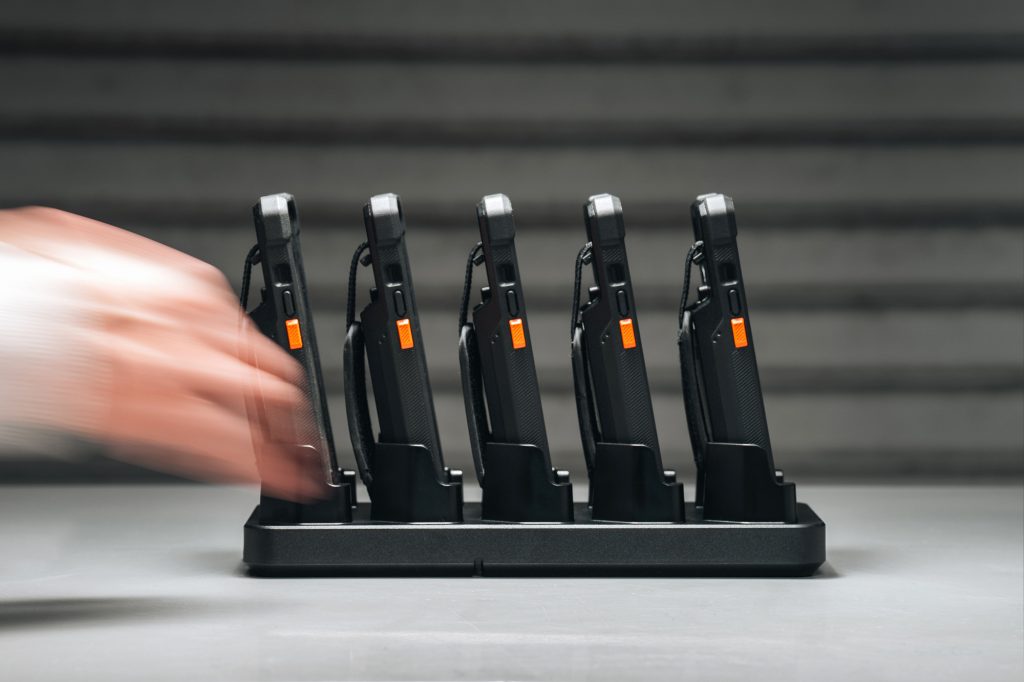
München, den 12.10.2023 – Urban Armor Gear (UAG), Hersteller von hochwertigen und hochsicheren Schutzhüllen und Zubehör für mobile Geräte, hat heute seine B2B-Produktserie „Workflow“ für den deutschsprachigen Markt vorgestellt. Neu im Sortiment sind iPhone-Hüllen für den Einsatz im medizinischen und operativen Umfeld, sowie dazu passende Wechsel Akkus und Ladestationen.
Die UAG Workflow-Lösungen wurden von Grund auf für den professionellen gewerblichen Einsatz entwickelt. Mit integriertem Wechsel Akku und Ladezubehör sorgen sie dafür, dass Arbeitsgeräte ohne Ausfallzeit rund um die Uhr einsatzbereit sind.
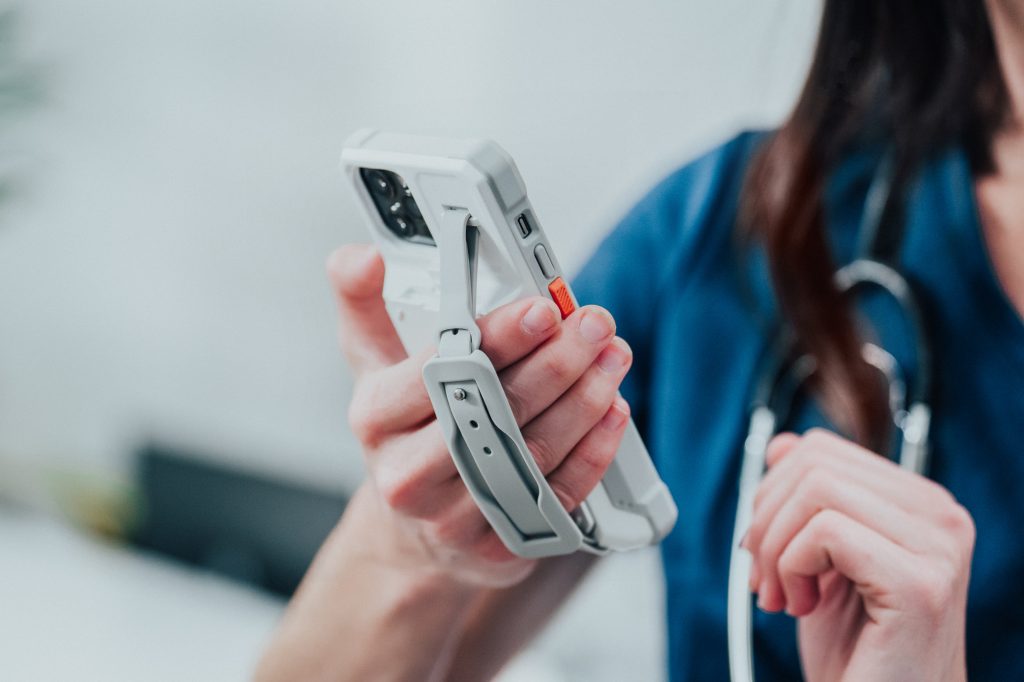
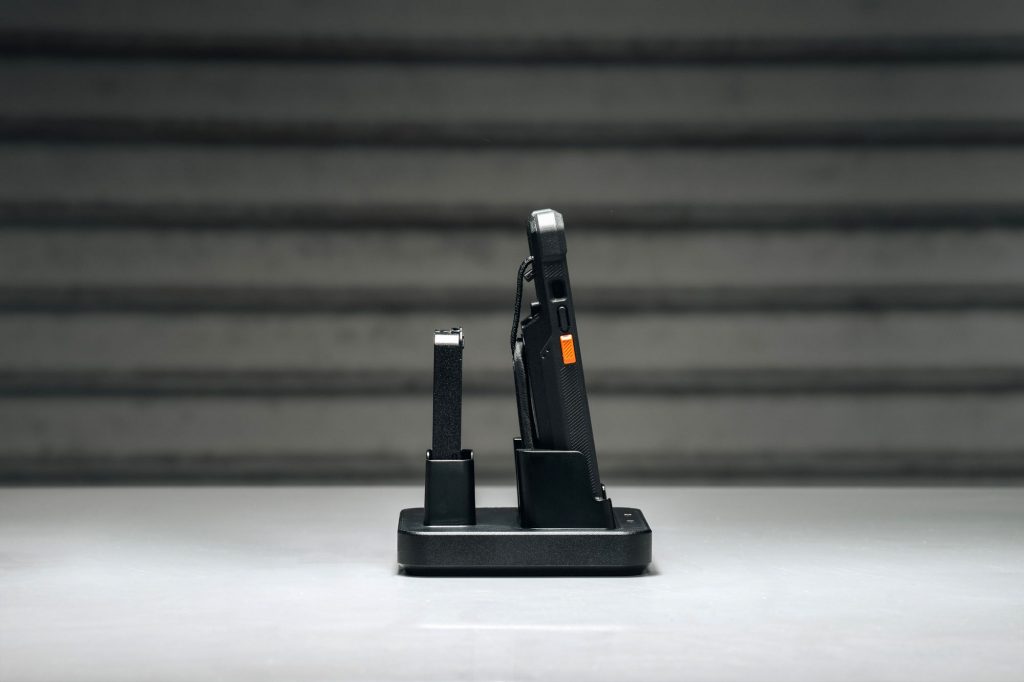
Das zentrale Element sind dabei die Workflow Battery Cases, die es in zwei Ausführungen gibt. Ganz in Weiß präsentieren sich die Healthcare Cases, die für den Einsatz in medizinischen Umgebungen entwickelt sind. Das robuste Material der Hüllen ist antimikrobiell und kann mit medizinischem Alkohol desinfiziert werden, um optimalen Schutz für Patienten und Personal zu gewährleisten. Für den Einsatz im operativen Bereich, wie zum Beispiel in Lagerhäusern, Logistikunternehmen oder im Transportwesen hat UAG die schwarzen Workflow rugged Battery Cases entwickelt, um maximalen Schutz der eingesetzten Geräte garantieren.
Gemeinsam ist den Hüllen eine abnehmbare Handschlaufe, 12ft MIL-STD Fallschutz sowie ein austauschbarer 3.000 mAh-Akku, der die Geräte mit zusätzlicher Lebensenergie versorgt.
12ft sind 3,65m, das ist schon ein sehr deutlicher Fall. Ich habe die Produkte nicht selbst in der Hand gehabt, aber man erkennt auf Anhieb, dass es sehr klobige und dicke Cases sind. Interessant ist auch die Kombination mit Wechselakku. Das alles hat seinen Preis:
Workflow-Schutzhülle 160 Eur, Angebotspreis 145 EurWorfklow Charge Cradle für ein Case und einen Wechselakku 80 EuroWorkflow 5X Case Charge Station 170 Eur
Die Apple AirPods Pro der zweiten Generation (mit Lightning oder USB-C Case) haben eine wunderbare Geräuschunterdrückung und den besten Transparenzmodus aller TWS. In diesem Modus hört man so, als ob man keine Stopfen in den Ohren hat. Man kann sie sogar ähnlich einem Hörgerät verstärken lassen und das eigene Hörvermögen verbessern.
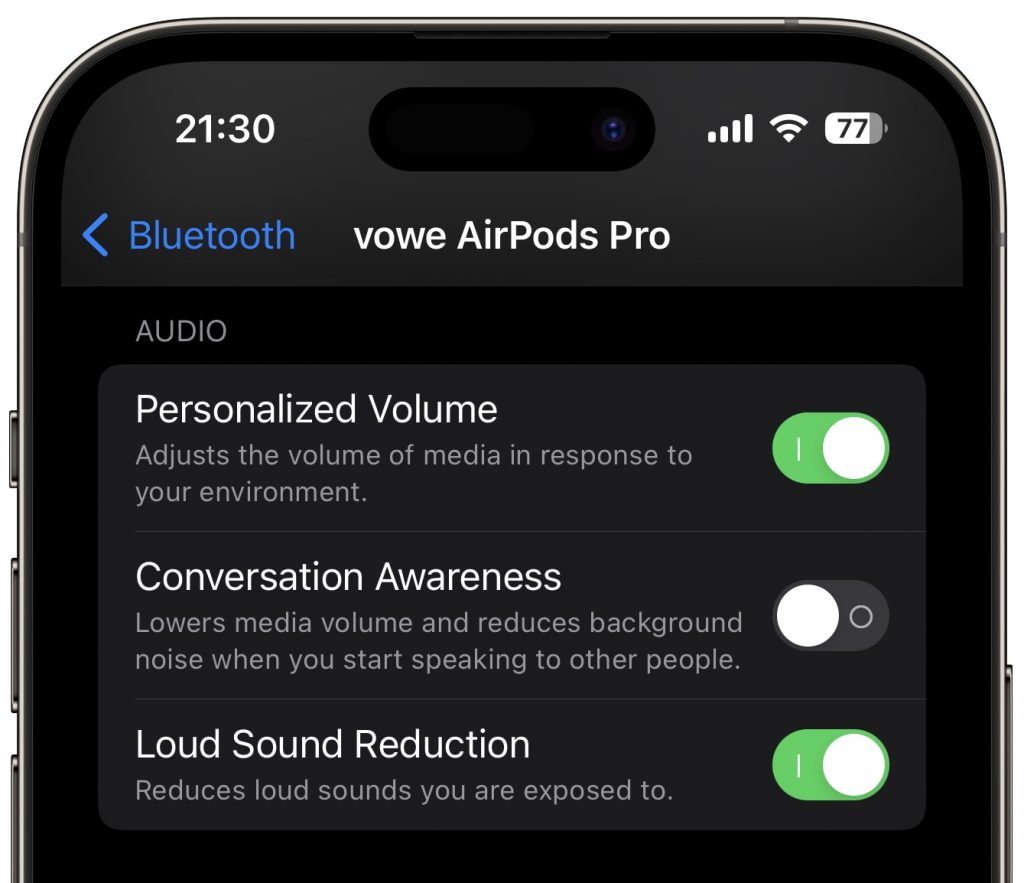
Für Euch getestet: Das funktioniert auch in viel zu lauten Live-Events. Die AirPods Pro 2 reduzieren nämlich im Transparenzmodus zu laute Geräusche. Wenn es zu laut wird, unterdrückt ANC schädliche Pegel. Verblüffender Effekt: Man hört besser und weniger laut.
Also im nächsten Konzert auch mal probieren. AirPods rein, Transparenz ein.
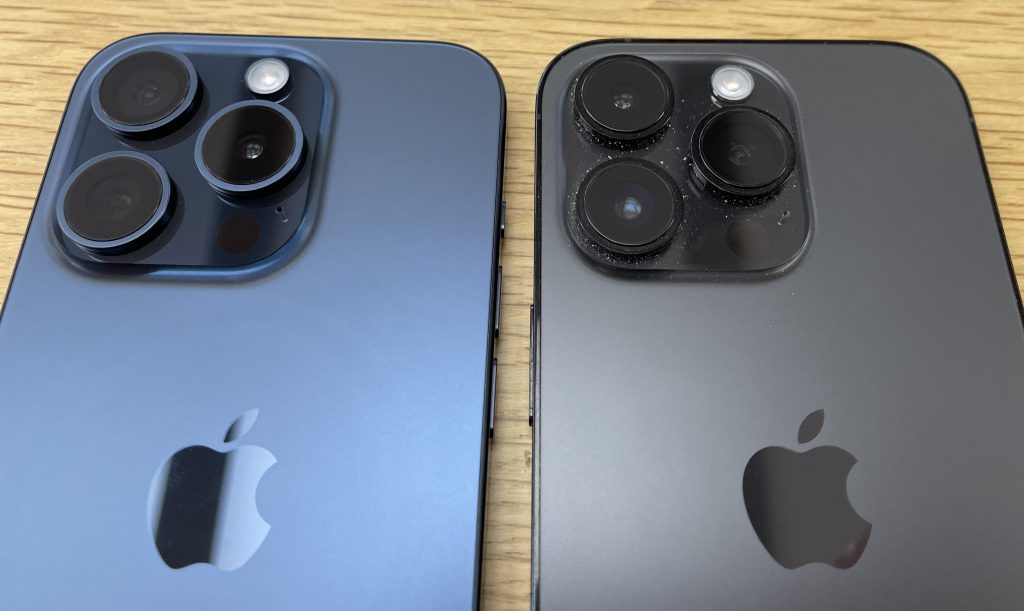
Ich war heute im Apple Store, um eine neue Watch SE für die Chefin zu kaufen. Dort habe ich mein iPhone 14 Pro neben das neue iPhone 15 Pro gelegt. Da ich keinen Pinsel dabei hatte, erkennt man meins am Staub. 🙂
Die beiden Gehäuse sind sehr ähnlich und ich vermute, dass man das neue in das Case des alten stecken könnte, wenn man es zwingt. Nicht dass man das tun sollte! Ich will nur die Größe kommentieren.
Der Rand der Kamerainsel geht nun mit einer Rundung in die Rückseite über, aber das große Wachstum von 12 über 13 zu 14 Pro ist erstmal gestoppt. Das oberste Glas der Objektive steht nicht mehr vor, dadurch wirkt jedes einzelne Objektiv dicker. Der Übergang von Glas der Rückseite zum Rahmen ist nun ebenfalls abgerundet aber das strenge Design der senkrechten Flanken ist immer noch da. Ich habe keine Präferenz und mag beide.
Jedes neue iPhone ist natürlich das Beste, das Apple je gebaut hat, aber das ist immer eine ganz behutsame Modellpflege. Solange die Software noch unterstützt wird und die Batterie noch gut ist, sollte man das iPhone einfach weiter nutzen. Das sind wirklich langlebige Geräte.
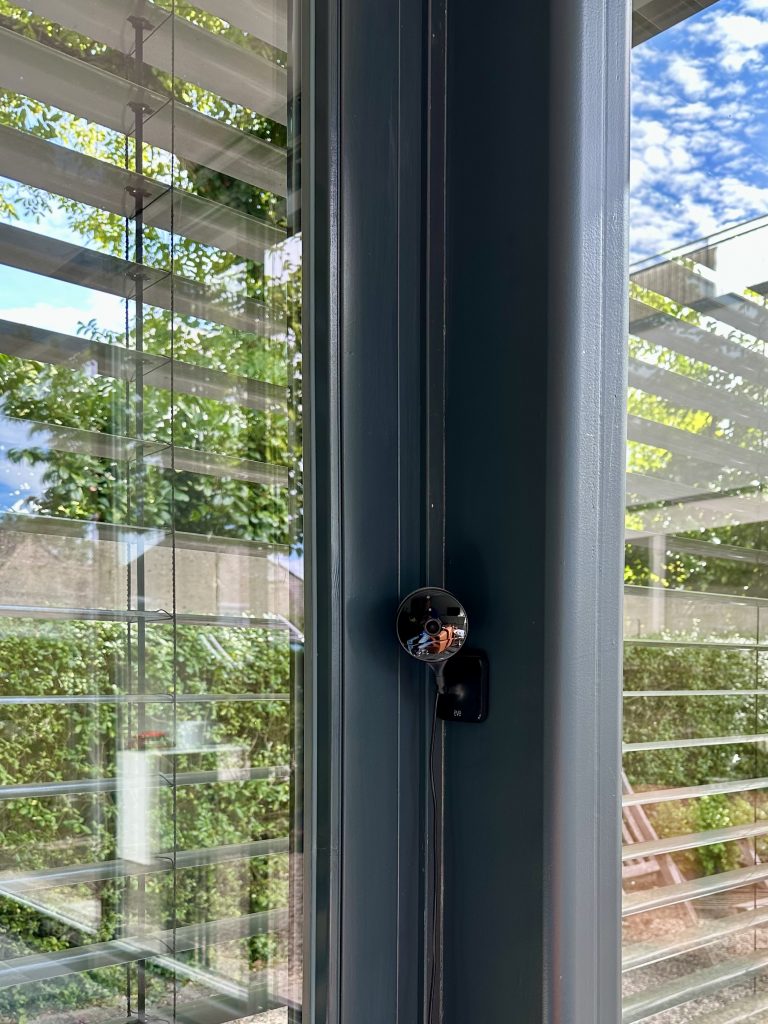
Eve Cam ist eine smarte Innenkamera mit 1080p-Auflösung, die per WLAN mit dem eigenen Netz verbunden ist. USB dient nur der Stromversorgung. Eve Cam nutzt HomeKit Secure Video, d.h. die gesamte Verarbeitung des Videos passiert in eurem eigenen Netz auf Apple TV oder HomePod. Die Kamera hat Mikrofon und Lautsprecher, so dass man auch in den Raum sprechen kann. Bei mir versteckt sich die schwarze Kamera sehr gut und ich kann stets nachschauen, was unser Hund so treibt, wenn wir außer Haus sind.
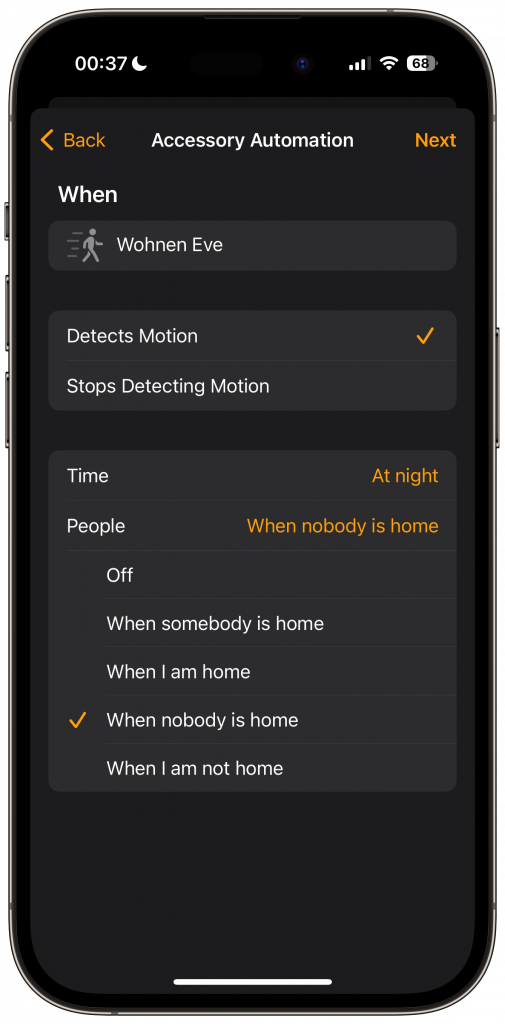
Eve Cam lässt sich auch als Bewegungsmelder einsetzen, der über HomeKit Aktionen auslöst (“spiele lautes Hundegebell ab” 😉). Weil die Bewegungserkennung auf Bildauswertung basiert, funktioniert sie jetzt auch durch Fenster. Sie lässt sich über die Eve-App genau an die individuellen Gegebenheiten in der Wohnung anpassen.
Die Eve-Produkte werden nicht beim Hersteller registriert und er hat keinen Zugriff auf die Kamera. Das ist mir wichtig bei Kameras, die in meinem Haus hängen. Ich betreibe die erste Version dieser Kamera seit es sie gibt, völlig ohne Probleme. Im Dunkeln leuchten Infrarot-LEDs den Raum aus und liefern ein gut erkennbares Bild. Die neue Version soll dies noch einmal verbessern, aber ich habe sie noch nicht ausprobiert.
Eve Cam gibt es aktuell nur in schwarz, aber mit einem Blick auf die Outdoor-Kamera kann ich mir vorstellen, dass ein weißes Modell folgen wird.
Europas größter Internetknoten DE-CIX Frankfurt hat einen neuen Rekord im Datendurchsatz aufgestellt. Am 19. September um 21:26 Uhr (MESZ) wurde parallel zum Start der UEFA Champions League Saison 2023/24 und dem Software-Update eines namhaften Smartphone-Herstellers erstmalig ein Datendurchsatz von über 15 Terabit pro Sekunde (Tbit/s) verzeichnet (genau 15,29 Tbit/s).
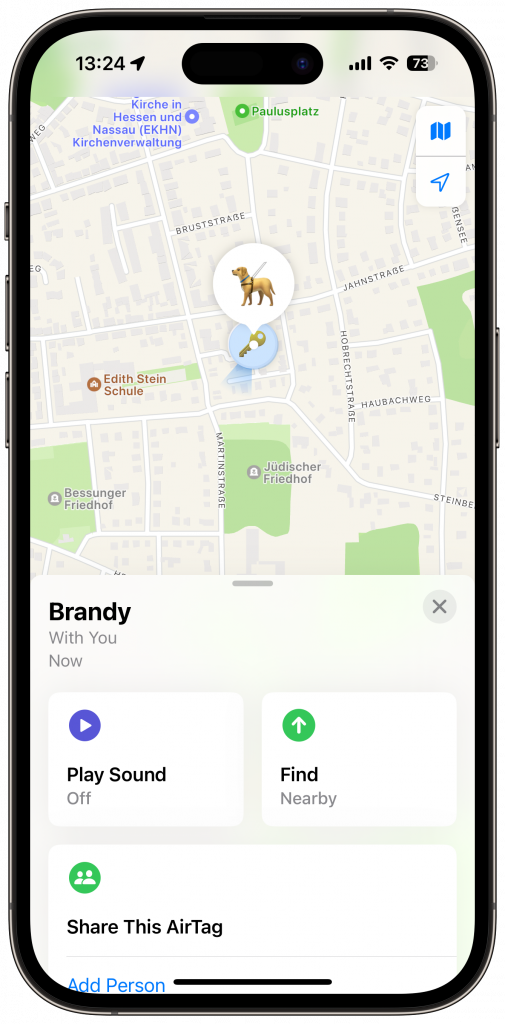
Eine Änderung, auf die ich mich richtig freue: Wenn die Chefin ihr iPhone heute Abend auch auf iOS 17 aktualisiert, dann kann ich endlich den AirTag, den unser Hund am Halsband trägt, mit ihr teilen. Bisher musste sie den fremden Tag, der sie “verfolgte”, ignorieren, aber ab heute kann sie den Hund selbst wiederfinden, wenn er sich verläuft.
Wobei: Man verliert vielleicht den Hund, aber der Hund findet dich stets wieder. Wenn er will. 😇
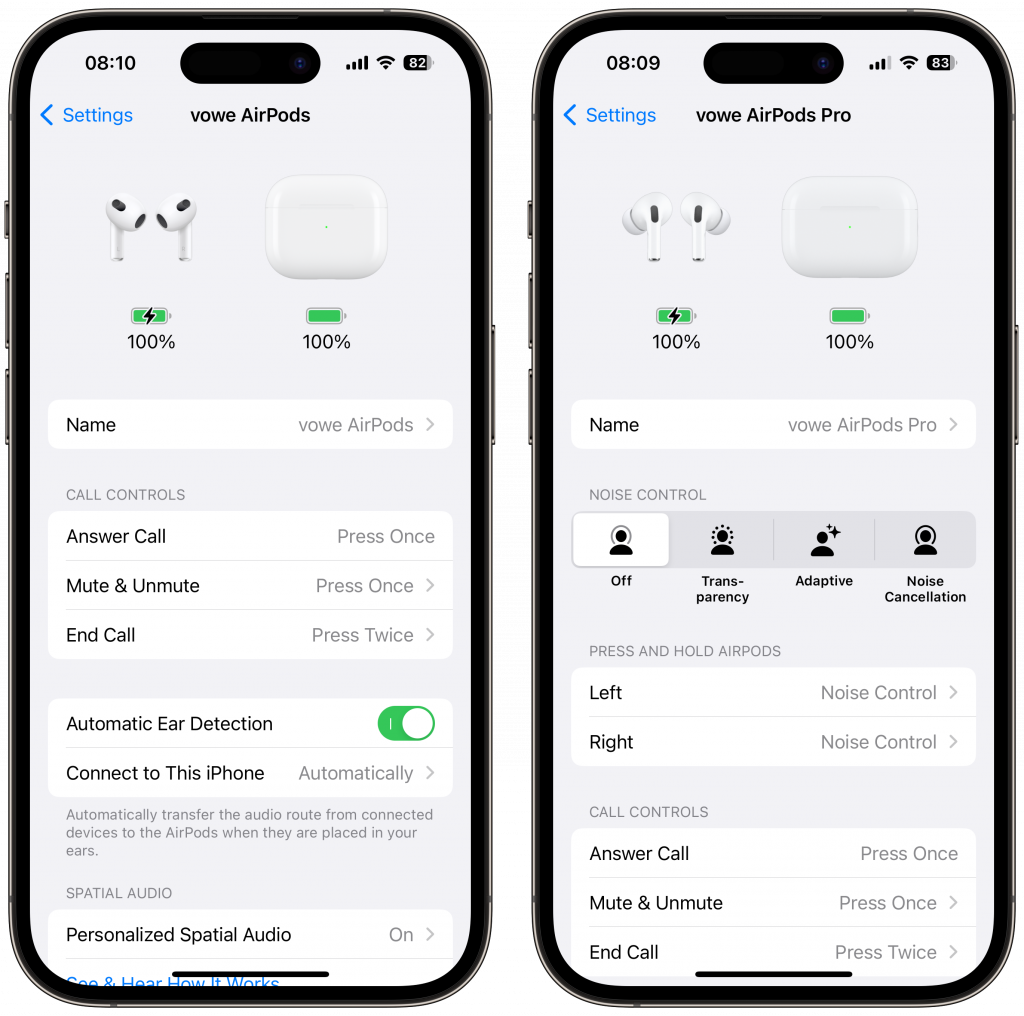
I love software updates that make after-market devices smarter. Last night my AirPods received a new firmare: 6A300 for the AirPods (Max) and 6A301 for the AirPods Pro 2. I am running iOS 17, which is a prerequisite for some new features.
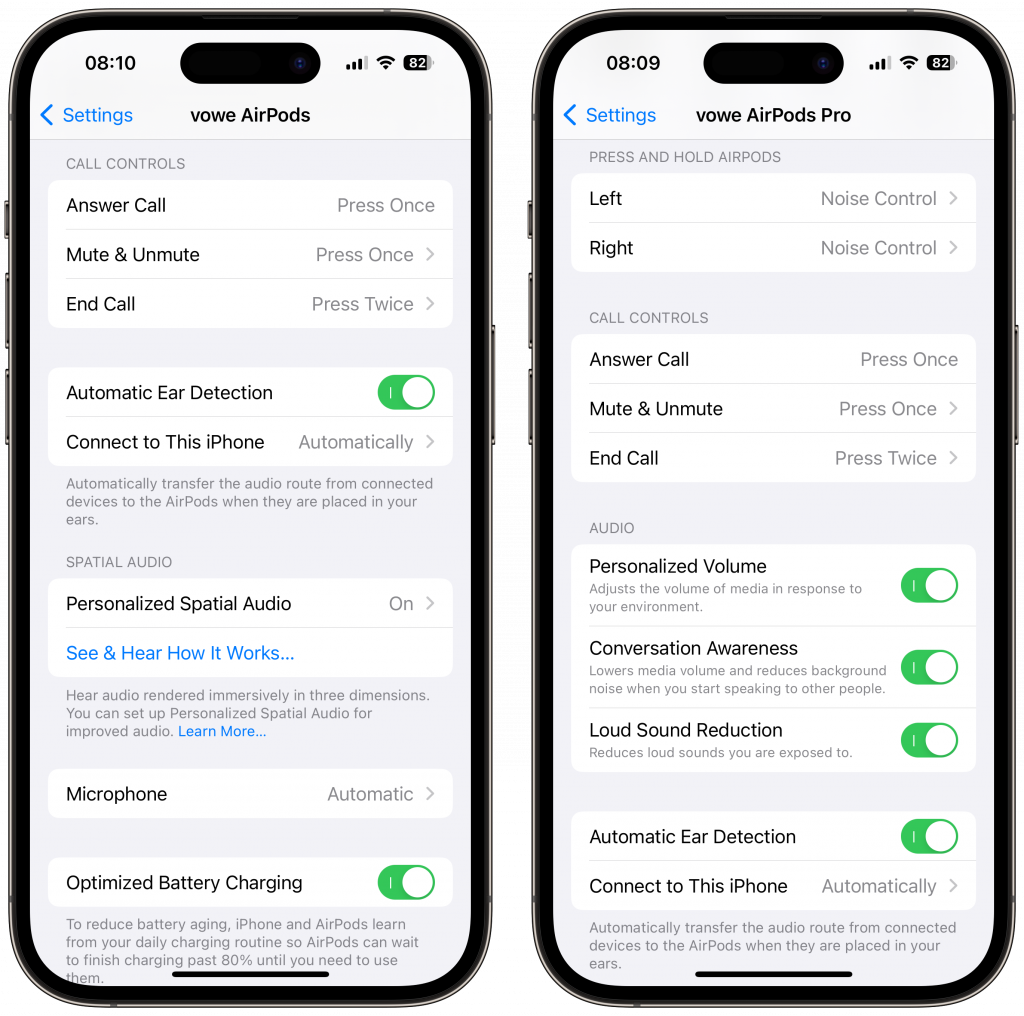
Most important addition for people who use AirPods for conference calls: you can now mute/unmute a call with a single press. A double press will hang up the call. As a reminder: all current AirPods have Personalized Spatial Audio. The iPhone camera determines the shape of your earlobes and adjusts the spatial audio experience.
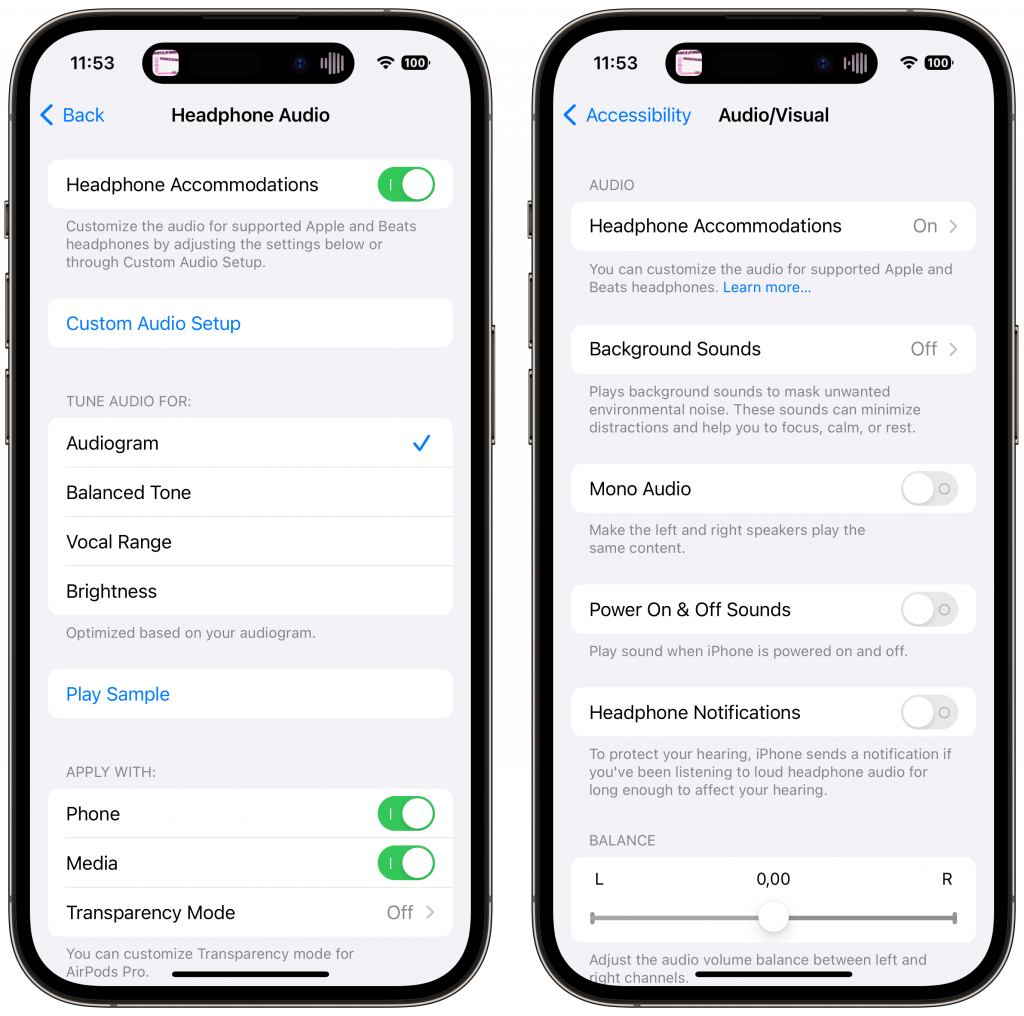
Another important customization is a part of the Headphone Accomodations inside Settings/Accessibility/Audio/Video. It lets you tune your AirPods to your hearing profile. The difference is absolutely stunning. I know somebody with a 90 percent hearing loss on one ear and only the AirPods allow him to hear stereo. You can build this profile with the Mimi Hearing Test. Once you built this profile, AirPods can act as a hearing aid focussing on the person in front of you.
The second generation AirPods Pro take all of this one step further. After the update, they can seamlessly adjust between Transparency and ANC, they will adjust the volume depending on the sound around you, and they will automatically lower media playback when you start speaking and switch on Transparency with a focus on the person in front of you.
Ever since the AirPods Max blew me away with their computational audio, I have amazed of what Apple is doing in the audio space. This stuff keeps getting better, and if possible without buying new devices.
Nächsten Montag, am 18.09.23 ab etwa 18:00 Uhr erscheinen (unter anderem) iOS 17 und watchOS 10. Ich habe aktuell schon die Release Candidates installiert. Und mir machen vor allem die kleinen Dinge gr0ße Freude, wie dieses Peanuts Watch Face. Das hier ist das Always-On Display, das beim Aufwachen der Uhr einen hellen Hintergrund bekommt, auf dem Snoopy und Woodstock immer wieder neue Kapriolen aufführen. Das macht gute Laune.
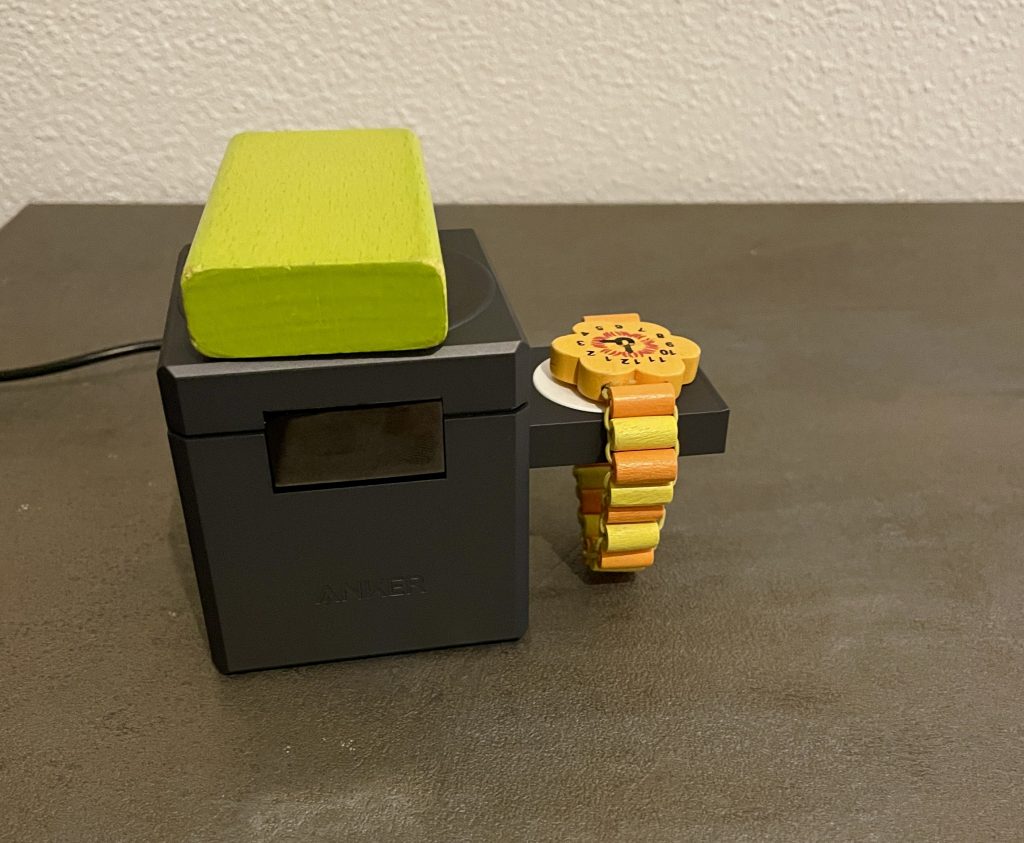
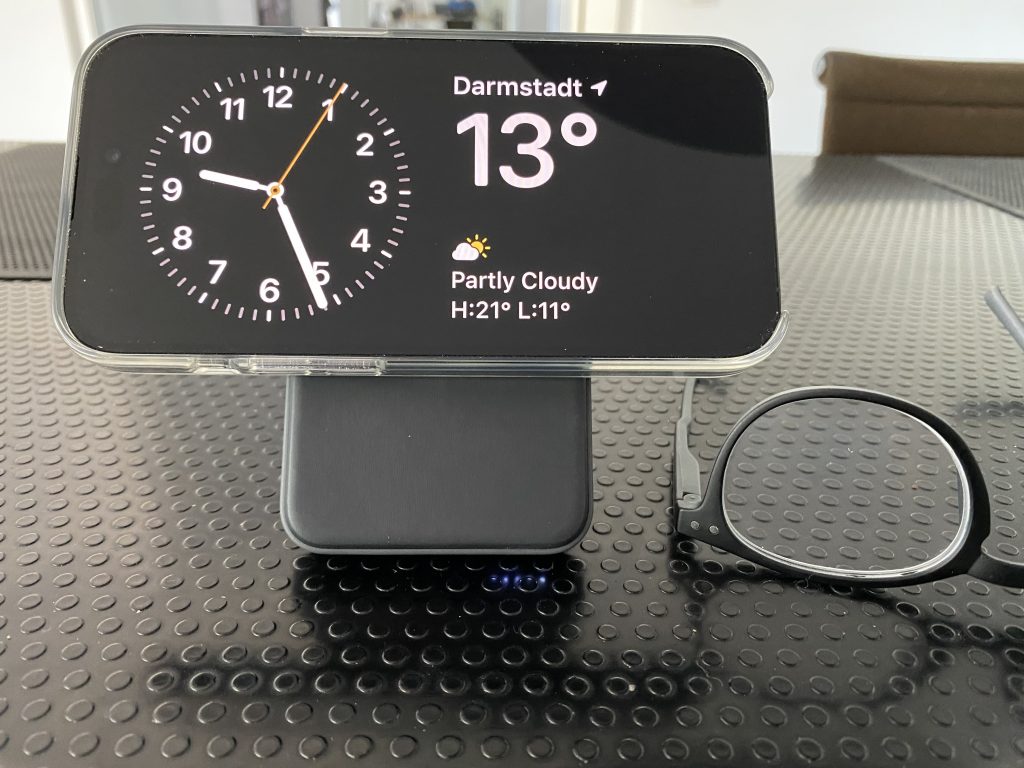
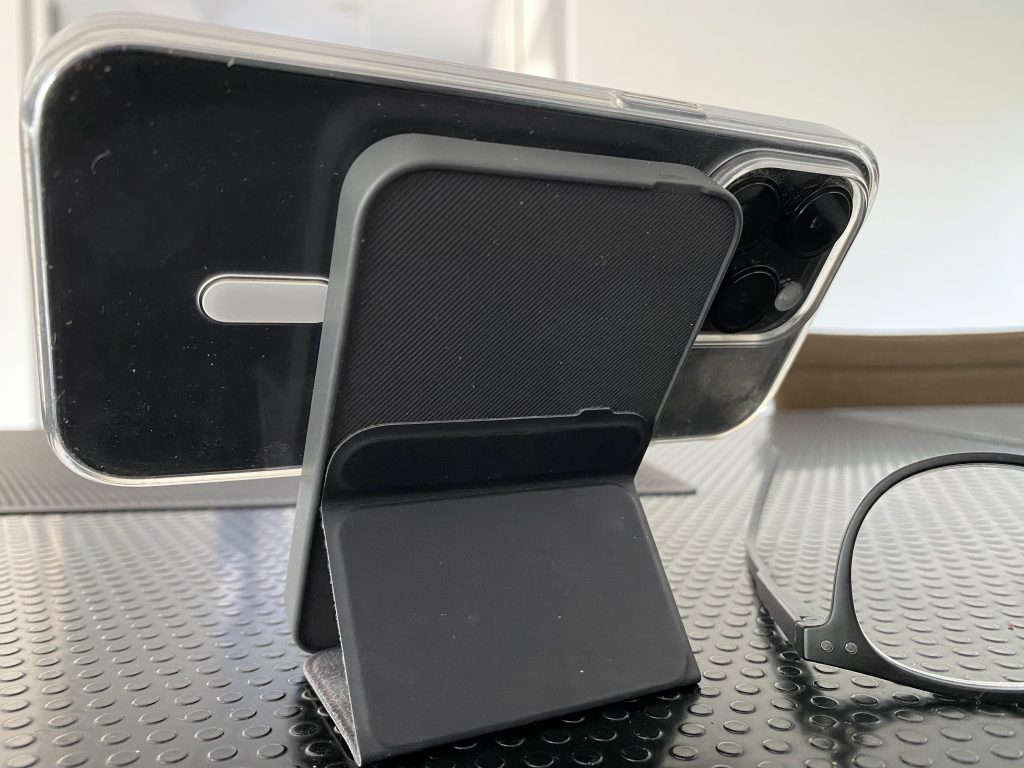
Der Standby-Modus in iOS 17 lässt sich durch Widgets konfigurieren und zeigt nachts ein stark abgedunkeltes Display mit roter Schrift auf schwarzem Hintergrund. Voraussetzung: Das iPhone wird geladen und ist im Querformat aufgestellt. Aktuell nutze ich dafür meine Anker 622 Powerbank. Ich bin gespannt, was ich da noch so alles brauche. Ganz heißer Kandidat ist der Anker 3-in-1 Cube, der allerdings auch ordentlich teuer ist.
Weil es gerade im Bild ist. Dieses Jahr habe ich das iPhone im Apple Clear Case gehabt. Das hat sich sehr bewährt. Rundum guter Schutz, auch für Display und Kamera, keine Verfärbungen.