
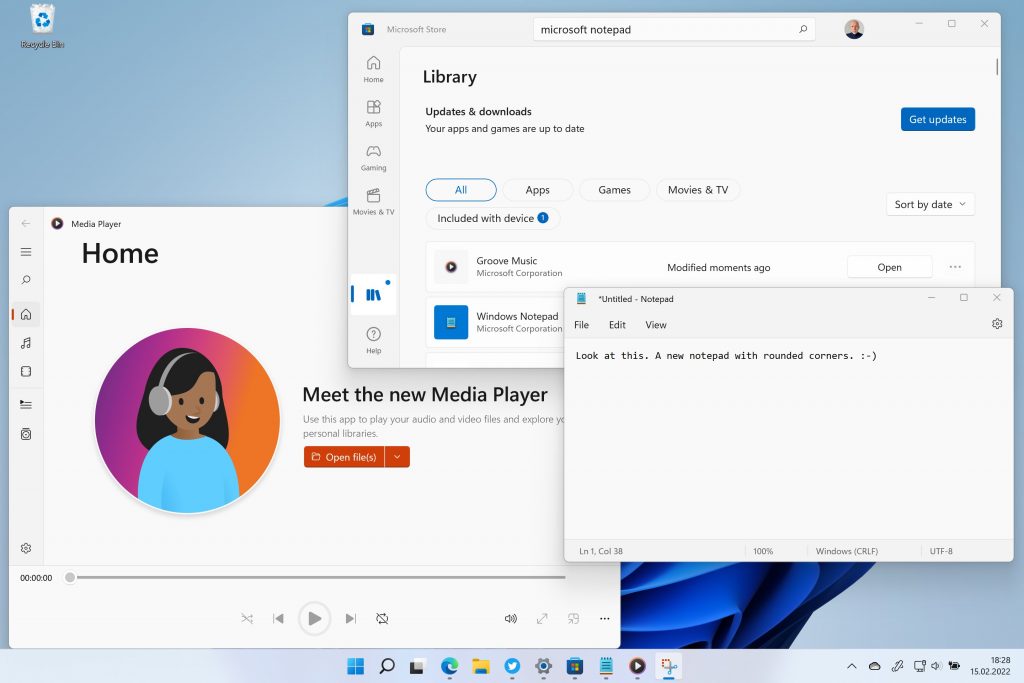
Just hit your Microsoft Store on Windows 11 and install the updates. Groove Music becomes Media Player.

Just hit your Microsoft Store on Windows 11 and install the updates. Groove Music becomes Media Player.
Surface Laptop Studio löst das Surface Book ab. Bei der Vorstellung fand ich es noch sehr merkwürdig, aber seit ich es in der Hand halte, bin ich überzeugt.
Während im kopflastigen Book noch der ganze Computer mit relativ kleinem Akku im Display-Deckel war, ist der Laptop-Studio wie ein Sandwich aufgebaut. Der Display-Deckel hat ein mittiges Scharnier und schützt das eigentliche Display. Davon merkt man zunächst nichts. Das Gerät verhält sich wie ein normaler Laptop mit Touchdisplay und Stiftbenutzung.
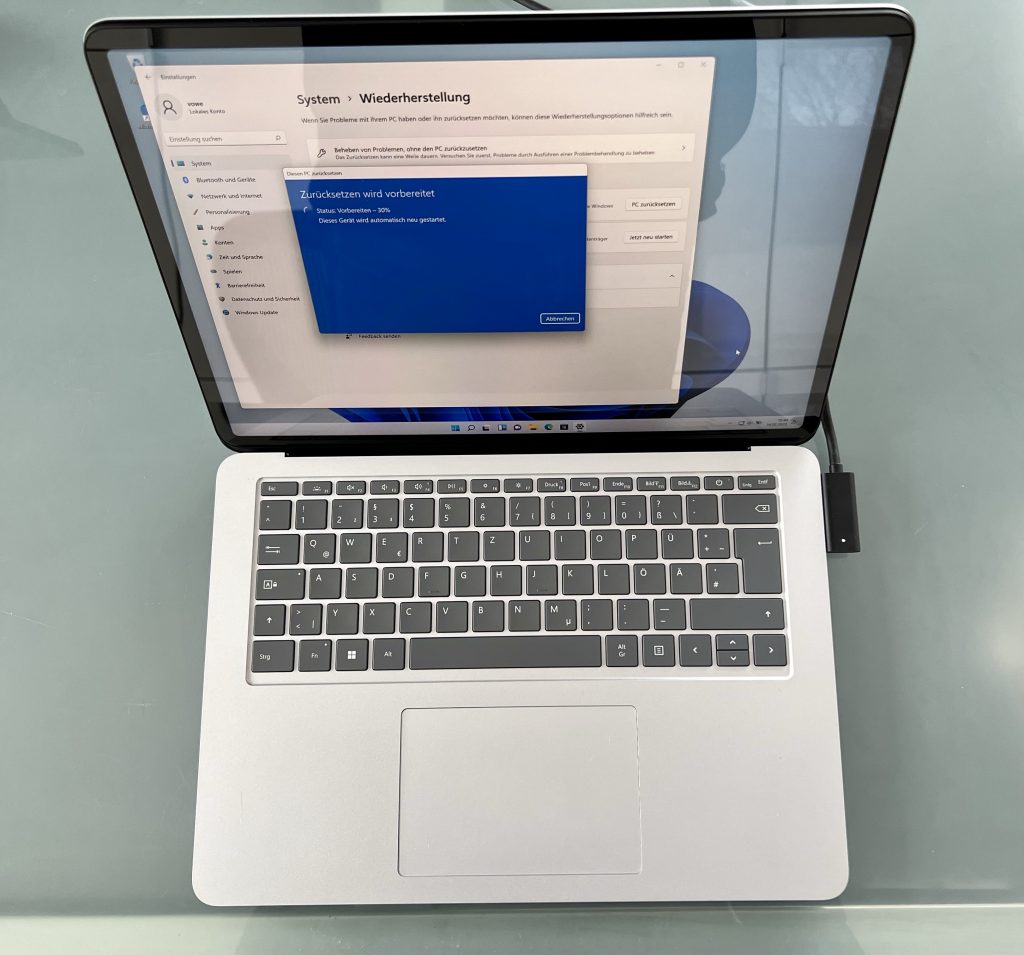
Erst wenn man den Deckel mit beiden Händen greift und das Oberteil nach hinten knickt, löst sich die magnetische Verbindung zwischen Display und dem Unterteil des Deckels und man kann es vorschwenken. Das passiert niemals zufällig. Wenn man es nicht erzwingt, dann bleiben Display und Deckel stets solide verbunden.
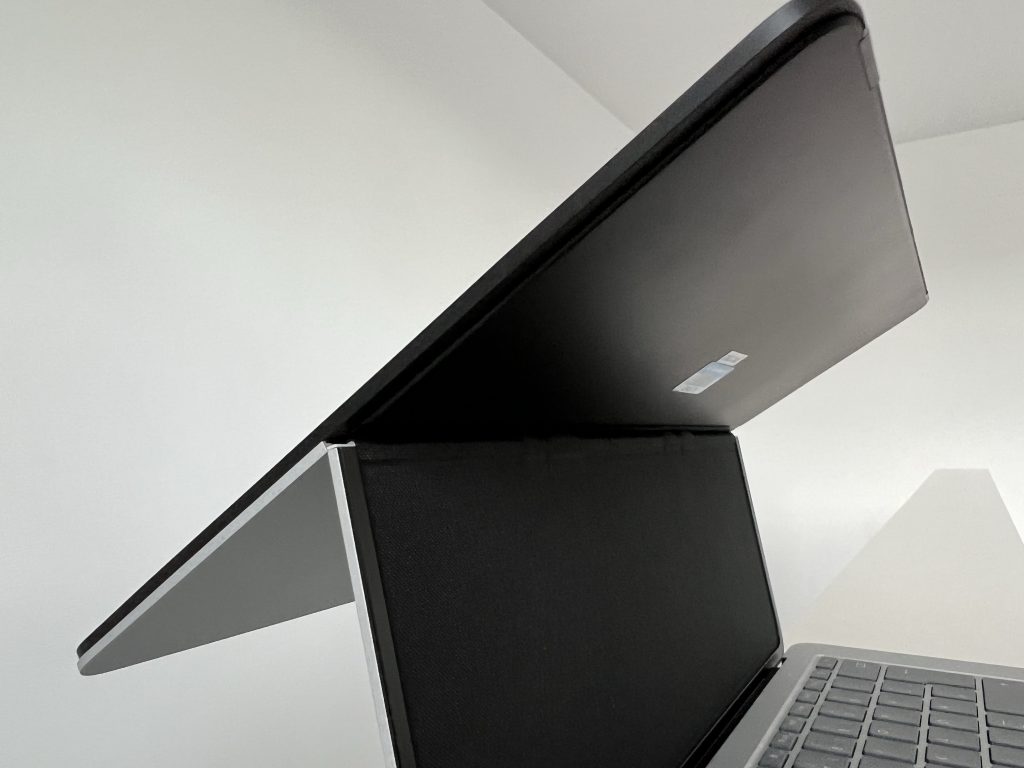
Hat man das Display gelöst, wirkt die Konstruktion wackelig. Der Deckel ist nicht sehr torsionssteif. Das ändert sich, wenn man das Display in seine neue Position gebracht hat. Die Magnete an der Unterseite halten sich entweder unterhalb der Tastatur oder an der Vorderkante fest und man hat wieder eine stabile Einheit.
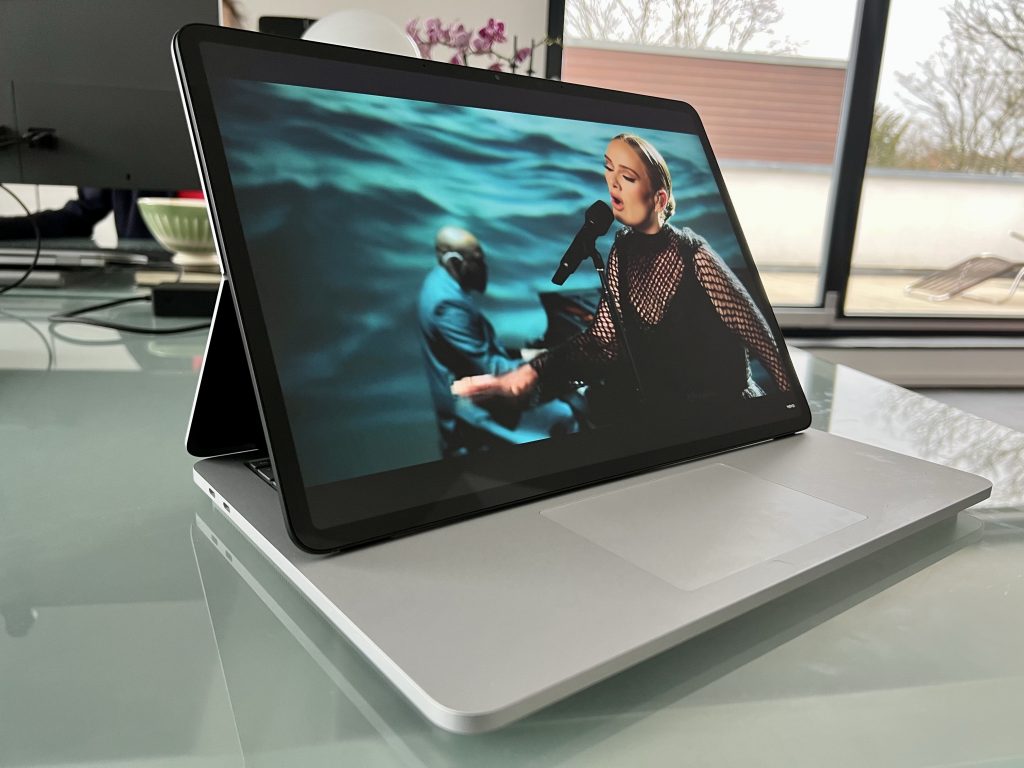
Diese Konfiguration ohne Tastatur eignet sich für verschiedene Szenarien, bei denen man kein Keyboard braucht, wohl aber ein Touchpad oder einen Xbox-Controller. Spannender ist für mich das komplett flachgelegte Display.
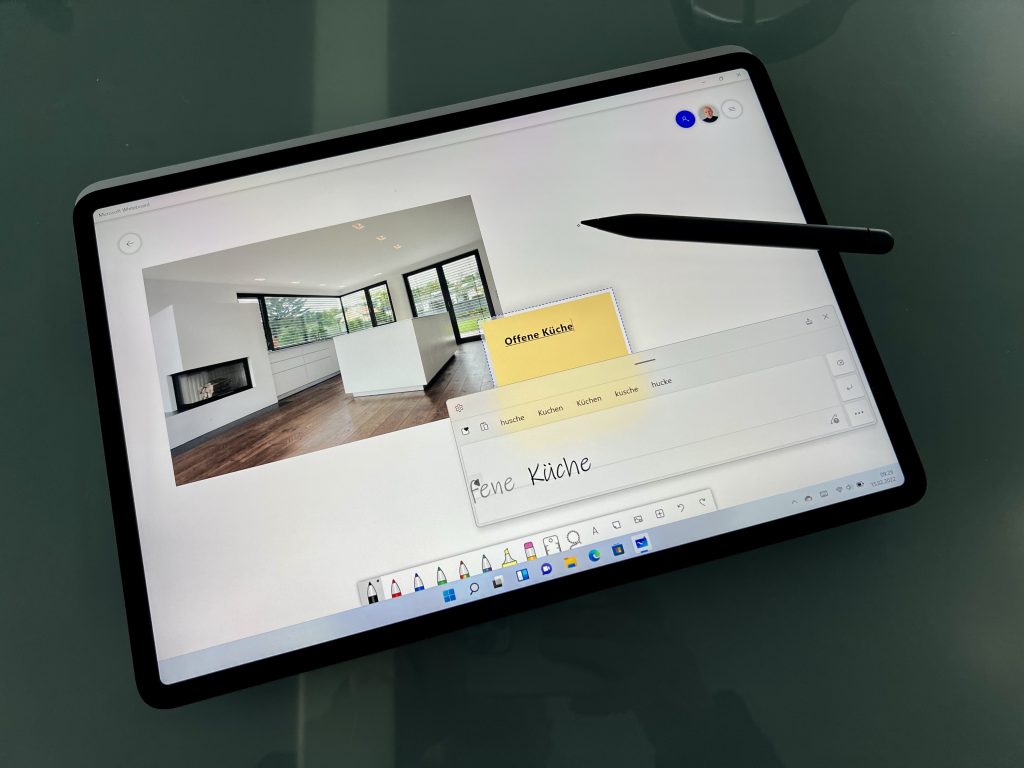
Dabei entsteht kein Tablet, das man in der Hand halten will, sondern ein leicht angeschrägtes Pult. Im Detail sieht man, dass der Displaydeckel eine schiefe Ebene schafft, die das Display sauber unterstützt. Das ist solide, ohne jeden Flex.
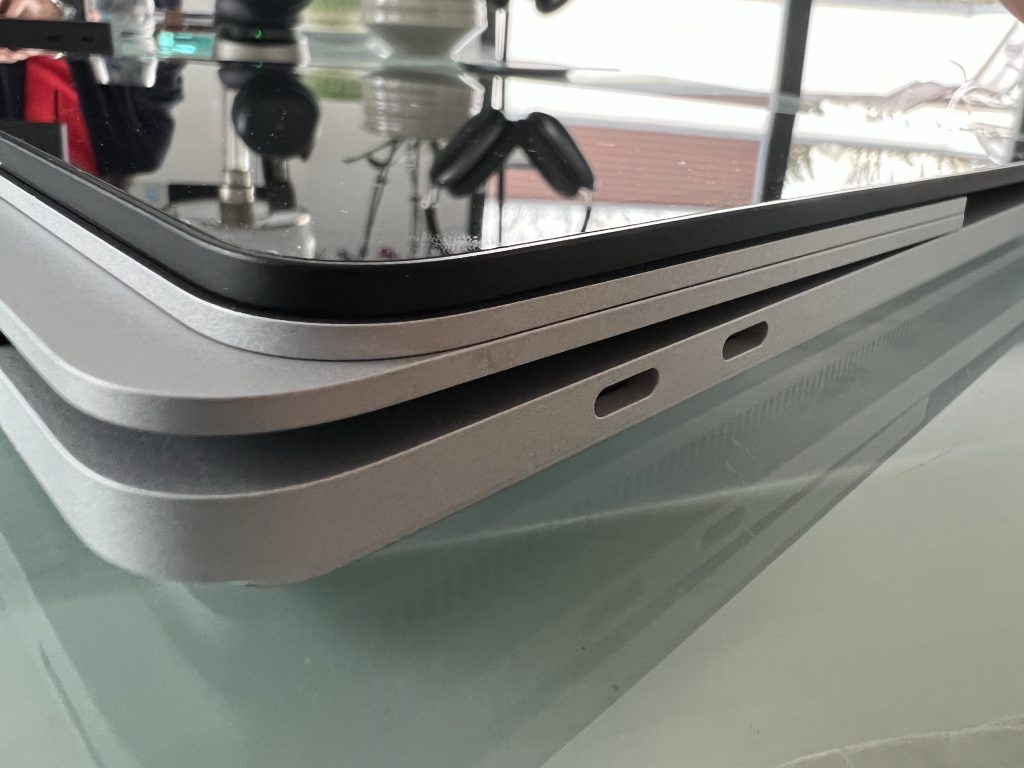
Ich kann das Gerät stundenlang anschauen und finde immer wieder kleine, wohldurchdachte Details, etwa die nur im Gegenlicht erkennbaren Füßchen, welche die Oberseite des Laptops schützen.
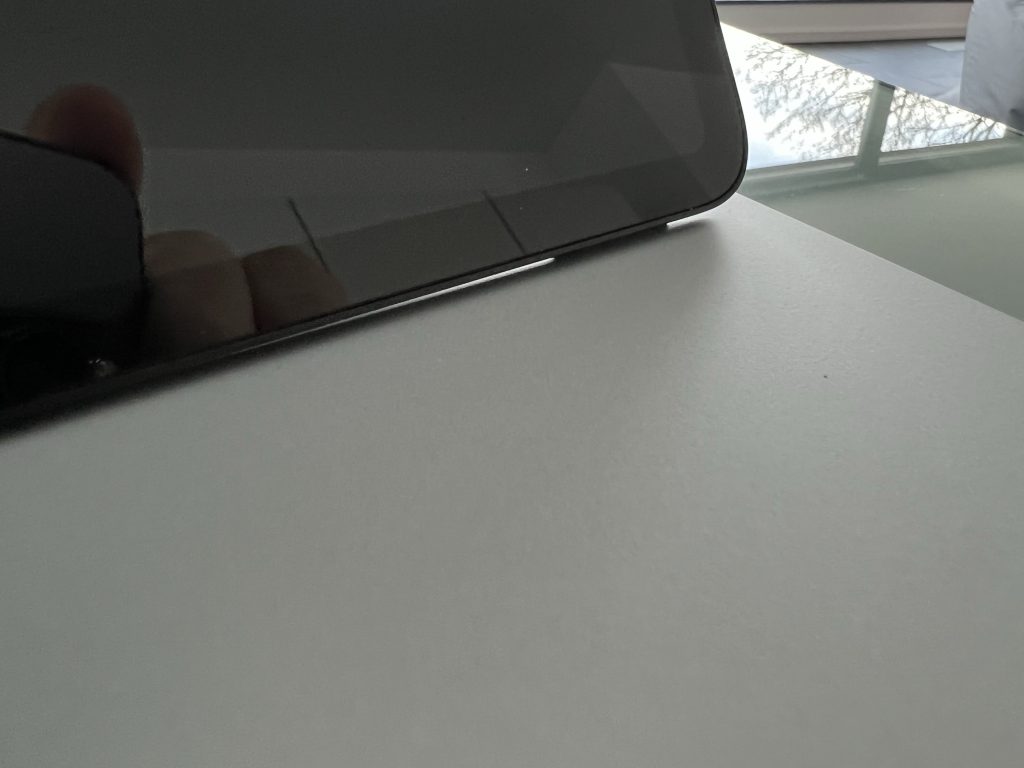
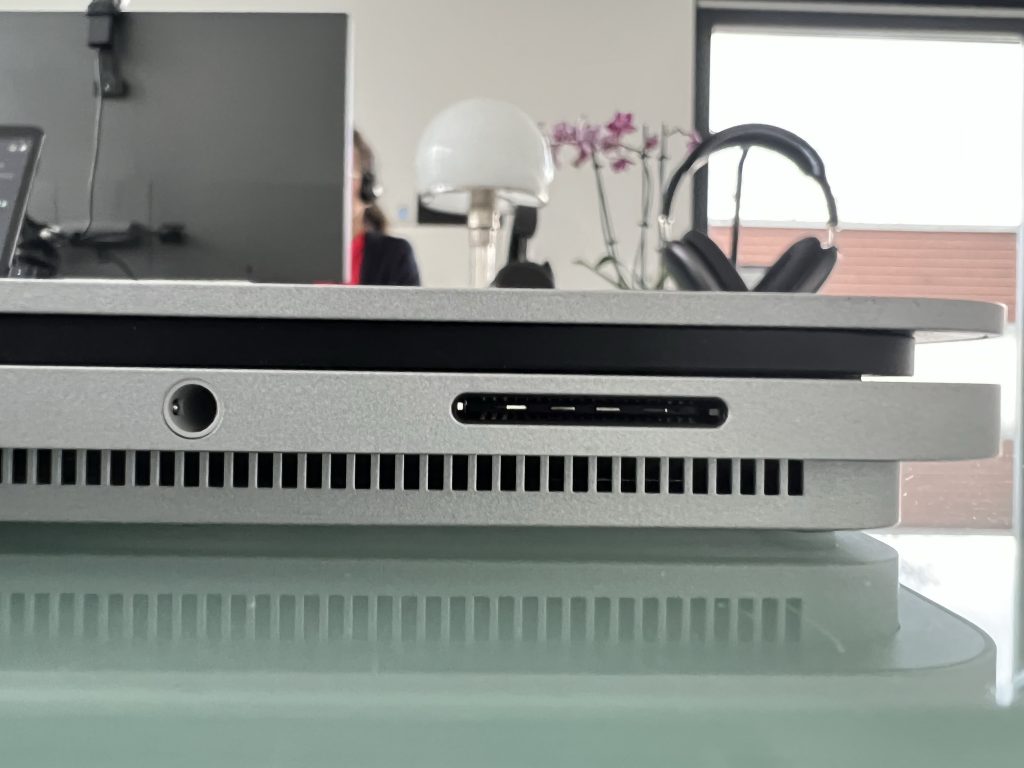
Bei einer schnellen Präsentation erschließen sich die Details nicht richtig. Das zurückgesetzte Kellergeschoss empfand ich zunächst als befremdlich, aber es hat viele Vorteile. So hat das Laptop Studio großzügig bemessene Lüftungsschlitze, die man nicht wahrnimmt. Kühlende Luft lässt sich mit geringer Geschwindigkeit quer durch das Gerät pusten. Die zusätzliche Kante führt außerdem dazu, dass man das Laptop Studio leichter als andere Laptops vom Tisch hochheben kann. Da das Display vom Deckel leicht zurückgesetzt ist, lässt es sich außerdem leicht öffnen. An der Vorderkante findet der Surface Slim Pen einen sichereren Parkplatz

Wie alle andern aktuellen Surface-Geräte hat der Laptop Studio nur zwei Thunderbolt-Ports sowie den magnetisch gehaltenen Surface-Connector. Dazu gesellt sich ein 3.5mm Audio-Port für Headsets, der meinem Surface Pro x bereits fehlte, aber im Surface Pro 8 wieder drin ist. Ich schließe am Surface Connector mein Surface Dock 2 und daran die Peripherie an.
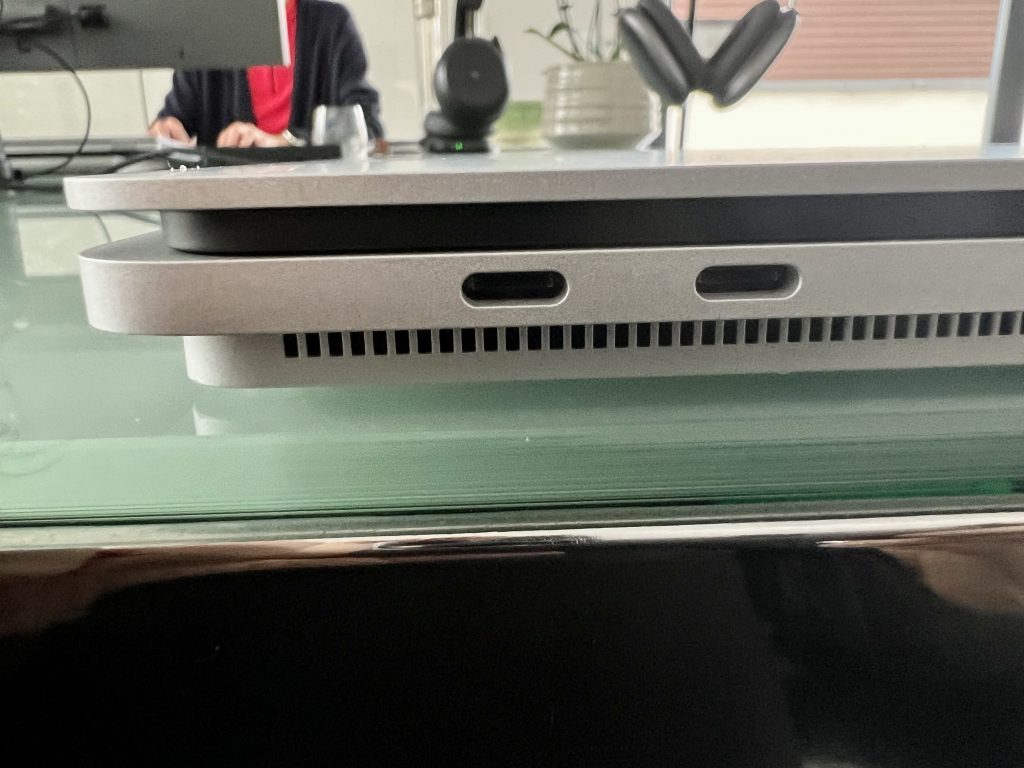
Unterwegs kann man auch das mitgelieferte Netzteil verwenden. Alternativ lässt sich der Laptop Studio auch mit ausreichend starken USB-Netzteilen mit Strom versorgen oder mittels eines geeigneten Thunderbolt-Kabels an einem Monitor anschließen und mit Strom versorgen. Sowohl mein Surface Pro 8 als auch der Laptop Studio sind mit Intel-Prozessoren der 11. Generation ausgestattet und nehmen sich deshalb in der Leistung nichts. Beide kommen auf ca 186k beim JetStream Benchmark, jeweils mit der aktuellen Edge-Version gemessen.
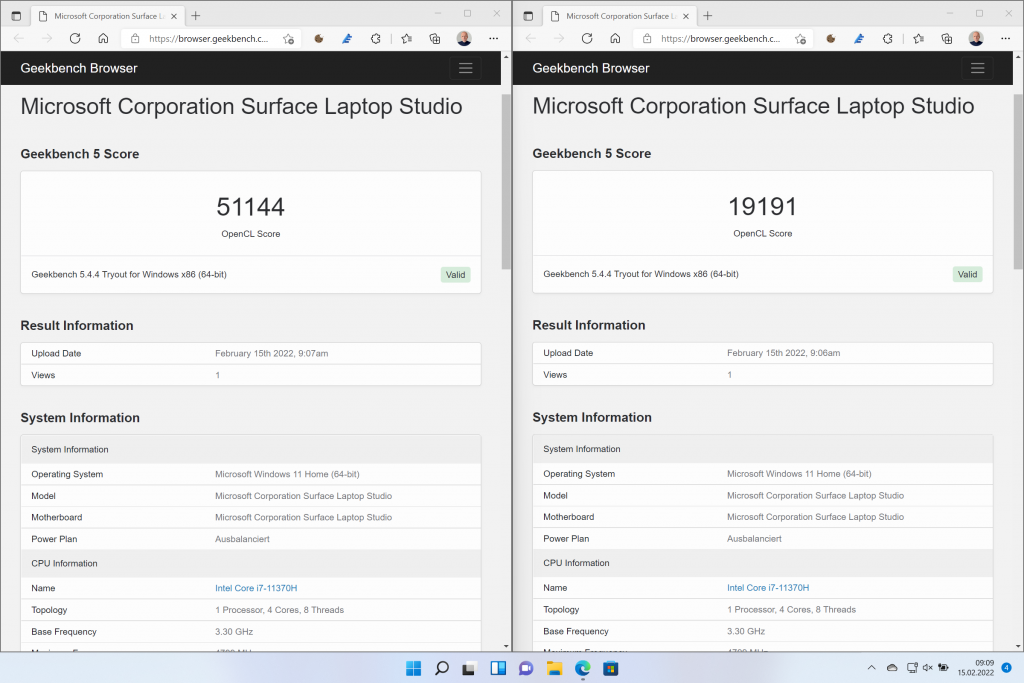
Das Surface Laptop Studio Testgerät hat zusätzlich eine GeForce RTX 3050 Ti Laptop GPU, welche die mit Geekbench gemessene Leistung von 19k auf 51k anhebt. Ich kann das nicht einordnen, weil ich kein Gamer bin und keine Anwendungen habe, die von einer GPU profitieren.
Ich stelle fest, dass der Laptop Studio ein stimmiges Konzept, ein edles Design, aber eine spärliche Ausstattung mit Schnittstellen hat. Mit exzellenter Tastatur, großem Touchpad, Touchscreen, Stift und variablem Gehäuse wäre er für mich persönlich der ideale Laptop, wenn ich nicht bereits das leichtere und schlankere Surface Pro 8 hätte.
Das Testgerät ist mit 2199 Euro angemessen bepreist, wäre für mich aber auch 500 Euro günstiger unverändert einsetzbar. Wer mit weniger zufrieden ist und das schwenkbare Display nicht braucht, kann ab 649 Euro beim Surface Laptop einsteigen.
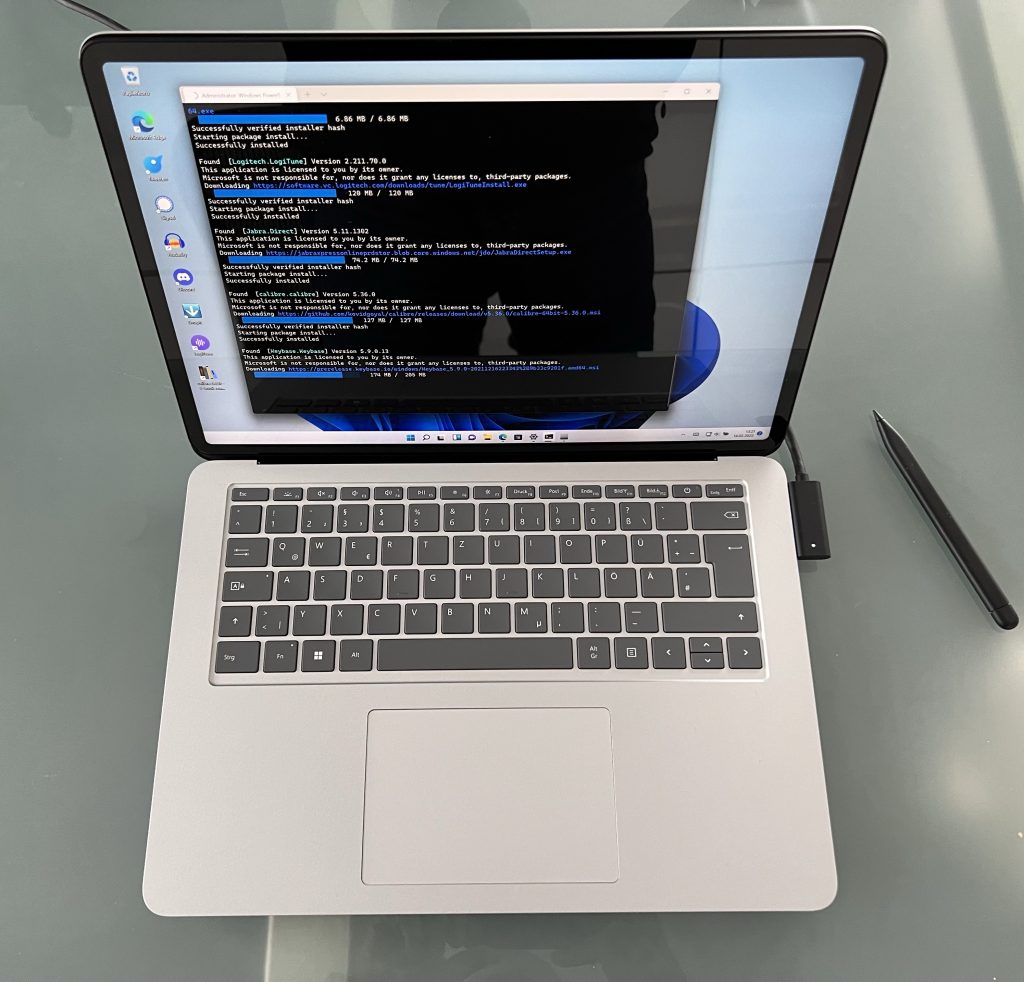
Just a few weeks ago I learned about Winget. It’s a package manager much like the ones you are used to from Linux. Open a terminal window and type “winget list” to see which programs you have installed. Type “winget export myprograms” to export the list, move it to a new computer and type “winget import myprograms”. Boom, it installs everything it can find in the default repository.
This removes a major pain point when testing new hardware. What you see is my new loaner from Microsoft, a Surface Laptop Studio. I will have so say a lot more in my next post. Let me just say, it is my best fit for a laptop.
Jeder, der häufig mit CSV-Dateien arbeitet, kennt das Problem: Man öffnet eine CSV-Datei in Excel und alle Zeilen stehen jeweils in der ersten Spalte. Wenn man eine Tabelle als CSV exportiert, bekommt man keine Comma Separated Values, sondern Semicolon Separated Values.
Das hat durchaus seine Berechtigung, weil wir in Deutschland Zahlen mit Komma als Dezimalstelle schreiben, Tausender aber mit Punkten trennen, also 123.456,78. Nimmt man jetzt das Komma als Separation zwischen mehreren Spalten dann werden daraus zwei: 123.456 und 78.
Diese deutsche Eigenart ist bei international tätigen Unternehmen ein stetiger Quell des Ärgernisses. Ich habe für meinen Teil beschlossen, nur den Dezimalpunkt und nie das Komma zu verwenden. Mit zwei kleinen Änderungen in einem obskuren Contral Panel kann man dann einfach CSV-Dateien in Excel lesen und schreiben, ohne per Notepad nachbessern zu müssen.
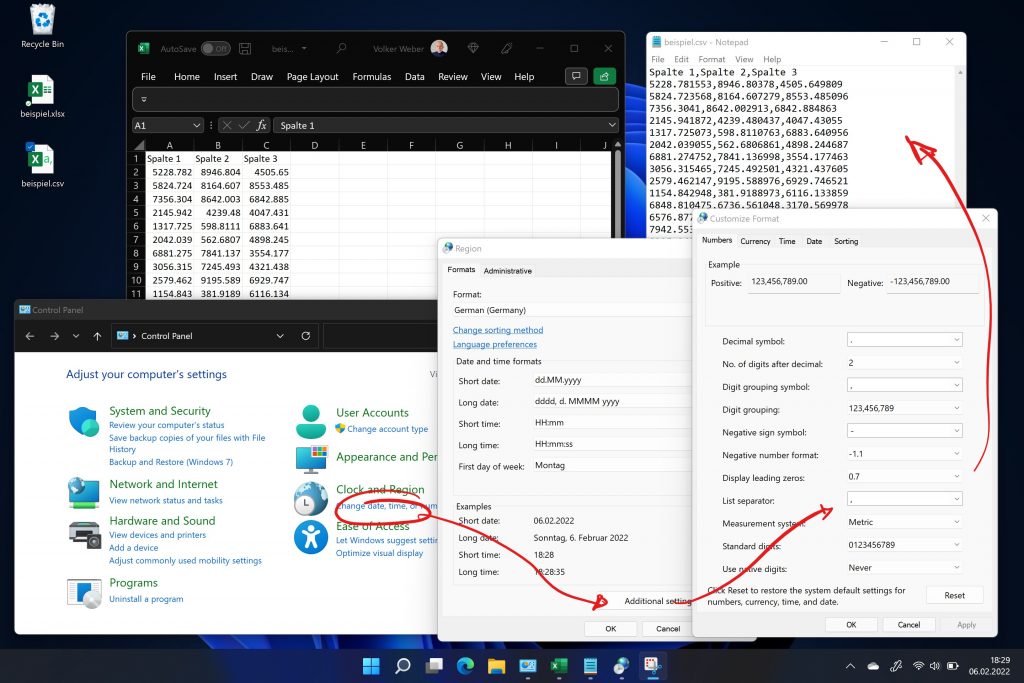
Wer das nicht mag, dem sei ein kleiner Hack empfohlen. Man schreibt eine zusätzliche Zeile an den Anfang einer zu öffnenden CSV-Datei:
sep=,
Das löst das Import-, aber nicht das Export-Problem. Hat jemand bessere Vorschläge?
Korollar: Ich schreibe das Datum weder 6.2.2022 noch 2/6/2022 sondern stets 2022-02-06.
I told you how difficult it was to get rid of my three Azure shadow tenants. The good news is two-fold:
This is the workflow Microsoft runs through to verify your identity:
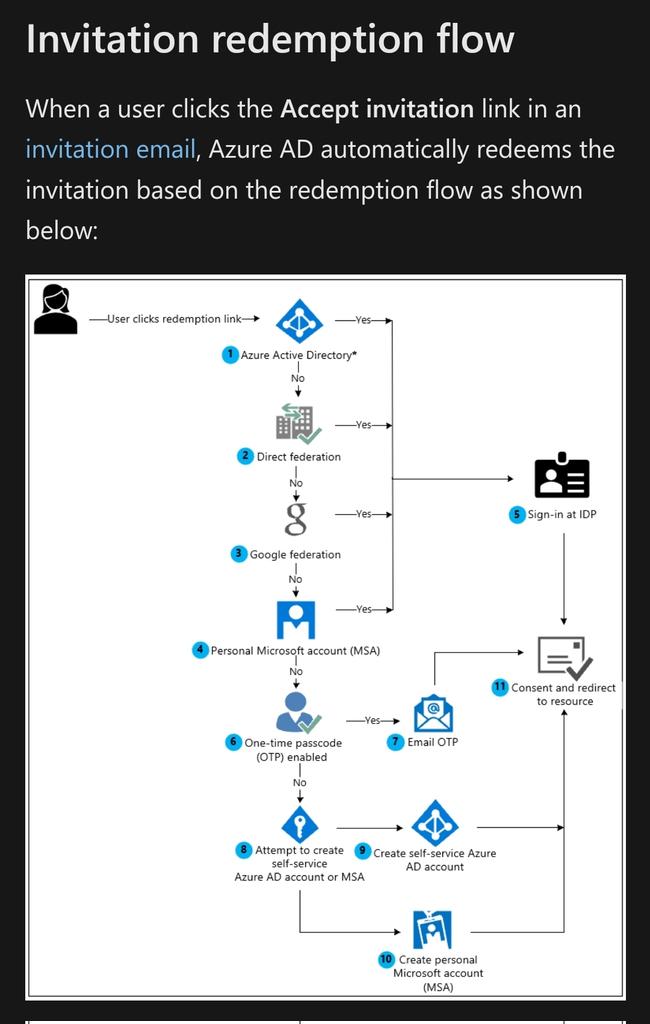
OTP (One Time Passcode) is a new feature, turned on by default, which logs you in. If the customer has disabled the feature, you can still create a Microsoft or Azure Account. If you have a Microsoft account, you are good to go either way.
That means I can now accept Teams invitations without creating shadow tenants. Yay!
Reports this week that Microsoft has postponed its next HoloLens headset and Surface Duo mobile device may not be bad news. Three iterations of not-so-great products don’t guarantee success.
I agree with Mary-Jo Foley on this. I tried both HoloLens products and both Surface Duos and would not want to use them. If these ever want to fly, they need more work.
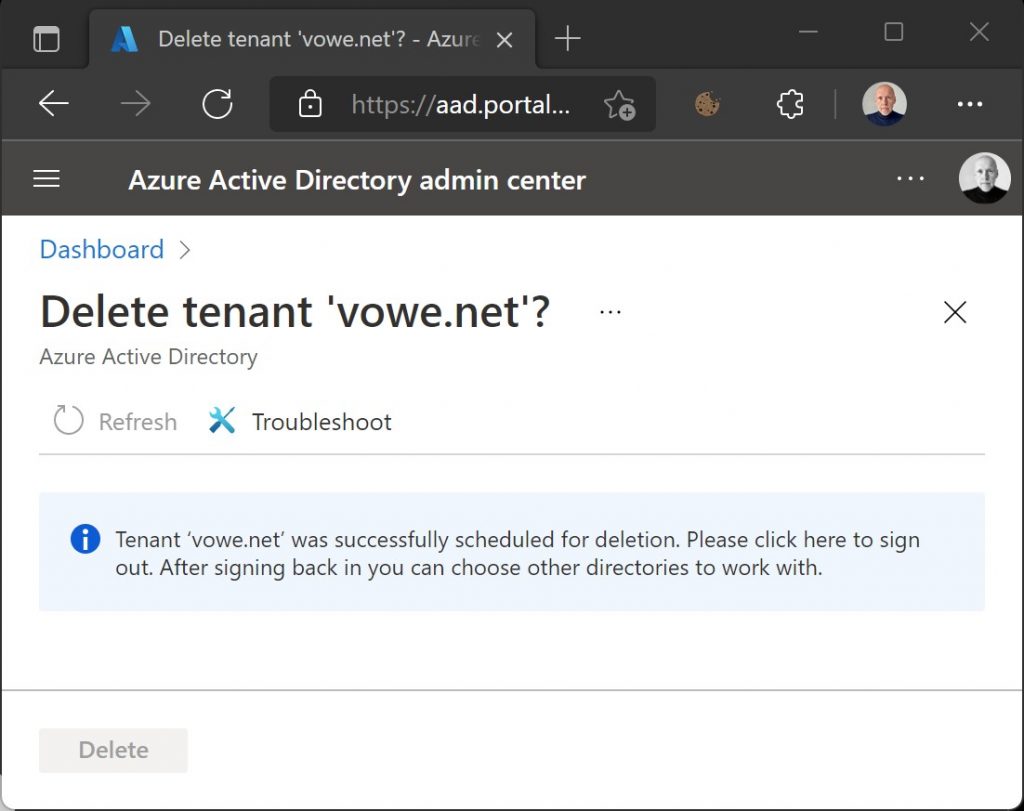
I am so pumped. Yesterday I managed to finally delete all three of my Azure shadow tenants. What is a shadow tenant? Come sit by the fire and I will explain.
Microsoft has this schism between Microsoft Accounts and Azure Accounts. For some products Microsoft creates an Azure Account when you login with a Microsoft Account if it believes you are a potential enterprise client. This happened to me when I had first contact with Microsoft Teams. A co-author wanted to collaborate via Teams when authoring an article and invited me to his Teams team as a guest. I logged in with my Microsoft account and from then on I would always be asked if I wanted to login with my personal or my business account.
OK, that is only one question to answer, but you suddenly have two account to secure. And the terrible thing about these shadow accounts is that when anything goes wrong you are being told to contact your admin, but there is is no admin. You are on a cruise ship without a captain. You never wanted to own a cruise ship. In fact, you only wanted to cross the river to get to the other side.
My first Azure tenant was ‘vowenet.onmicrosoft.com’. I learned how to become captain of this account and it involves signing up for a free PowerBI trial (yes, really!) and then publish a TXT record to your DNS (yes, really!) and the next time you login, you will be asked if you want to be admin. Yay! I created a new admin, deleted the twin of my Microsoft account, and failed at deleting the Azure tenant.
I got my second Azure tenant when I signed up for the free Teams account in 2020: ‘vowevowenet.onmicrosoft.com’. This tenant hosted the Circus team. I cannot remember how I became admin, but it was probably the same detour as the first time. Last week I retired the Circus team which had caused me quite a bit of admin headaches and tried to delete the tenant, and I failed again.
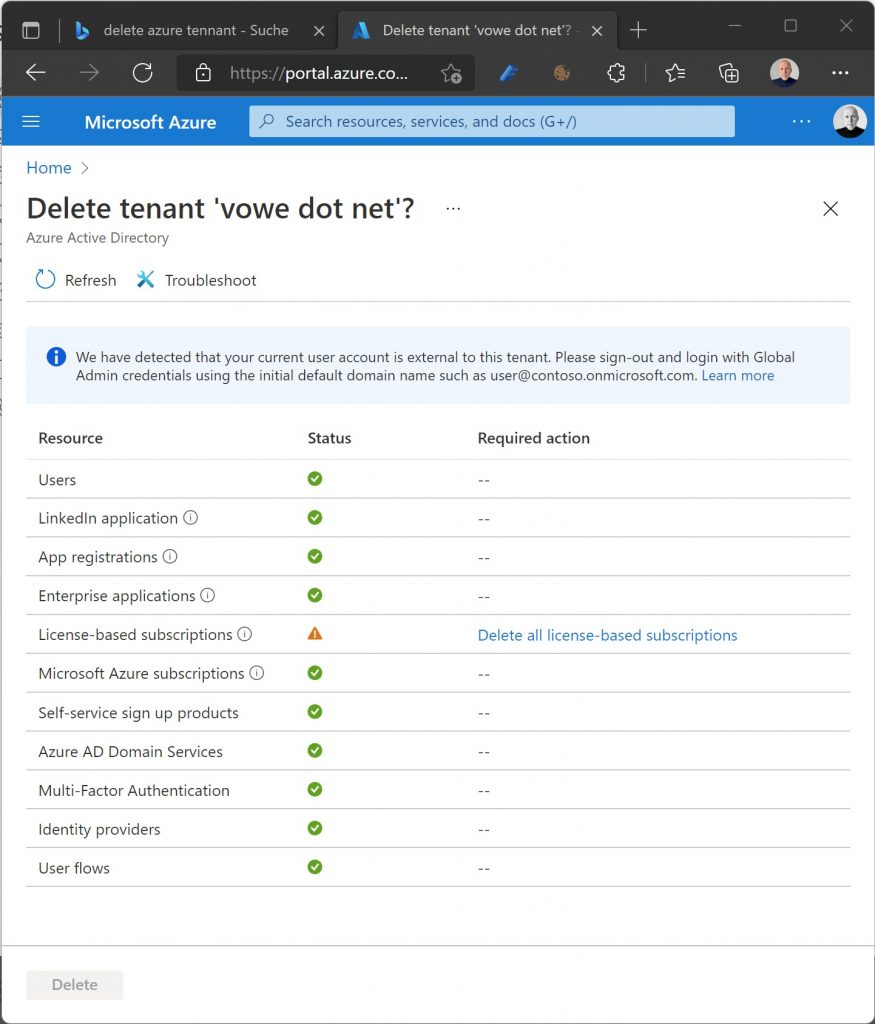
But this time, I pressed on. Microsoft would not let me delete the Azure account although I was Global Admin (god) because I presumably had a subscription active. I totally understand that Microsoft makes it difficult to sink a cruise ship, but remember, I never wanted one in the first place. It would not show any licenses in Azure Active Directory, but I was looking in the wrong place. I had this free 300 people Teams subscription, but that is in Microsoft 365 and not (directly) in Azure. Once I found the subscription, I went through a deactivate/delete operation and had to wait 3+ days for the deletion to go through, but then finally, I checked out OK and could remove the second Azure tenant.
I had also started the deletion process on the dormant first shadow tenant. The roadblock was a free 100 people Teams subscription, from the days back when I first had contact with Teams, only as a guest. Removed the second Azure tenant. Yay.
But wait. When I logged in again it still asked me Microsoft Account or Company account? There was another shadow tenant hiding in the shadow (pun intended). I went to the AAD portal and found vowenet0.onmicrosoft.com. I have a hunch that was created when I trained for my Microsoft Azure Architect certification. I was in full swing. Start PowerBI free trial, accept admin duties, publish DNS record, take over the tenant, remove all free unused subscriptions, remove tenant.
Bingo. Three shadow tenants down and I am free. No more question for personal or business account.
Sidenote: Windows 11 comes with a personal version of Teams, which is completely useless. You cannot talk to Skype contacts, you cannot talk to work Teams, it’s just another version of everything. Don’t waste your time and just delete it.
A couple of years ago, I created a forum on the ginlo messenger, motivated by two things: give the messenger a push, because my friend Stefan Rubner worked there, and secondly because I wanted to have a place for readers on my site to discuss amongst themselves. I called it vowe’s magic flying circus and it quickly was referred to as the circus.
The circus has been moving a lot, and each time we lost the dead wood. People who had signed up but were not really interested in contributing. If you do not actively contribute, you will lose interest in even reading it. We moved to Microsoft Kaizala, then Telegram, then Signal, and two years ago to Microsoft Teams. I am happy that we moved away from Telegram which has become a dumpster fire.
Teams has proven to be too much overhead for our small operation. You really need to be a Microsoft ship with AAD (Azure Active Directory) to make this work. This is a SNAFU of Microsoft Accounts, AAD Accounts, and everything in-between. I had hopes for the private edition in Windows 11, but that has proven to be utterly useless. It’s closer to Skype than Teams, but not interoperable with Skype. Since I am an active Skype user, something had to give. From my daily use of Skype I know that Skype chat is useless with a few dozen people. I started looking elsewhere.
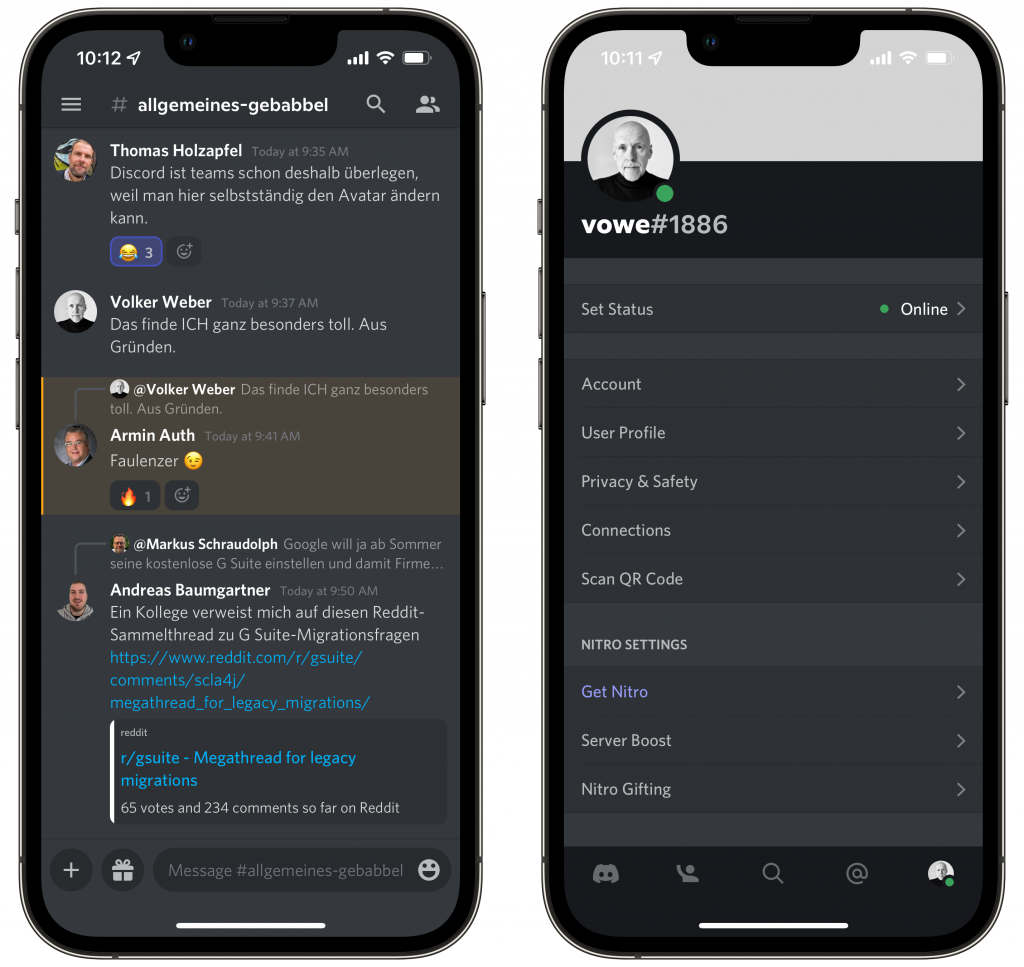
Two days ago, I started creating two alternative solutions, one built on Keybase.io (yes, it’s more than a directory) and the other one on Discord. And it quickly became obvious that Discord is the better solution.
Recently I posted the condensed version. Here comes the long one and it resonates with me. This is my type of machine.
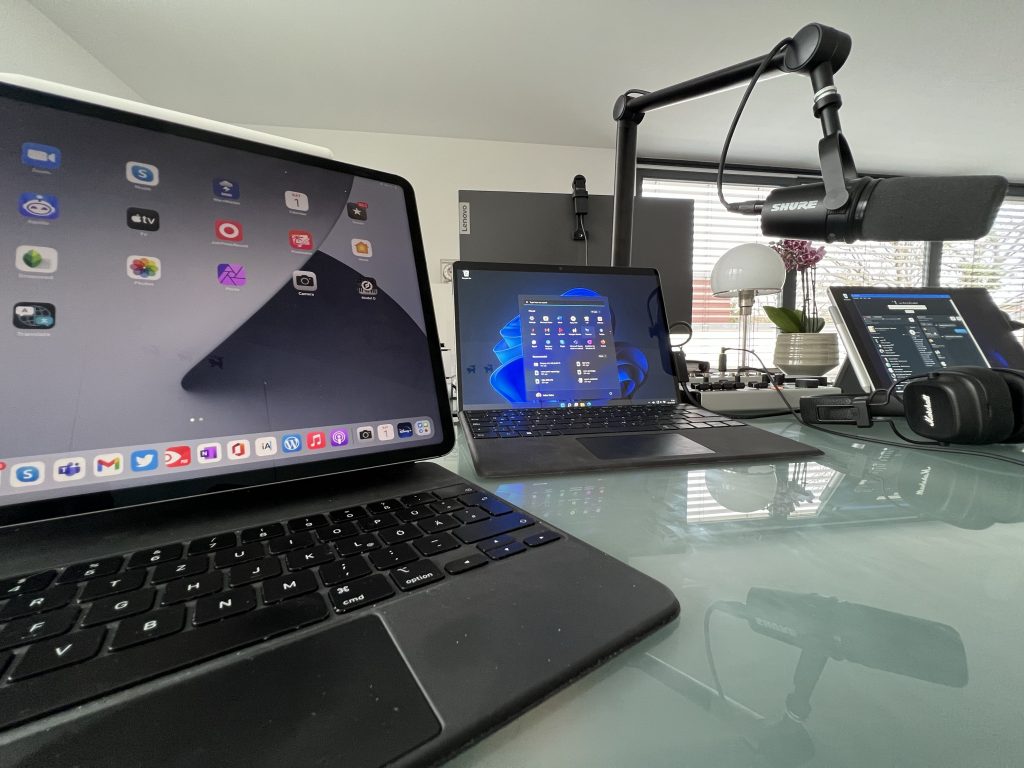
Das Smartphone ist für viele Menschen die Fernbedienung fürs Leben und der einzige Computer, den sie brauchen. Und wenn es ein Computer sein muss, dann am liebsten ein Laptop. Meine Empfehlung ist einfach: iPhone plus MacBook Air. Beide sind derart ausgereift, dass man nichts falsch machen kann. Beide sind langlebig und Apple hat bei den aktuellen Geräten zurück zu alten Tugenden gefunden.
Bei mir passt der Laptop leider nicht mehr. Sonst hätte ich wohl auch so einen Air. Ich bin ein Tablet-Typ. Ich mag das iPad, am liebsten als großes iPad Pro mit Magic Keyboard. Ich komme damit auch ziemlich weit, aber nichts bis ins Ziel. So wie ich im letzten Jahrtausend OS/2 brauchte, um im Hintergrund meine Mailbox betreiben zu können, fehlt mir beim iPad das letzte Quäntchen Flexibilität. Ich brauche Audio-Routing über mehrere Kanäle, eine externe Webcam, will einen Mixer mit mehr als zwei Kanälen anschließen. Ich muss gleichzeitig mehrere Sachen im Hintergrund laufen lassen.
Von der Hardware her ist der iPad Pro für mich perfekt*, aber ich brauche einfach viel mehr Software, die Apple in dieser Form nicht hat. Was kommt dem iPad Pro am Nächsten? Ein Surface Pro. Ich mag Windows 11. Nicht das Windows, das von der IT mit Policies und Systemsoftware verkrüppelt wurde, sondern so wie es Microsoft gebaut hat. Ich habe einen Behringer Flow 8 angeschlossen und kann dort mit drei Stereo-Kanälen rein und dem fertigen Mix zurück zum Surface. Ich habe eine Tastatur, ein Trackpad, einen Stift und einen Touchscreen. Wenn ich den Dock Connector abziehe, wird es zu einem einfachen Tablet. Am Dock hängt noch eine Logitech BRIO, am Mixer ein seriöses Mikrofon. Der Sound kommt per Kabel aus dem Marshall Major IV, den ich beim Garantie-Austausch behalten durfte.
So oder so, ich bin ein Tablet-Typ. 🙂
*) Die Kamera gehört wie beim Surface an die lange Seite.
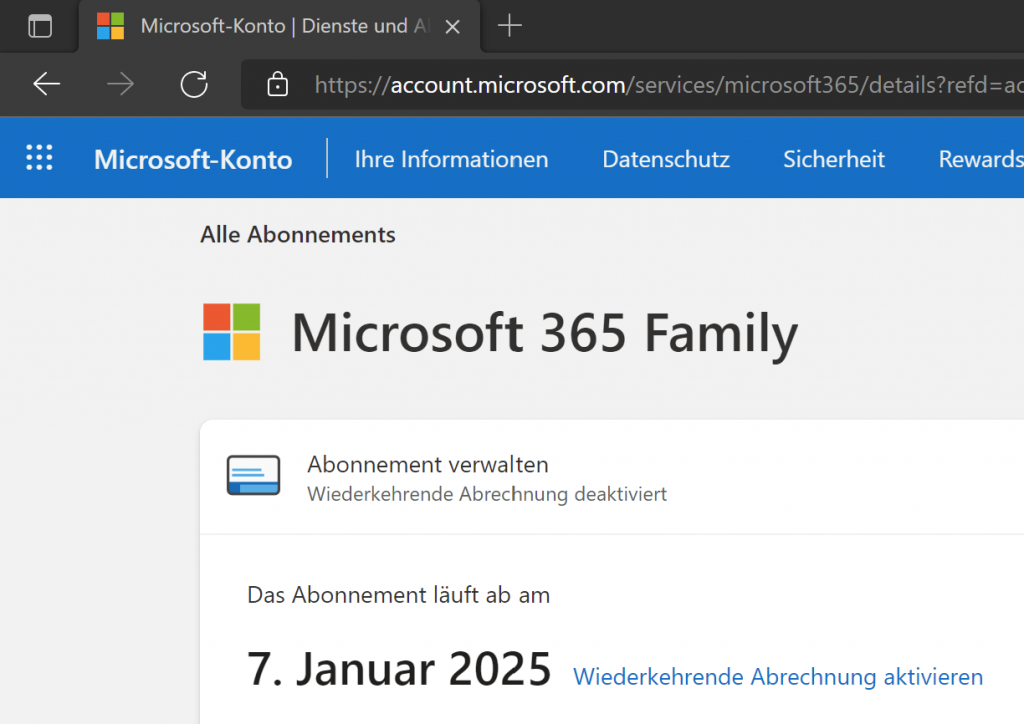
Ich habe neulich wieder mein Microsoft 365 Abo auf drei Jahre aufgestockt, nachdem es beinahe abgelaufen wäre. Microsoft versucht immer wieder zu einer “wiederkehrenden Abrechnung” zu locken, bei dem man dann pro Jahr 100 Euro zahlt. Ich empfehle stattdessen, die regelmäßig wiederkehrenden Angebote zu nutzen, bei denen man einen Code bei Amazon zum halben Preis erwirbt und auf setup.office.com aktiviert.
Nachdem Lutz (aus Australien) neulich gegen den Geofence gestoßen ist, sei angemerkt, dass sich diese Codes nicht weltumspannend aktivieren lassen. Wir konnten uns helfen, in dem jemand aus Deutschland seinen Code verwendet hat und ihm den Kaufpreis erstattet hat. Da war es hilfreich, dass man das Abo auch vor Ablauf verlängern kann, bei mir aktuell bis Januar 2025.
Ich habe rechts unten in der Sidebar auf das Microsoft-Angebot verlinkt, so dass Ihr jederzeit nachschauen könnt, wie der Tagespreis gerade ist. Benefit für mich: Alles, was Ihr danach in den Warenkorb packt und kauft, kommt mir zugute. Die Amazon-Wunschliste ist ausgerechnet zu Weihnachten gerade leer. :-/
Only available in the US, as part of an education initiative. Microsoft is on the defensive against Chromebooks there.
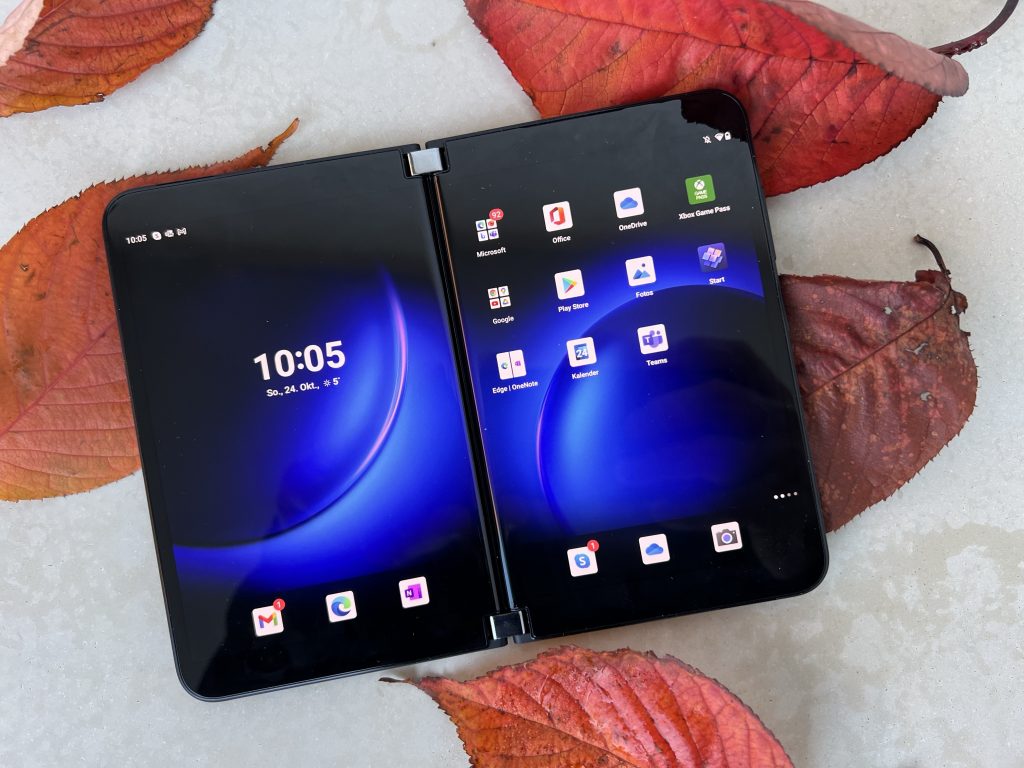
Acht Monate nach dem Surface Duo schiebt Microsoft eine neue Version seines Klapp-Smartphones nach. Das Update beseitigt einige Mängel des ersten Modells – und bringt neue Probleme mit.
Mehr bei DER SPIEGEL >
Surface saw a long succession of pens, all built on the the N-trig technology. It uses the same digitizer for pen and touch. It needs a battery for to work. These were initially two batteries, one for Bluetooth and another one for the tip. Then Microsoft eliminated the second battery and then pen could work with a single AAAA battery. The Slim Pen replaced this type of battery and became rechargeable, either in the pen garage on the keyboard cover or in a separate inductive charger.
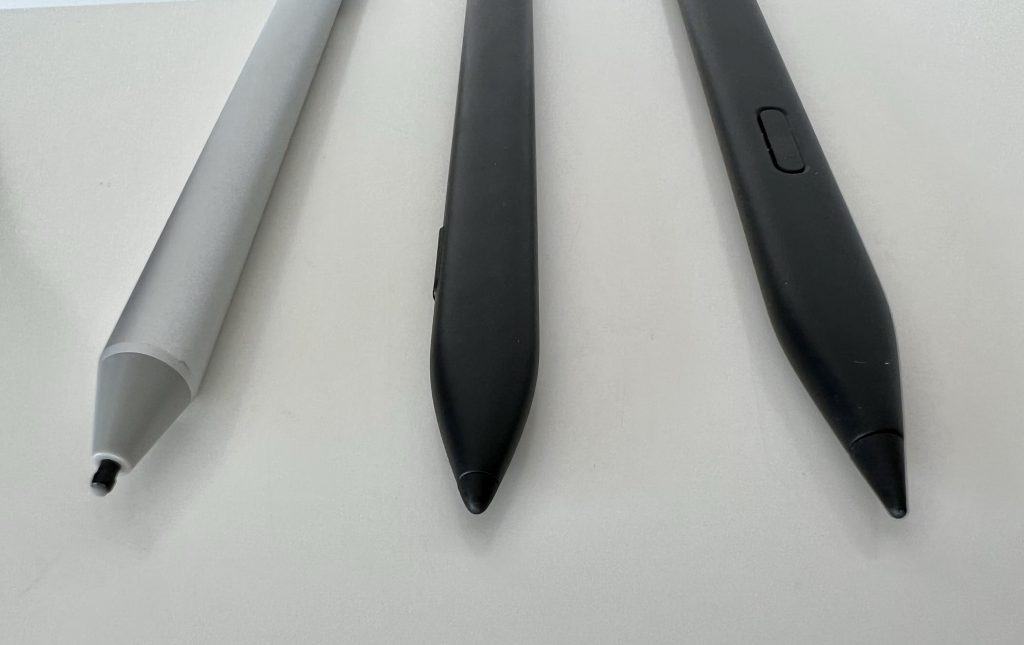
I like the solution with the keyboard cover, because it secures the pen against the screen when closed. This is much easier to handle than any other solution, even better than the ThinkPad stylus which is rather small. The slim pen is flat and has a button at the upper end which doubles as an eraser and a second button on the side.
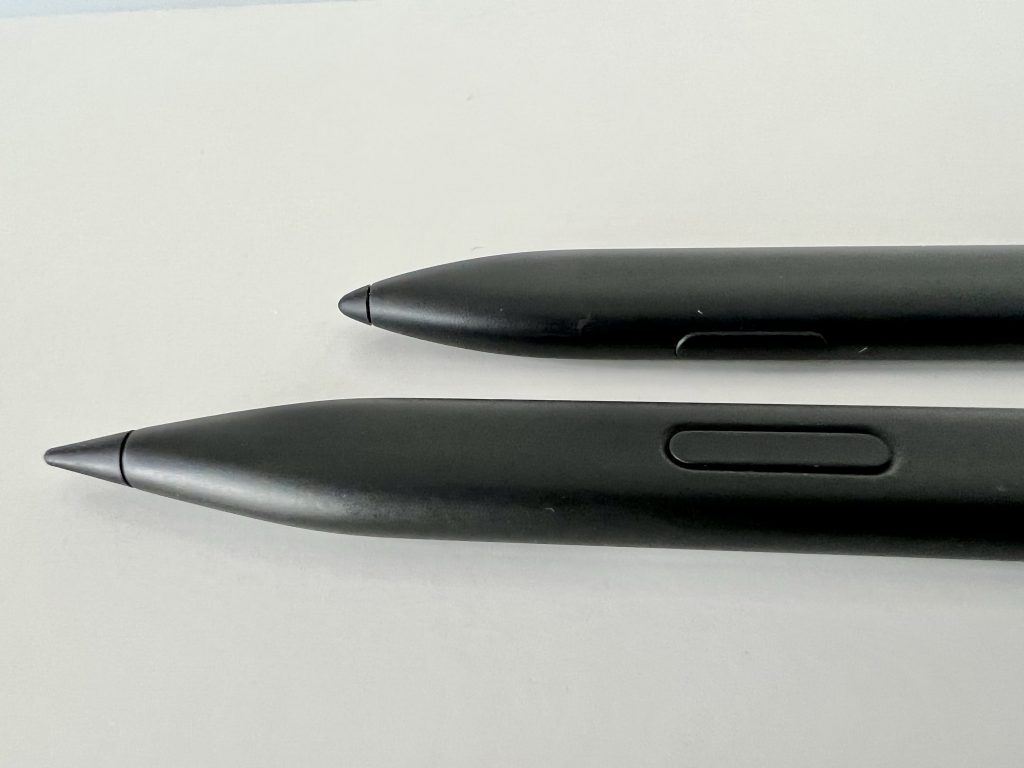
Slim Pen 2 improves on the design by moving the forward button from the tip of your index finger to your thumb, which feels a bit more natural. The tip of the pen got more pointy and there is a motor inside which provides haptic feedback.
This is a very minor update. It looks different but gives exactly the same feeling when writing. The haptic feedback seems weird to me. It vibrates when you erase something for instance. I toned it all the way down. I like the pointy look but I would not replace a Slim Pen with a Slim Pen 2.
Both pens can be charged in the same places and they pair automatically with the Surface Pro the keyboard cover is attached to.