… heute gibt Eve, einer der führenden Anbieter von Smart Home-Geräten mit Thread und Matter Technologie, die Übernahme durch ABB bekannt, ein weltweit führendes Technologieunternehmen in den Bereichen Elektrifizierung und Automation. Weiterführende Informationen finden sich in der angehängten Pressemitteilung; hier sind die wichtigsten Punkte:
Eve wird eine unabhängig geführte Marke innerhalb des Building and Home Automation Solutions-Portfolio der Division Smart Buildings des Geschäftsbereichs Elektrifizierung von ABB.
Durch die Transaktion wird ABB zu einem führenden Anbieter von Smart-Home-Produkten, die auf Matter und Thread als neuem Interoperabilitätsstandard und neuer Wireless-Konnektivitätstechnologie basieren. Sie ermöglicht es ABB, die sichere, intelligente und energieeffiziente Umrüstung von Wohnungen und Gebäuden schneller umzusetzen
Meine Lieblingskomponenten im Smart Home. Dann hoffen wir mal, dass ABB (110.000 Mitarbeiter) das relativ kleine Unternehmen Eve (50 Mitarbeiter) nicht erdrückt.
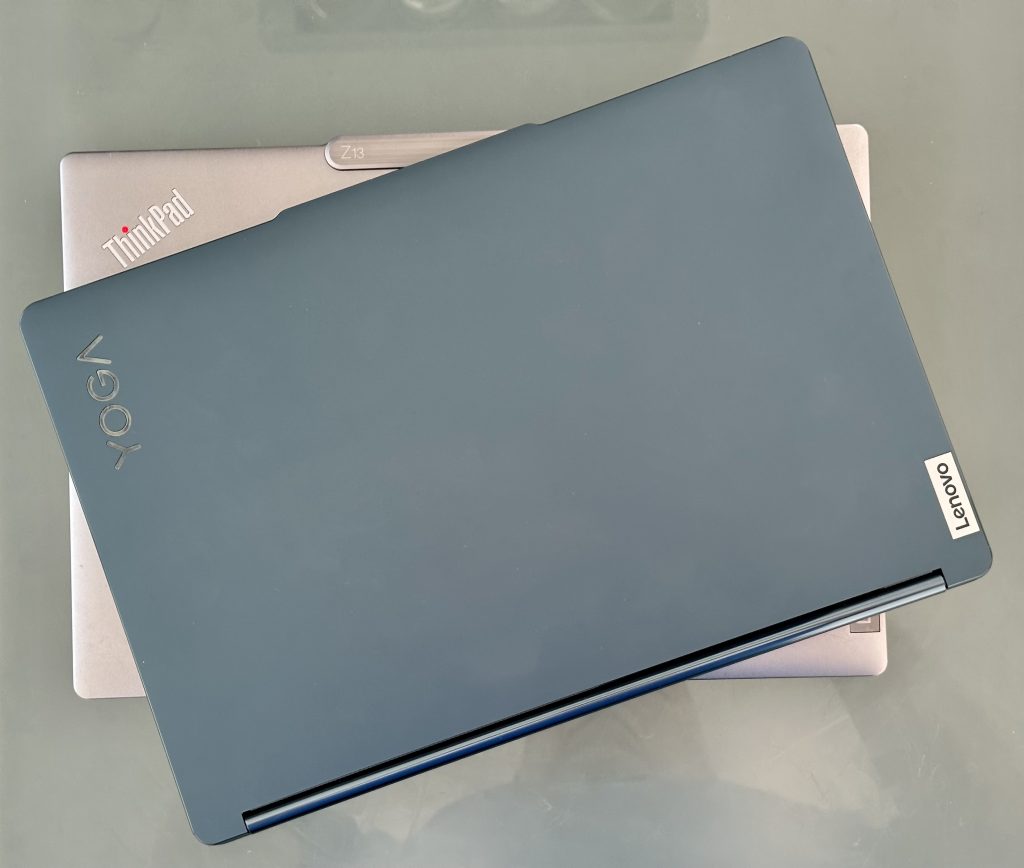
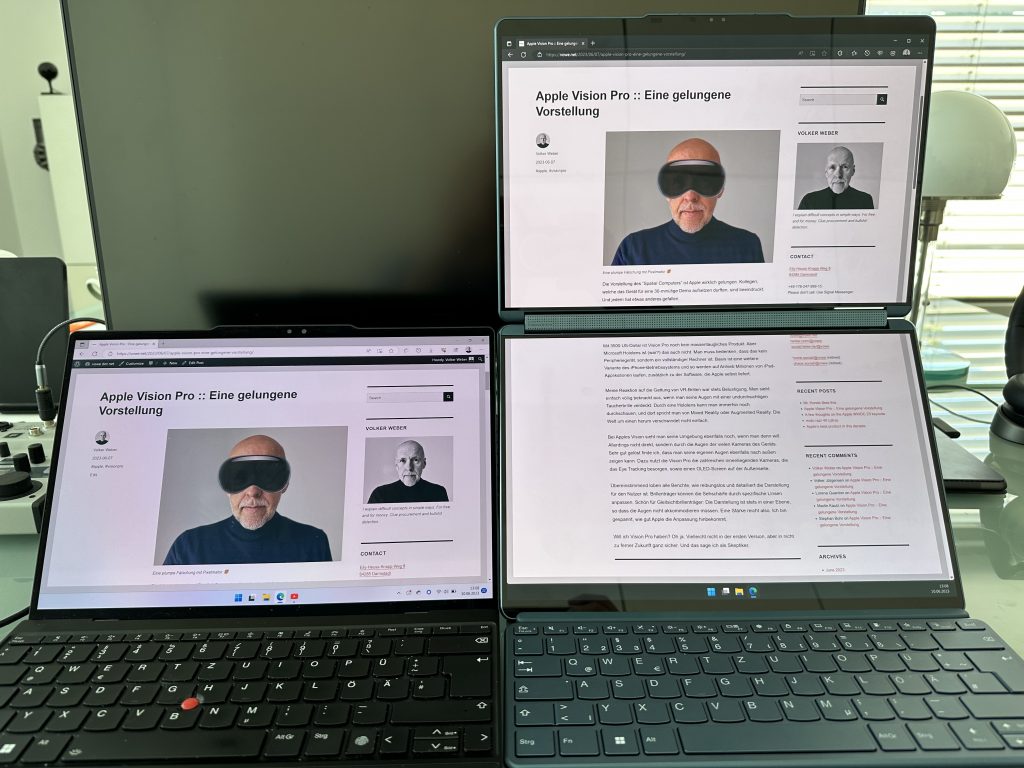
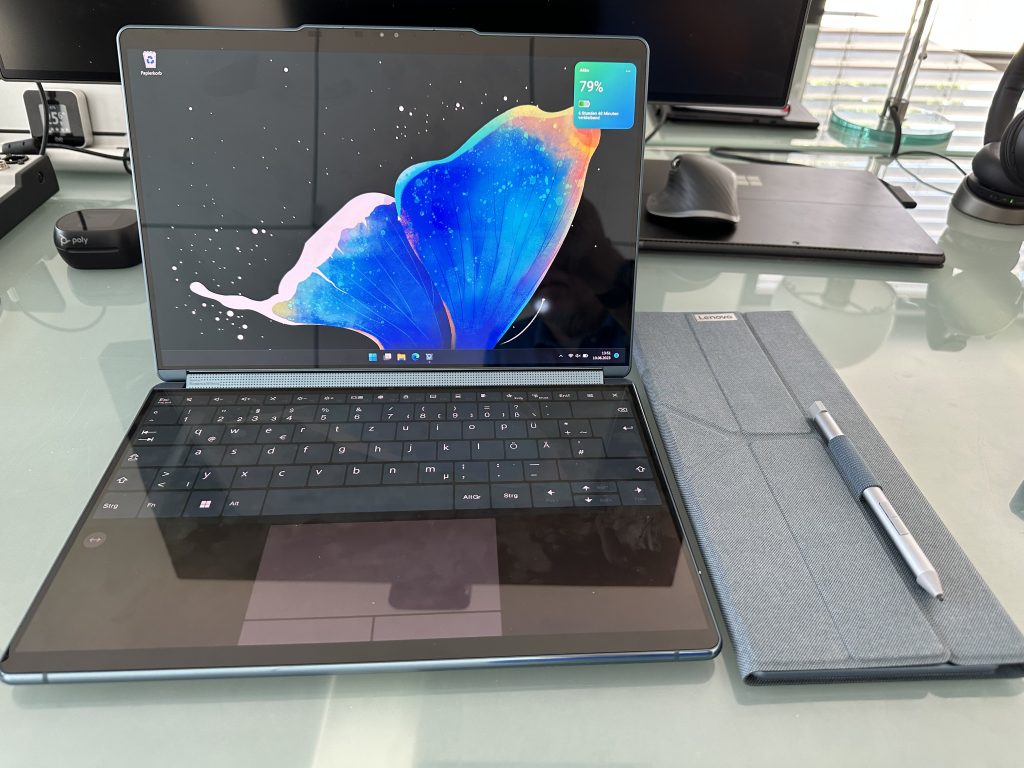
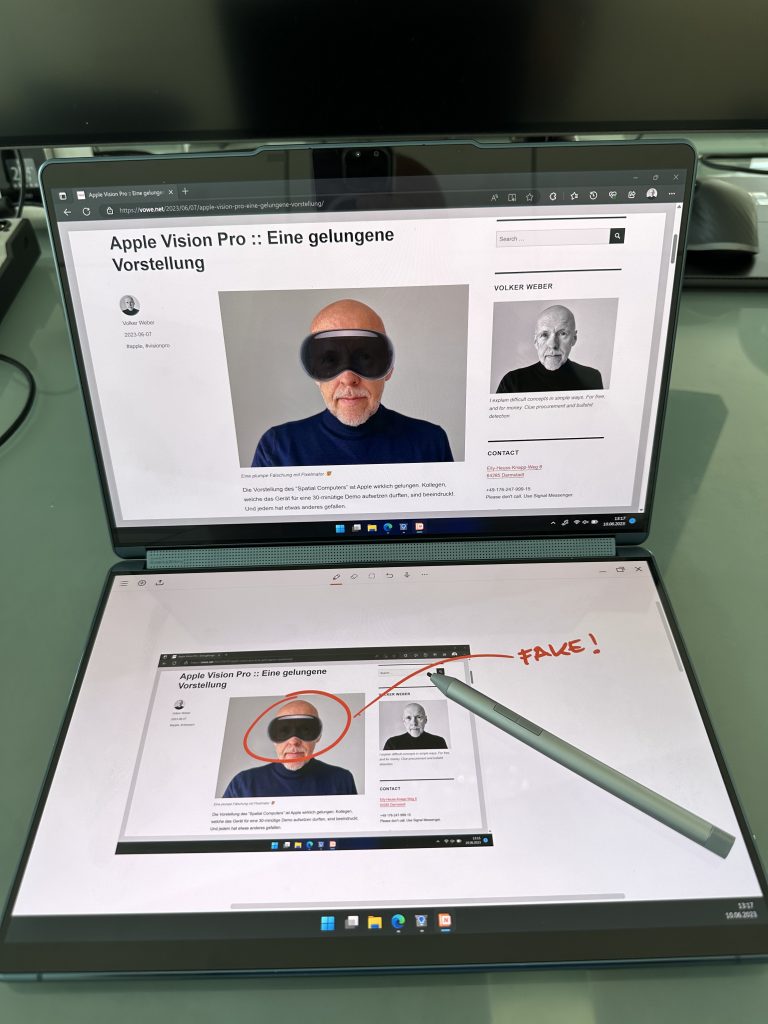
Eines dieser beiden Notebooks hat doppelt so viel Bildschirmfläche wie das andere. Und doch sind sie ungefähr gleich groß. Unten sieht man mein Arbeitsgerät, ein ThinkPad Z13 Gen 1, und oben das Yoga Book 9i Gen 8. Und wie kriegt man den doppelt so großen Bildschirm in das gleich große Gehäuse?
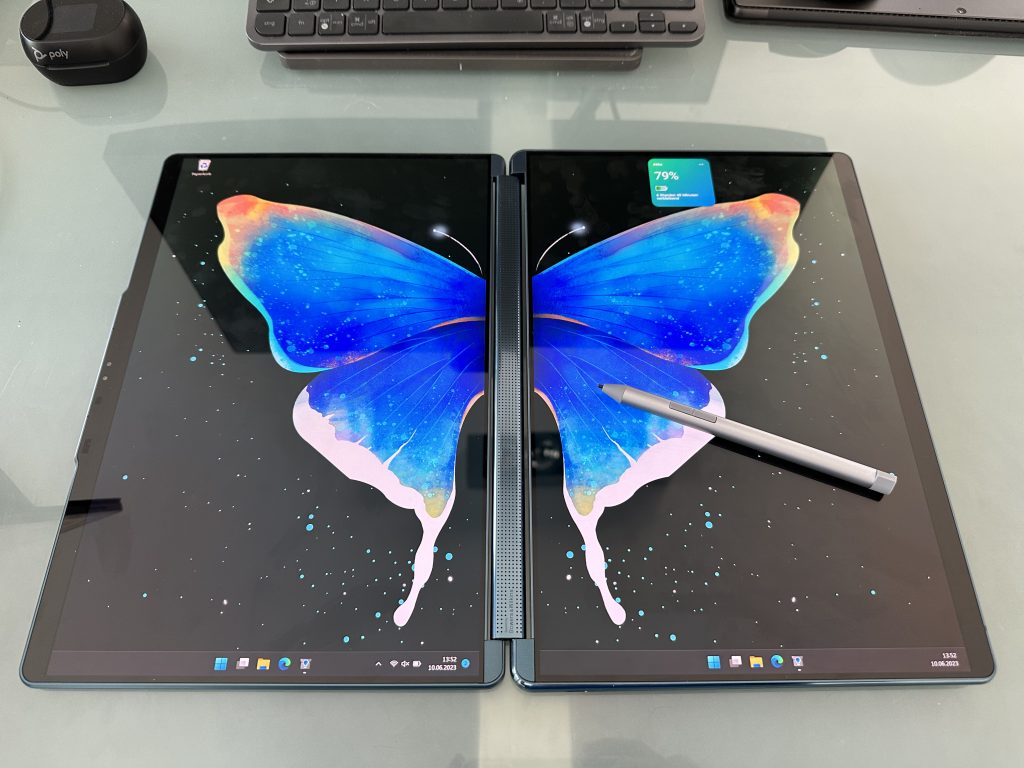
Das Yoga Book hat einfach zwei OLED Screens, während der ThinkPad nur einen hat:
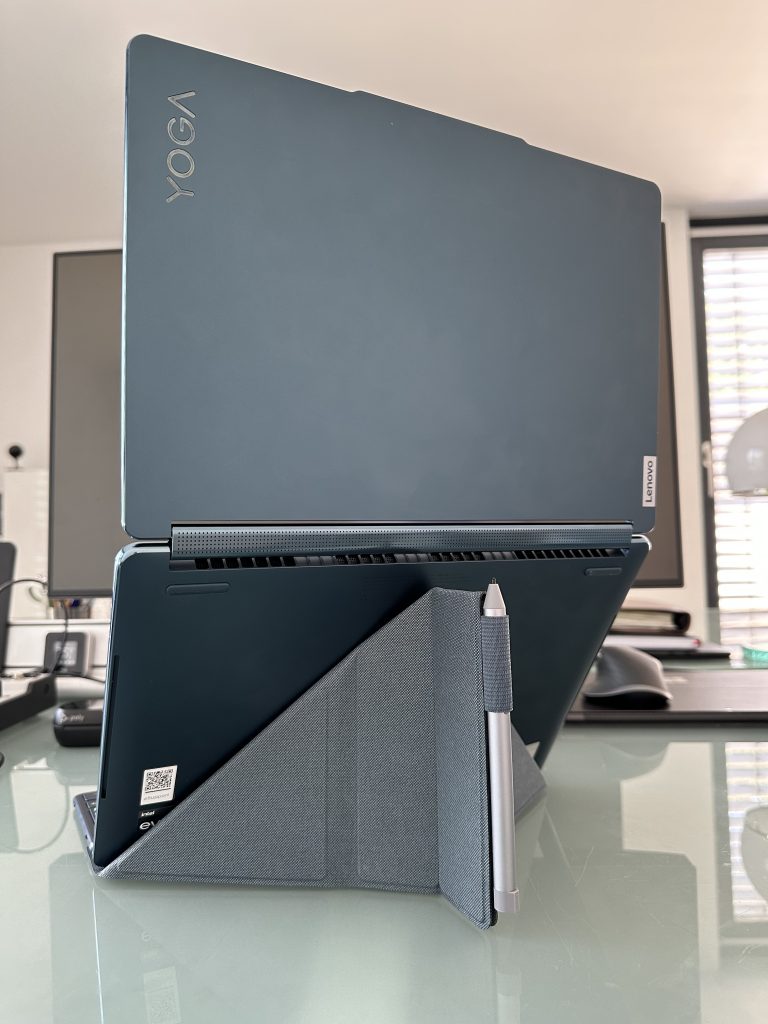
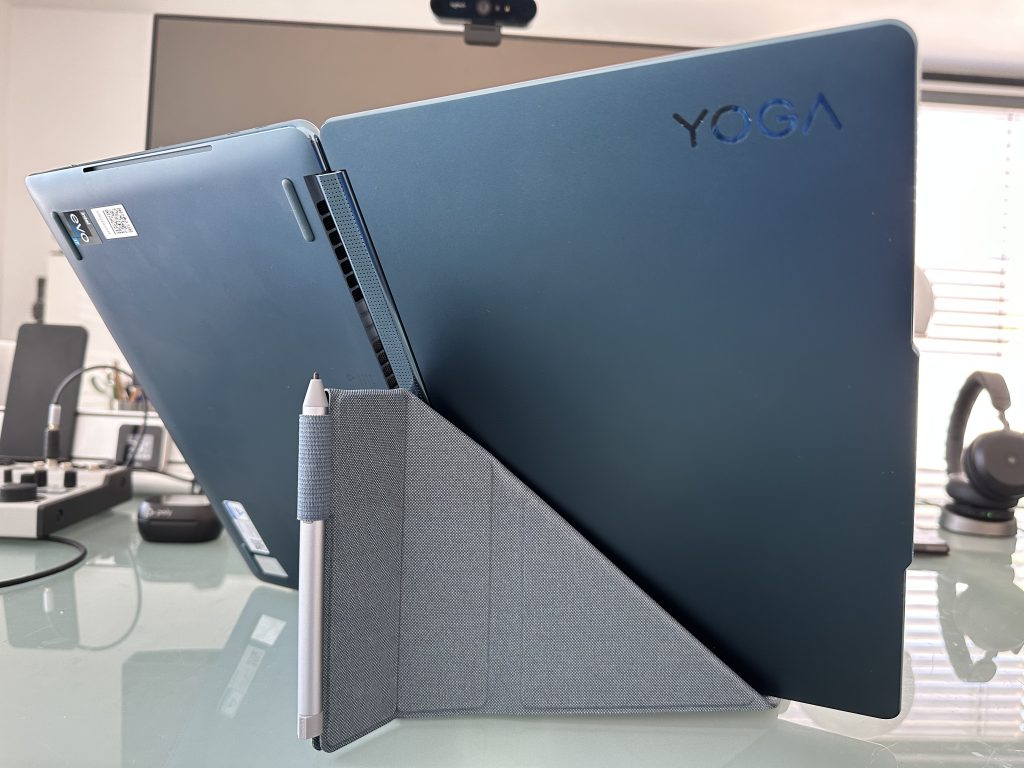
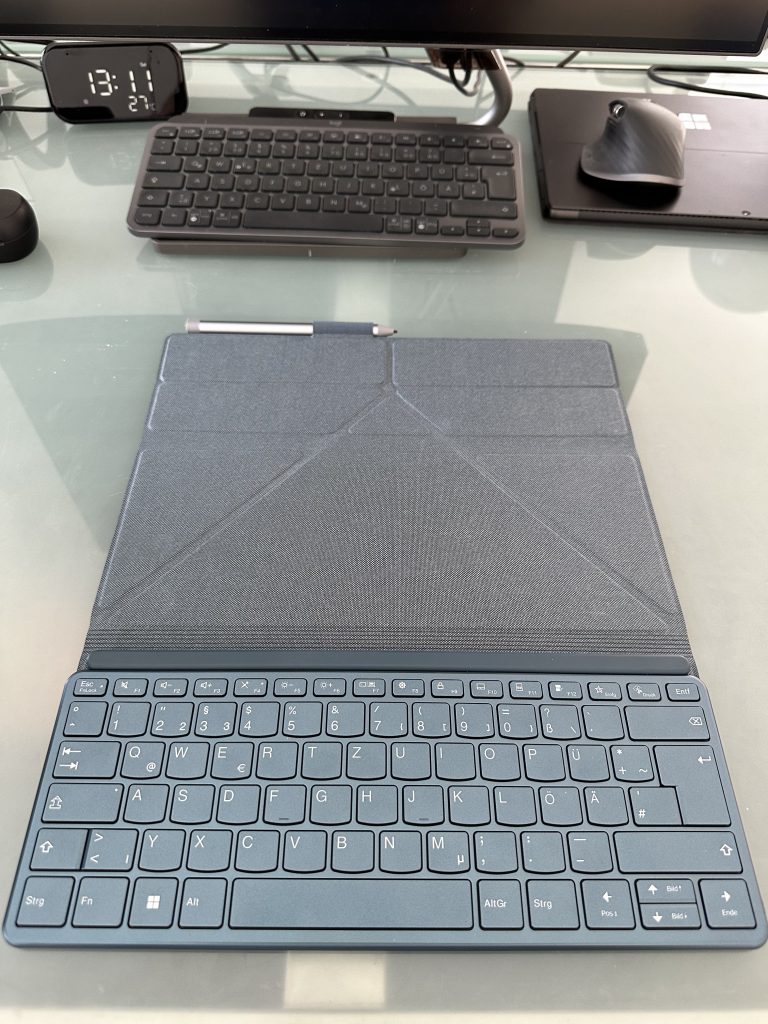
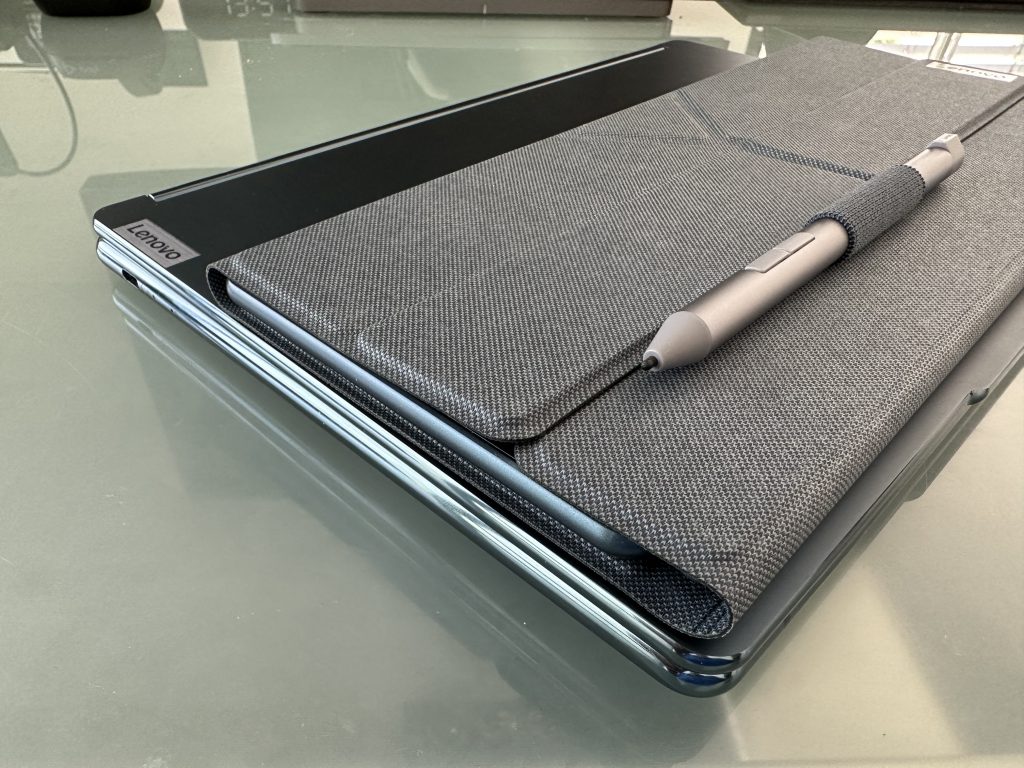
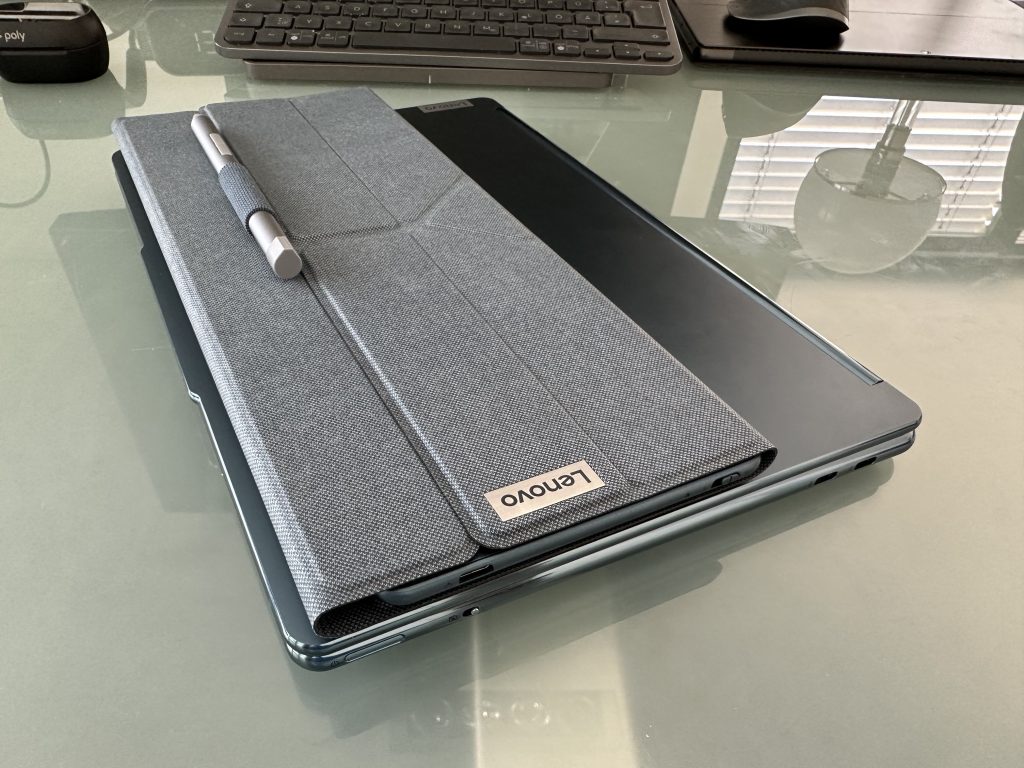
Das muss man sich von hinten anschauen, um es zu verstehen. Zu dem Rechner gibt es eine externe Tastatur und eine Origami-Hülle, die als Aufsteller gefaltet wird:
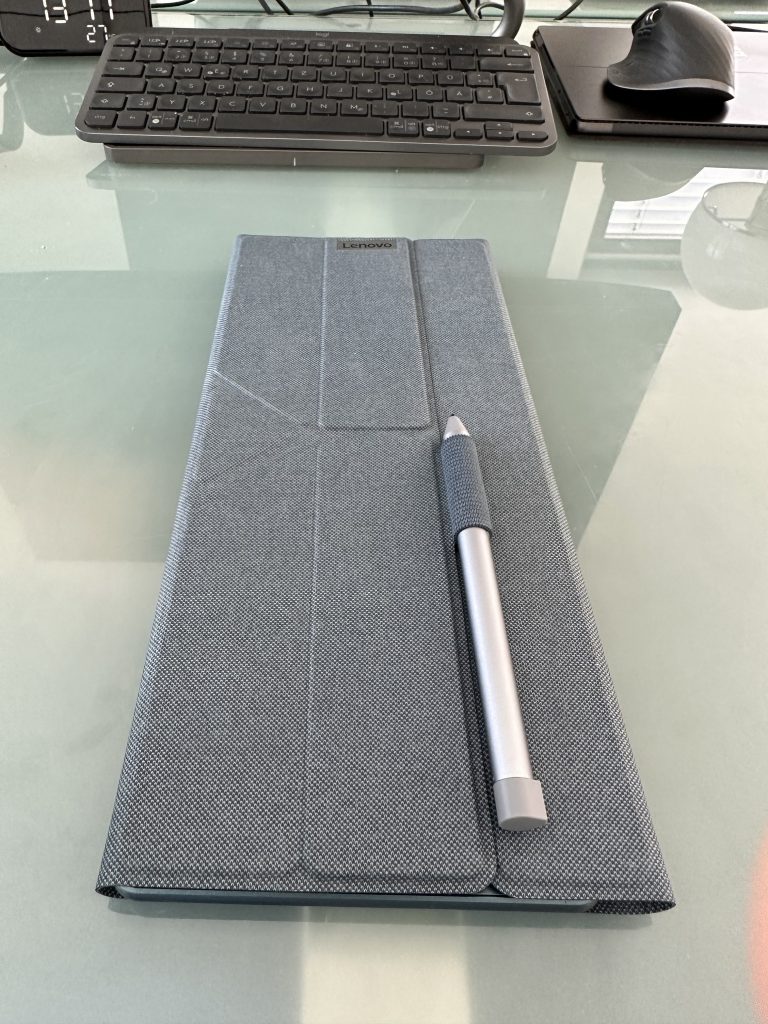
Man kann die beiden Bildschirme übereinander oder nebeneinander anordnen. Das ganze ist viel stabiler als es aussieht. Faltet man die Hülle um die Tastatur, erhält man ein kompaktes Paket.
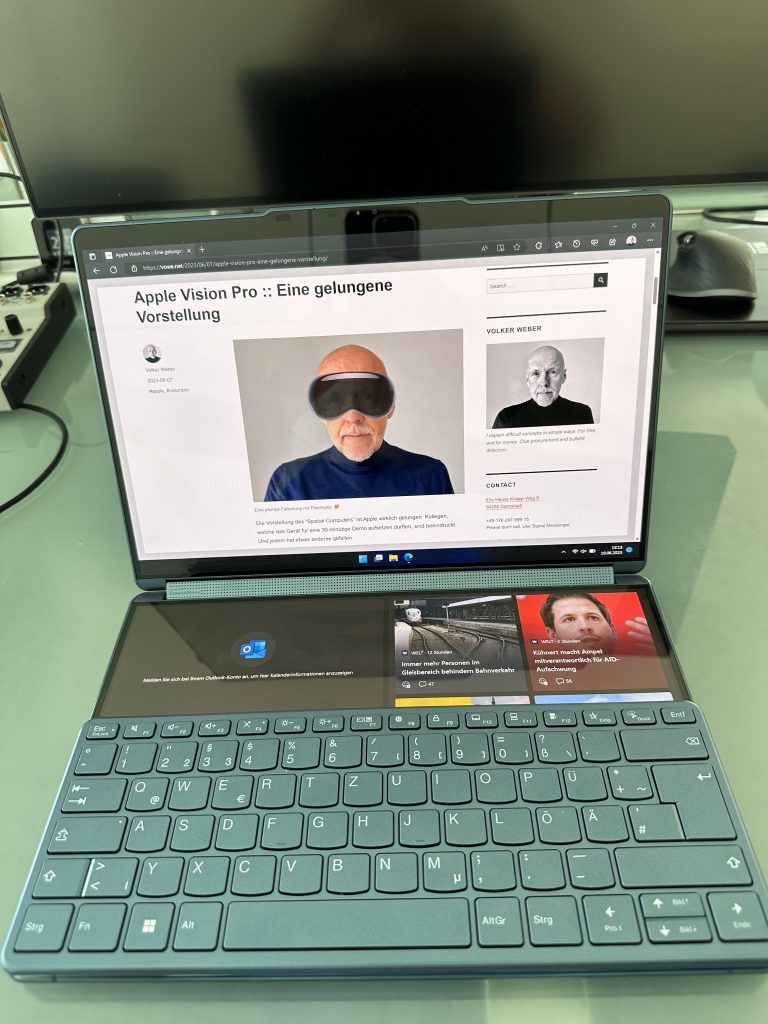
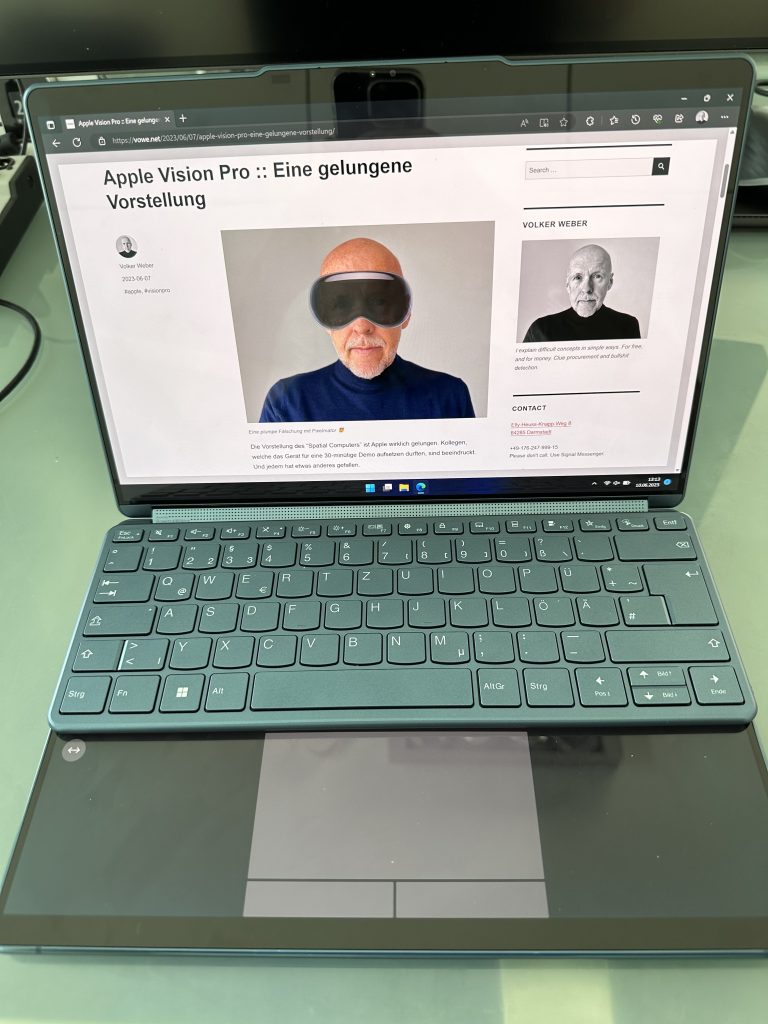
Das ist das einzige “Übergepäck “, das man mitnehmen muss. Nun hat man ja nicht immer den Platz, die Bildschirme aufzustellen, sondern will vielleicht unterwegs in Zug oder Flugzeug arbeiten. In dem Fall legt man die Tastatur einfach auf den unteren Bildschirm und erhält dazu entweder eine Widget-Leiste oder ein virtuelles Touchpad:
Jetzt darf man aber nicht mehr zuklappen, denn die Tastatur passt nicht zwischen die beiden Bildschirme. Alternativ lässt man die physische Tastatur einfach in ihrer Hülle und nutzt eine virtuelle Tastatur:
Das funktioniert viel besser als erwartet. Für Menschen, die eine Tastatur fühlen müssen, ist das schwierig, aber mittlerweile schreiben ja viel mehr Menschen auf Glas als auf Tasten. Auch das TrackPad ist mir nach kurzer Eingewöhnung vertraut, Man muss lediglich bei den Tasten achtgeben, wenn man Drag&Drop-Gesten ausführt.
Windows sieht stets nur zwei Bildschirme, der obere erscheint eingebaut, der untere als per Kabel verbunden. Lenovo steuert eine Software bei, die Windows erweitert. So dreht sie beide Bildschirme gleichzeitig und liefert auch das virtuelle Keyboard.
PowerPoint-PräsiVorne …und hinten
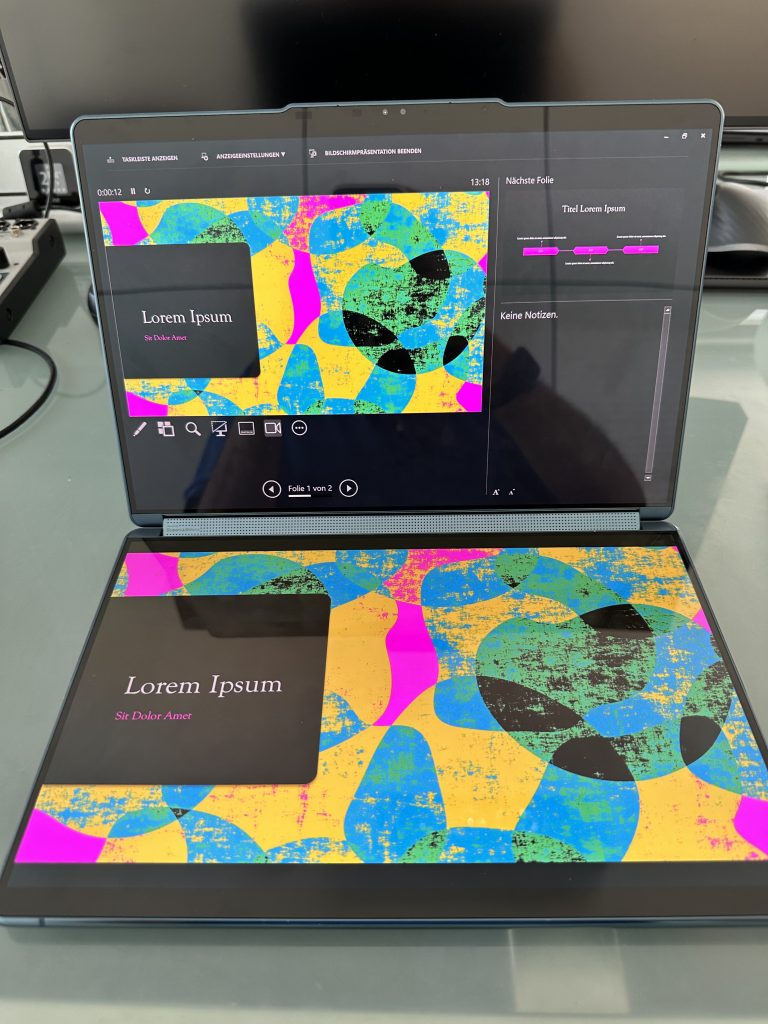
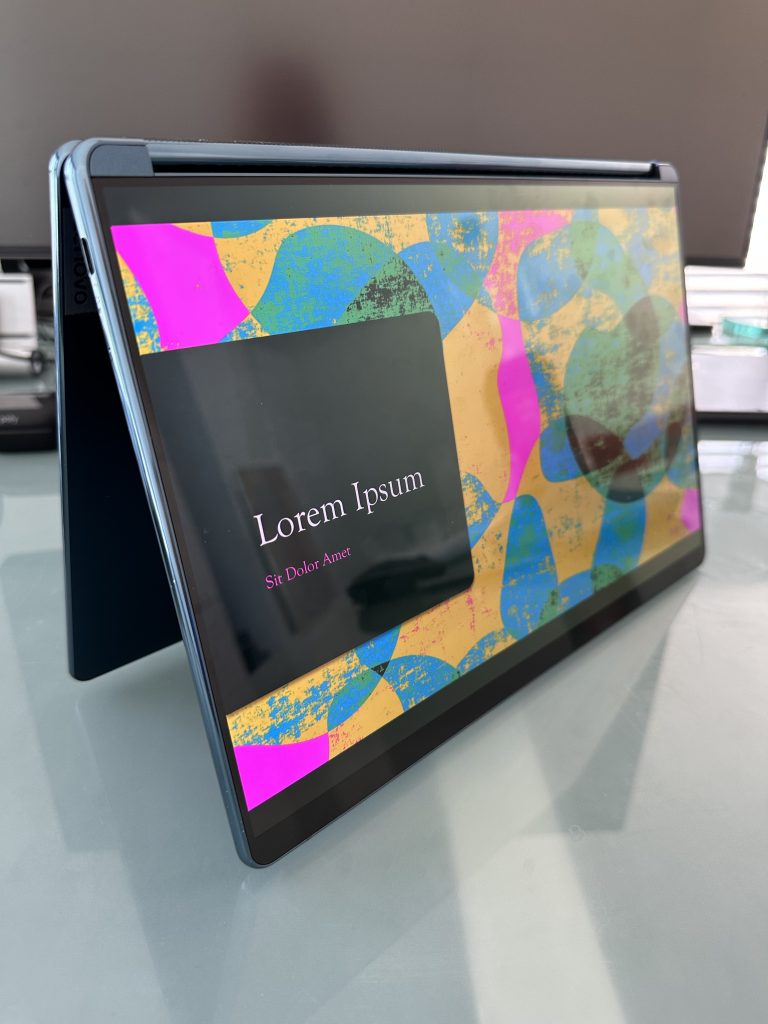
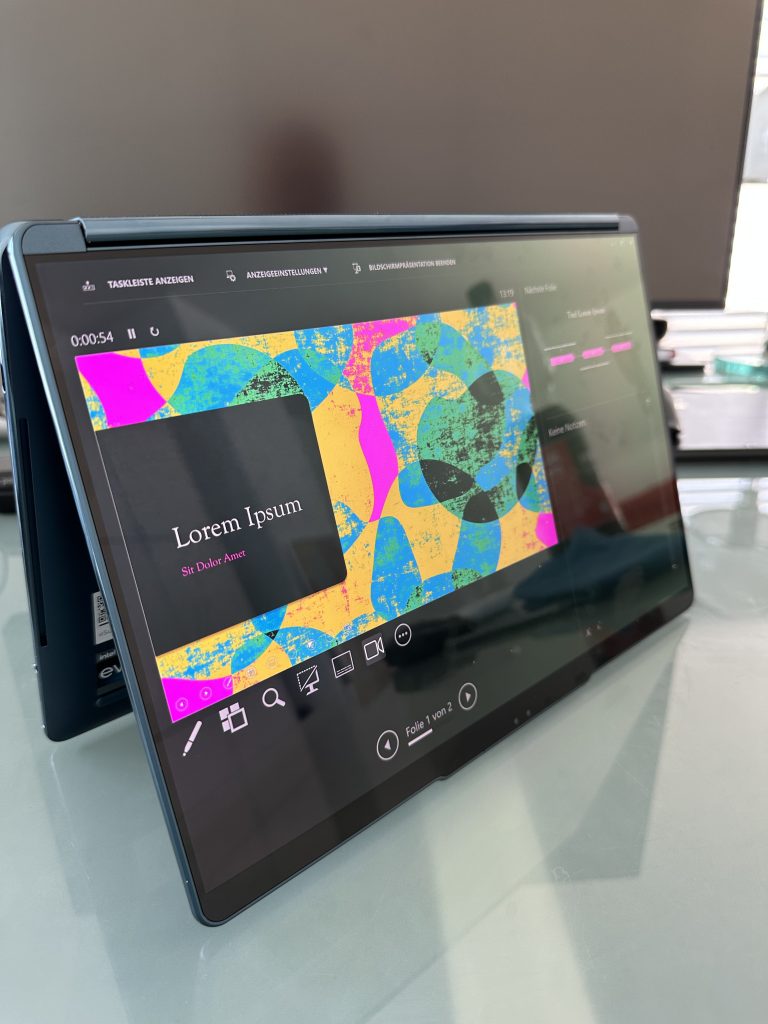
Weil man das Yoga falschrum zuklappen kann, um es als reines Tablet zu nutzen, bietet sich noch ein interessanter Modus für Präsentationen an. Auf einer Seite sieht man das Vollbild, auf der anderen Seite das Presenter Display mit Notizen und der nächsten Folie.
Links ein Thunderbolt-Port… rechts zwei. dazu Power und Privacy Shutter
Mit der Hardware habe ich mich noch gar nicht besonders beschäftigt. Intel-Prozessoren der Gen 13, 16 GB RAM, 1 TB Storage, drei Thunderbolt Ports, Wifi 6E, Bluetooth 5.2, kein Headset-Anschluss. Beide 13.3 Zoll großen Bildschirme haben Multitouch und Pen Support.
Die spiegelnden Displays halte ich für einen Nachteil. Da gefällt mir das matte Display meines Z13 besser. Auch über die Akkuleistung kann ich noch nichts beitragen, aber naturgemäß brauchen zwei Displays doppelt so viel Strom wie eins, und das ist der größte Verbraucher.
Ich möchte in der Regel mit beiden Bildschirmen voll arbeiten und keins der virtuellen Tastatur opfern. Und damit muss ich die externe Tastatur nutzen. Dort fehlt mir ein TouchPad, so dass ich als weiteres Zubehörteil eine Maus am Start habe.
In jedem Fall ist das Gerät nah am Editor-refuses-to-give-it-back Award. Das hat bisher nicht mal der viel teurere ThinkPad Fold geschafft.
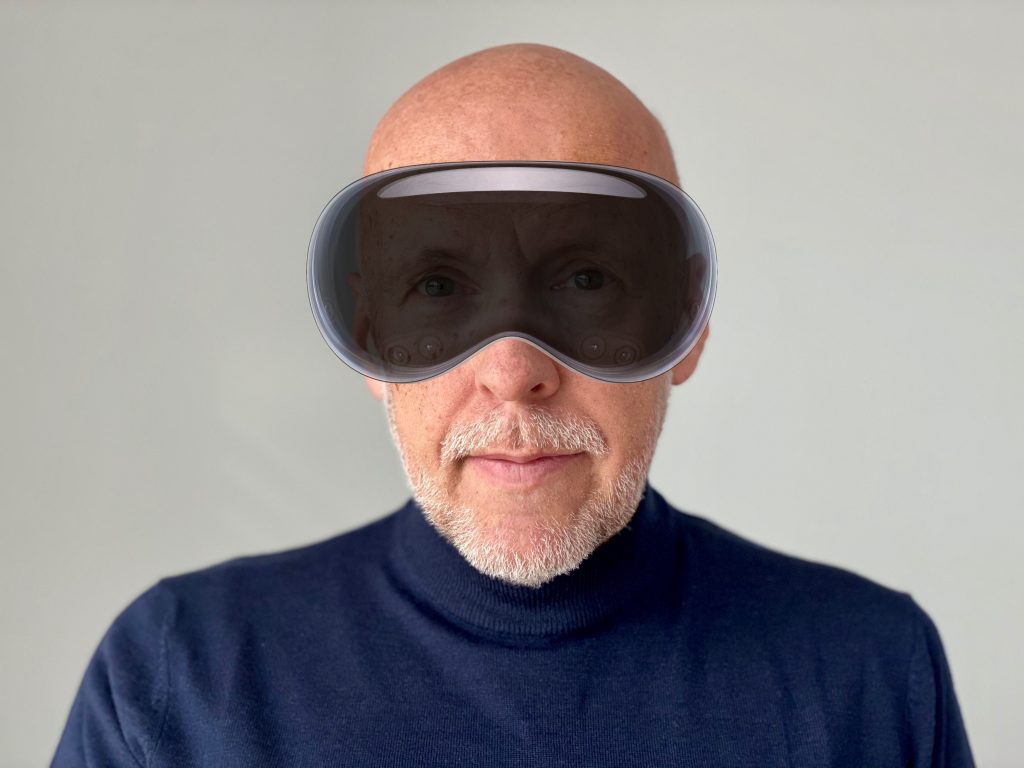
Die Vorstellung des “Spatial Computers” ist Apple wirklich gelungen. Kollegen, welche das Gerät für eine 30-minütige Demo aufsetzen durften, sind beeindruckt. Und jedem hat etwas anderes gefallen.
Mit 3500 US-Dollar ist Vision Pro noch kein massentaugliches Produkt. Aber Microsoft Hololens ist (war?) das auch nicht. Man muss bedenken, dass das kein Peripheriegerät, sondern ein vollständiger Rechner ist. Basis ist eine weitere Variante des iPhone-Betriebssystems und so werden auf Anhieb Millionen von iPad-Applikationen laufen, zusätzlich zu der Software, die Apple selbst liefert.
Meine Reaktion auf die Gattung von VR-Brillen war stets Belustigung. Man sieht einfach völlig beknackt aus, wenn man seine Augen mit einer undurchsichtigen Taucherbrille verdeckt. Durch eine Hololens kann man immerhin noch durchschauen, und dort spricht man von Mixed Reality oder Augmented Reality. Die Welt um einen herum verschwindet nicht einfach.
Bei Apples Vision sieht man seine Umgebung ebenfalls noch, wenn man denn will. Allerdings nicht direkt, sondern durch die Augen der vielen Kameras des Geräts. Sehr gut gelöst finde ich, dass man seine eigenen Augen ebenfalls nach außen zeigen kann. Dazu nutzt die Vision Pro die zahlreichen innenliegenden Kameras, die das Eye Tracking besorgen, sowie einen OLED-Screen auf der Außenseite.
Übereinstimmend loben alle Berichte, wie reibungslos und detailliert die Darstellung für den Nutzer ist. Brillenträger können die Sehschärfe durch spezifische Linsen anpassen. Schön für Gleitsichtbrillenträger: Die Darstellung ist stets in einer Ebene, so dass die Augen nicht akkommodieren müssen. Eine Stärke reicht also. Ich bin gespannt, wie gut Apple die Anpassung hinbekommt.
Will ich Vision Pro haben? Oh ja. Vielleicht nicht in der ersten Version, aber in nicht zu ferner Zukunft ganz sicher. Und das sage ich als Skeptiker.
Wow, that was a lot to take in. 120 information-packed minutes. I will need some time to get through all of it.
Just a few quick thoughts:
Apple Vision Pro is not expensive. It has the exact same sticker price as a Microsoft Hololens 2 and it is far more advanced.
The Mac completes its transition to Apple Silicon with the long-awaited Mac Pro. M2, M2 Pro, M2 Max, M2 Ultra, the family is complete.
The 15-inch Macbook Air is a nice addition to the line-up.
Just a little tidbit: with iOS 17 you will be able to share AirTags with up to five people. That is going to make them so much more useful for shared items. Like a dog collar or a bike.
Facetime on Apple TV will be used a LOT here at vowe’s magic flying circus. The iPhone serves as the camera.
Apple Watch gets a nice re-work with watchOS 10. I want the Snoopy&Woodstock watch face.
AirPods are getting a mute switch and adaptive audio. Both are very welcome additions and adaptive audio will enhance computational audio even more. This is a killer product.
Vision Pro got a strong reaction from my partner. I think she would not want me sitting around with it.
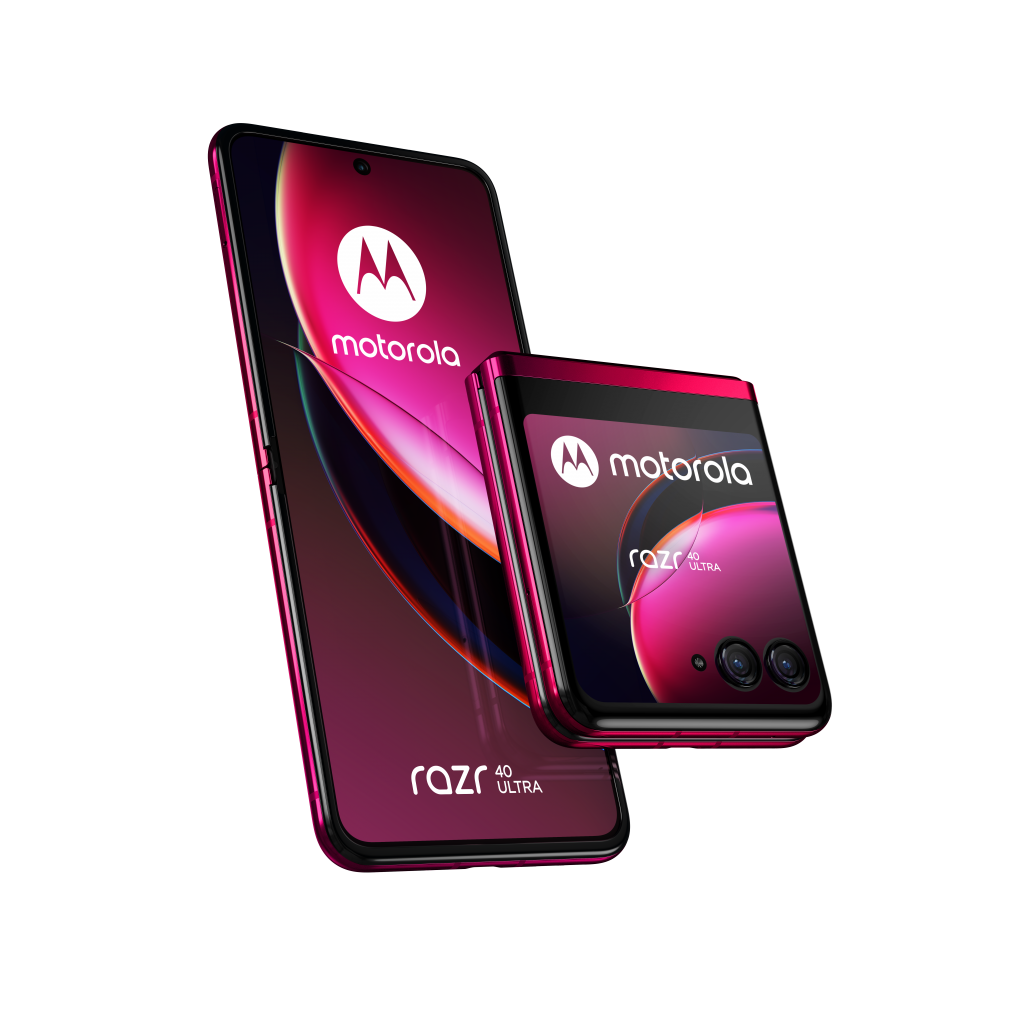
Bevor Apple alle anderen Nachrichten platt macht, will ich noch kurz über die neuen moto razr sprechen. Zwei neue Foldables sind es, das razr 40 und das razr 40 ultra. Oben sieht man das teuere Modell mit großem externem Display. Das hat Flagship Specs und ist aktuell das einzige Foldable, das mir gefällt, weil es sich klein macht und nicht noch größer als ein normales Smartphone. Fingerabdrucksensor auf dem Einschalter, zwei Kameras mit 12 und 13 Megapixel “außen” sowie eine 32 MPixel Selfie-Kamera auf der Display-Seite. Hier sind alle Tech Specs:
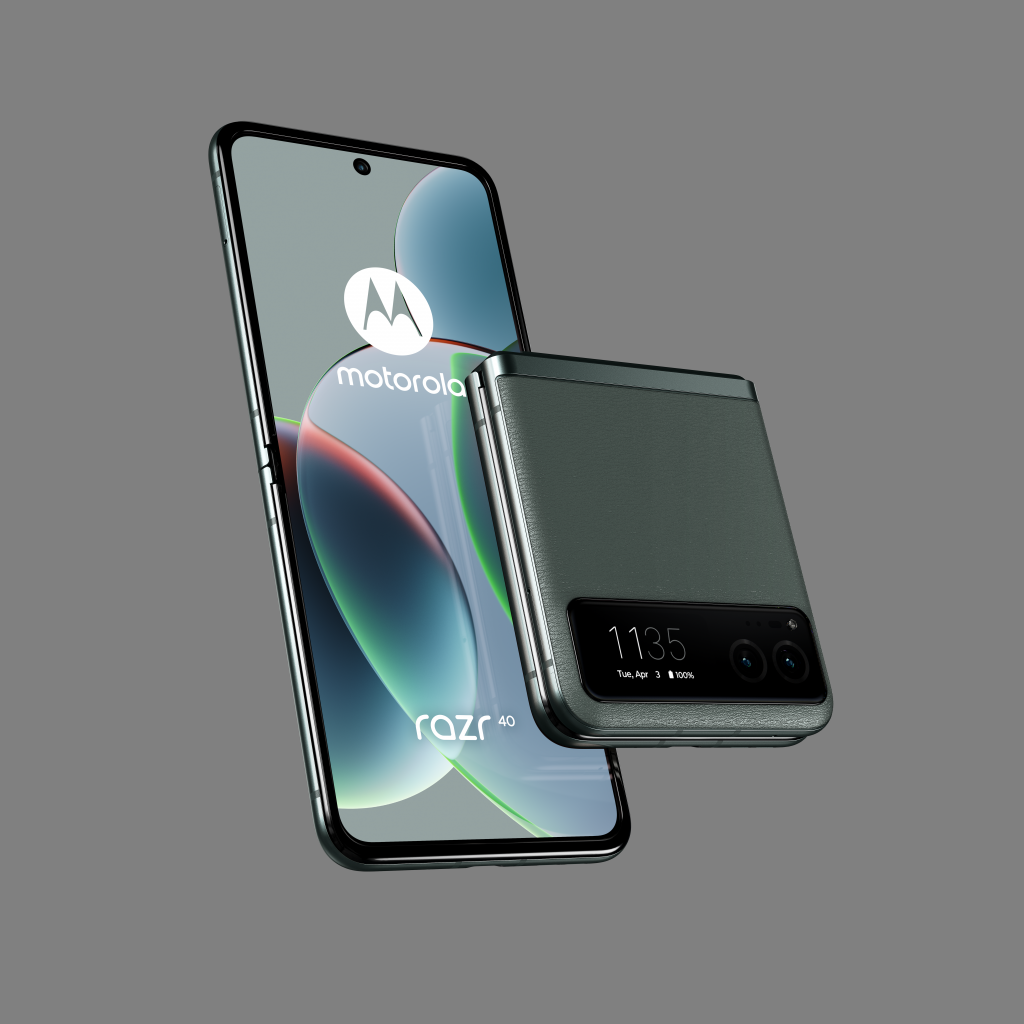
Ab Mitte Juli kommt das razr 40 in Sage Green, Vanilla Cream und Summer Lilac auf den Markt. Es soll 900 Euro kosten.
Das ist vermutlich das viel schlauere Gerät. Snapdragon 7 statt 8 Plus, ein kleineres Außendisplay, dafür aber ein größerer Akku, durch das Gehäuse in “veganem Leder” ist es besser stoßgeschützt als das teure Modell. Interessanterweise gibt es auch eine Hauptkamera mit 64 statt 12 Megapixel.
Sehr löblich: Beide Geräte kommen mit einem 30 Watt Ladegerät. Alternativ lassen sie sich auch mit 5 W induktiv laden.
Vergleicht mam die neuen razr mit den Motorola edge 40 pro (900 Eur) und edge 40 (600 Eur), dann nimmt man für die schöne Form einige praktische Nachteile in Kauf. Gegen Wasser sind sie mit IP 52 statt IP67 kaum geschützt, sie laden auch drahtgebunden (bis zu 125 W) und drahtlos (15 W) langsamer.
Now would be a wonderful time to subscribe to Apple TV+ for one month and watch the TV series Ted Lasso, back-to-back. Season 3 has now completed the whole story.
If you are not sure about that, just trust me. This is money well spent.
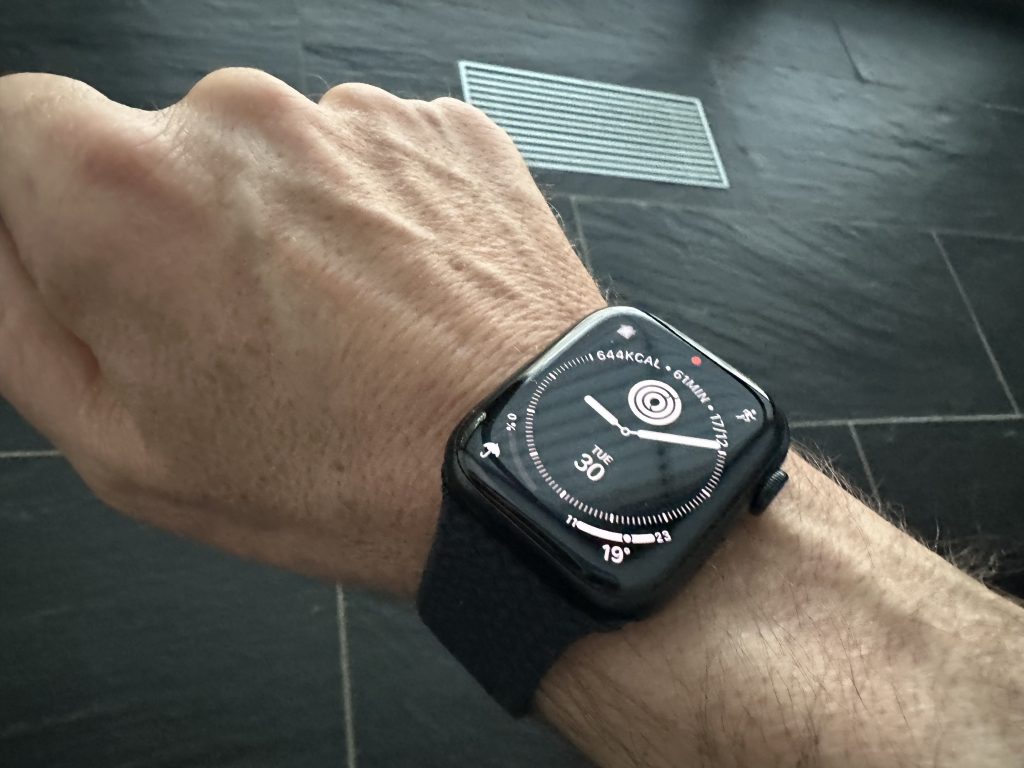
Exactly 8 years ago I started wearing an Apple Watch, the original series. At that time, Apple was offering an aluminium sports watch, the “regular” watch made from stainless steel, and an outrageously expensive gold watch. Apple did not yet know what to do with the watch and they eventually pivoted to health and fitness, which happened to be exactly my use case from day one.
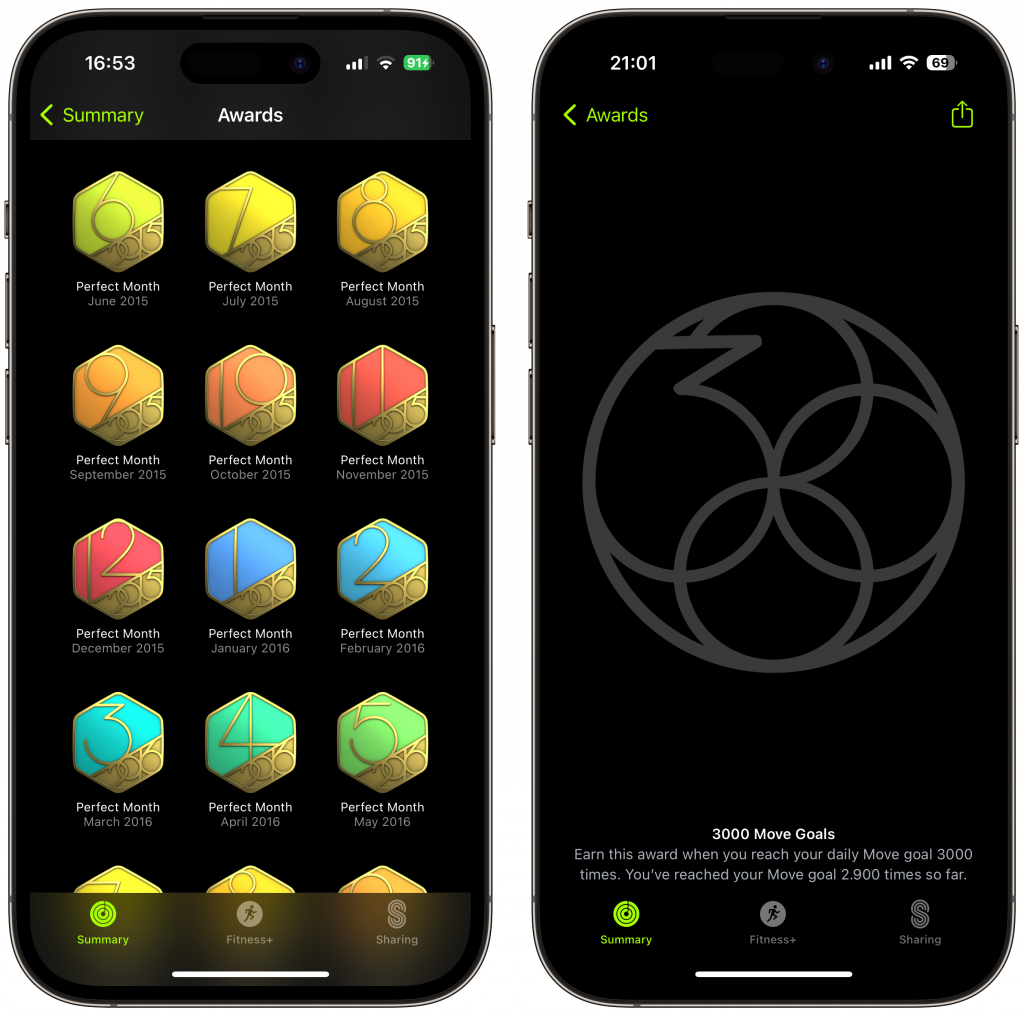
I wanted to close my rings every single day of the week, and I have now been doing this for 8 years. As you can see, I completed 2900 days with reaching my move goal, out of 2920 days. My longest move streak has been more than a thousand days until I missed one day by a few calories.
A few years ago, Apple Watch alerted me of a health condition that turned out to be a severe sepsis, a potentially life-threatening situation. Three doctors made the right decisions within just two hours. I had surgery the next day and I walked out of the hospital three days later.
In the years since Apple Watch has received an ECG monitor, fall detection, crash detection, irregular heart rhythm detection. The display has gotten a lot better, it has been always on for more than three years, its battery life has gotten much better, and it charges faster, so that you can wear it 23.5 hours a day and track your sleep. The long-term health data makes it so valuable for me. When my resting heart rate goes up, I know something is wrong.
With Apple Pay I can pay for almost everything just by holding it to a payment terminal, I can take a call without even carrying my iPhone and can dispatch iMessages just by talking to it. When I leave the house, I continue to listen to a podcast through my AirPods, and all this tight integration makes the watch indispensable to me.
That’s all nice and good. But what makes me wear this thing every single day is that it watches over me.
I may not even be here without it.
On to the next 100 days to complete the 3000 days of closing my rings. #dontbreakthechain
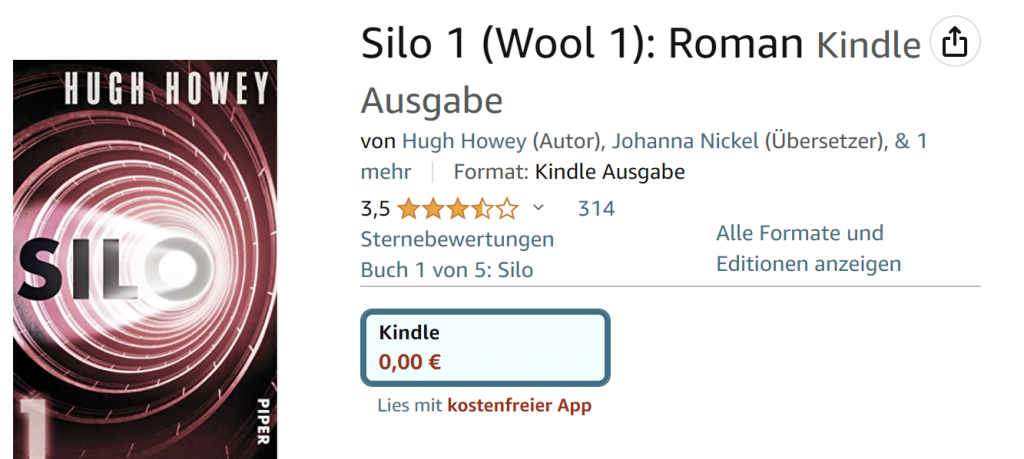
Auf Apple TV+ läuft eine neue Serie mit dem Namen Silo. Den ersten Band der Romanvorlage von Hugh Howey gibt es in deutscher Sprache aktuell kostenlos, sowohl auf Amazon Kindle als auch Apple Books, und wahrscheinlich auch anderen Ebook-Plattformen.
Attention friends. My previous Mastodon instance home.social is closing down on June 16th. You have to act now.
It’s not good enough to have a (partial) backup, because you don’t own your data. On a related note: more than 40k people have registered on home.social. Currently there are only 6.1k active which means logged in.
As I have learned last week, you don’t really own your data on Mastodon. It can just disappear overnight. And even if you made a daily backup, that would be incomplete, and you cannot import all of it.
The main reason for this deficiency is identity. My identity changed a couple of times from @vowe@mastodon.social to @vowe@chaos.social to @vowe@home.social to @vowe@social.heise.de. Many people will never change their identity, but when they do they leave something behind.
Everything you post, contains the name of your server (in Fediverse parlance: instance). Example: https://social.heise.de/@vowe/109763782893905881 If that server goes out of business, all links to this post will 404. You can backup the post, but you don’t own the URL. Should the server just disappear or ban you, it’s gone.
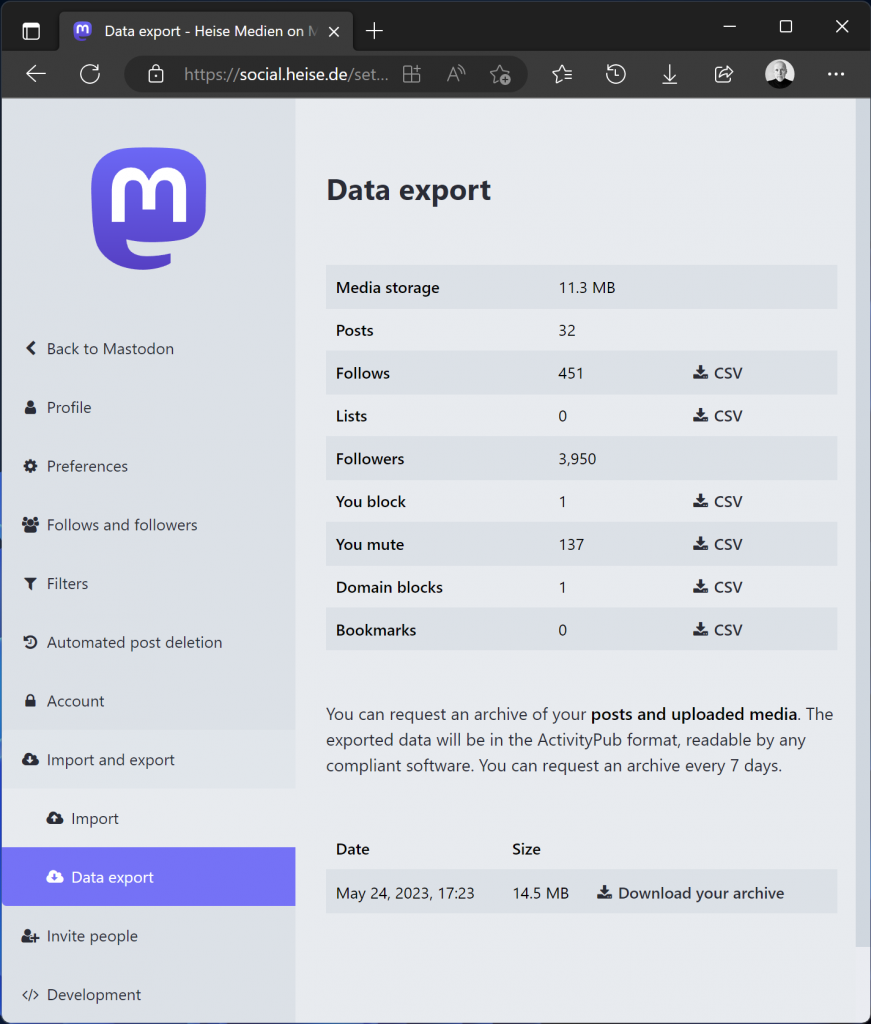
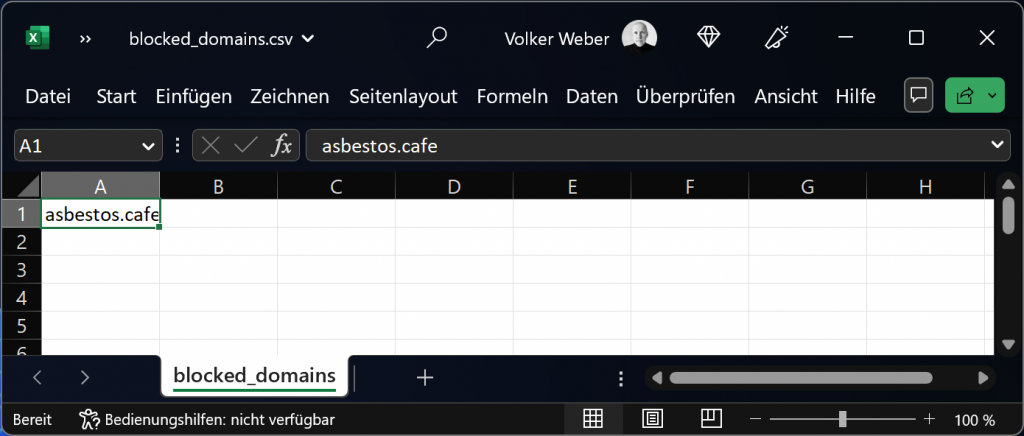
Some of your data is portable when you move to a different server. You can see those CSV files: Follows, Lists, Blocks, Mutes, Domain Blocks and Bookmarks. If you back them up in time, you will be able to upload them to a new home.
Since identity is tied to a server, it needs to be updated when you move from one server to another. Mastodon does that for you. You can tell the two servers to move your followers. This looks like magic. Your old accounts get marked as moved and then your followers will change their follow list, completely automatic.
This magic is also dangerous, because it alters data en masse, data that you do not own. Example: I blocked one instance, as per my export. When you do this, your server tells the other server to remove you from the follow list of all people on the other server. There is no undo.
As I have shown you last week, it is quite easy to strike an instance because you select this nuclear option on an innocent looking menu on a single person entry. Once you do this, you will lose a part of your data with no backup.
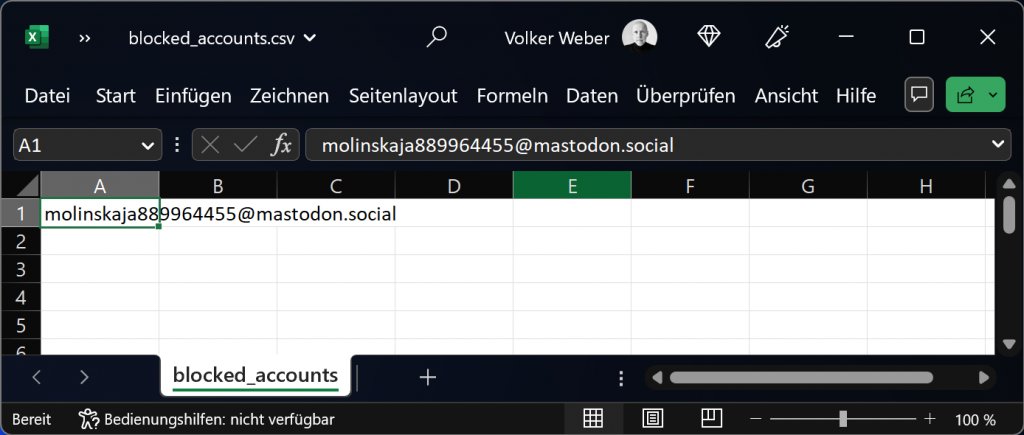
You learn from your mistakes. I have learned my data is not safe in Mastodon. Last week I lost around 900 followers on mastodon.social which is the largest instance on Mastodon. I have exactly one blocked person on this server:
I cannot really remember why I blocked this account, but the handle suggests it was one of the spammers that have plagued this server. I don’t really understand why I have been removed from all my followers on mastodon.social, but a few of them have found I was missing and re-followed me although I am currently taking a break from Mastodon.
You can architect identity in a different way. did:plc:k5ybhnnyl4zwq7ey3q3fogzt is my identity in atproto, the protocol that drives Bluesky and soon many other services. I use my domain @vowe.net to resolve to this identity. That is my name within Bluesky. I can change my name but it will still resolve to this identity.
This video gives you a deeper dive into the Kindle Scribe. What it does not mention is how the larger screen lets you comfortably read PDF files and the fact that you can in fact draw and write on them.
If that is not your cup of tea and you just want a premium reading experience when reading books you bought on Amazon, I still recommend the Kindle Oasis and as a budget option the regular Kindle. Many years ago I bought the second-generation Kindle because English language books were so much cheaper, and it paid for itself in months.
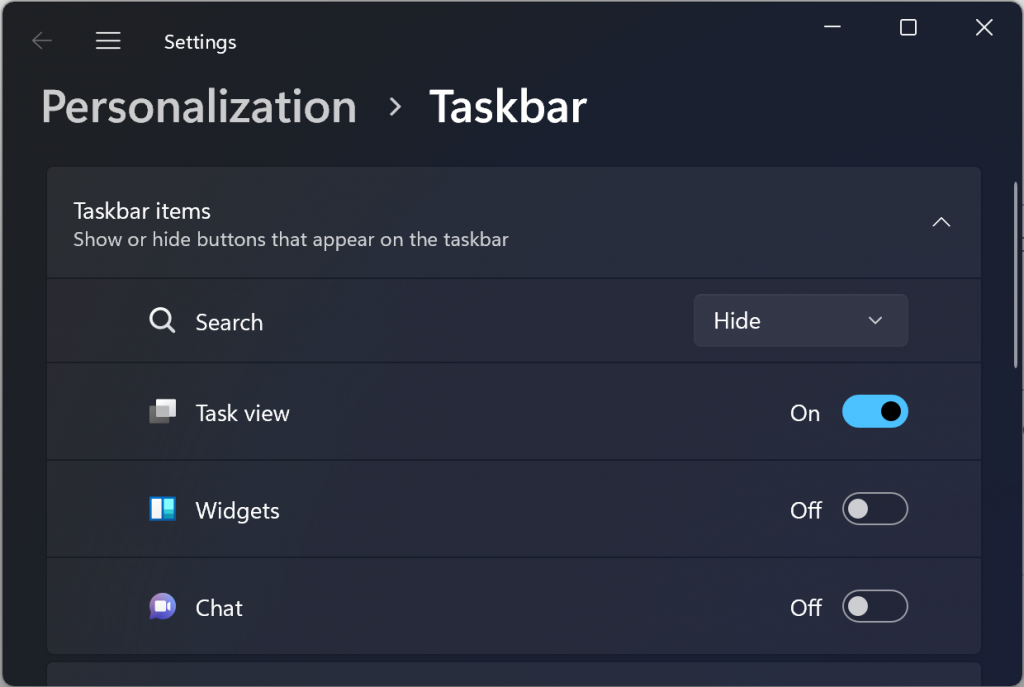
Microsoft has announced that an update later this year will enable the ability to disable the MSN feed in the widgets board on Windows 11, offering different layouts including one that’s “widgets only”.
Ever since Microsoft introduced the widgets in Windows 11, they have shot themselves in the foot with their horrible, curated newsfeed from MSN. The only way to get rid of it is to disable widgets completely.
My feeling is that Microsoft should axe MSN completely and forever. Just shut the whole thing down. It’s not only polluting Windows but Edge as well.
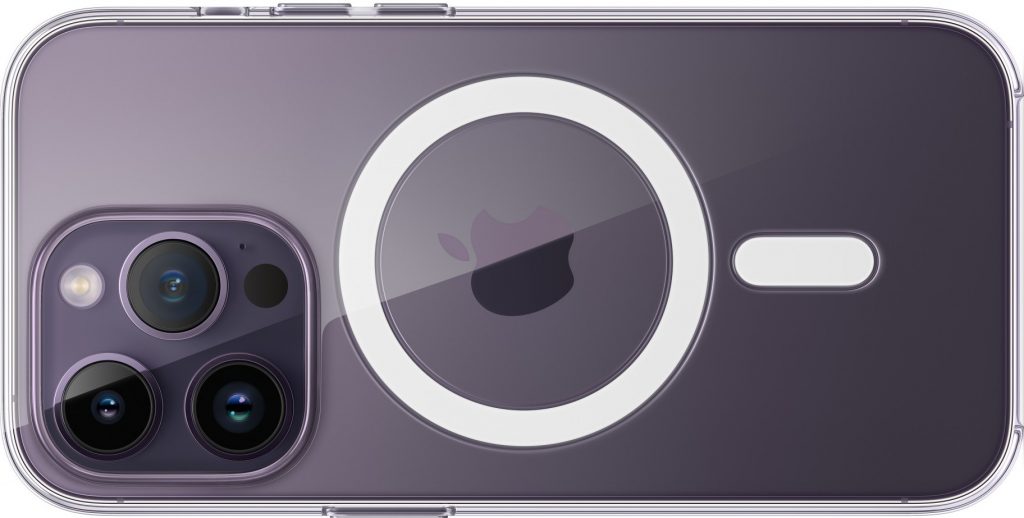
After crashing one iPhone I am now using Apple’s Clear Case
I find it quite amusing how Techtuber chat up the latest and greatest camera models. To folding revenues of camera manufacturers. Yes, it is not a coincidence that they all come out with their reviews at the same time.
Don’t fear missing out. Camera wars are over and the smartphone won. If you spend 400 Eur and up on a smartphone, you are good. There are measurebators who will tell you that this camera is better than that camera, but I am pretty sure that your quality as a photographer makes a bigger difference.